TC Games Free Download for Windows – Screen Mirror
What is TC Games Free Download for Windows – Screen Mirror?
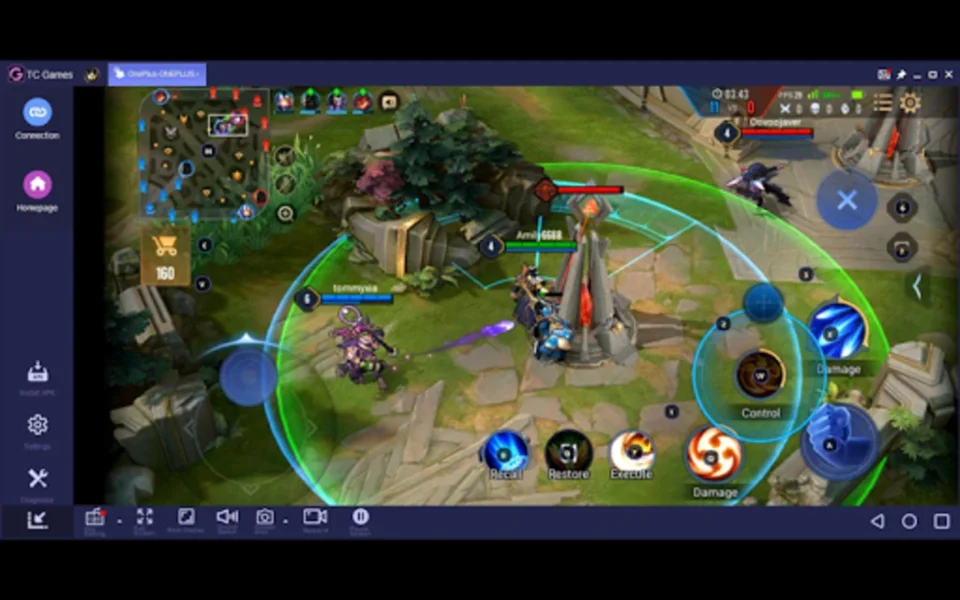
The TC Games free download gives you a fast screen mirroring tool that brings your Android games to a Windows PC with full keyboard and mouse control. Developed by Sigma Resources & Technologies, a company specializing in screen projection and device control, it mirrors your phone or tablet in real time at up to 1080p and 60 FPS. Unlike an Android emulator, it runs the game on your actual phone, so performance stays native while your PC handles only the display.
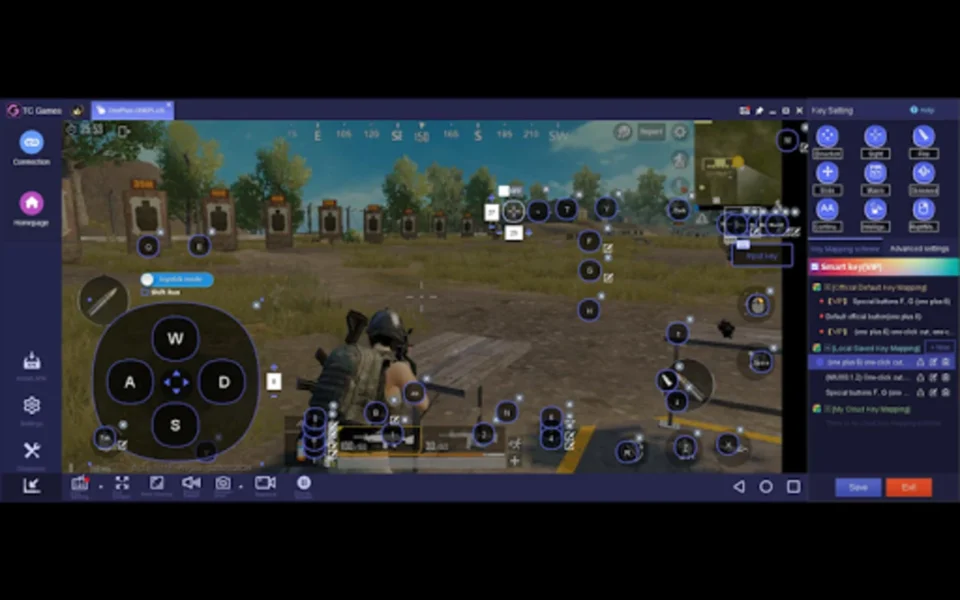
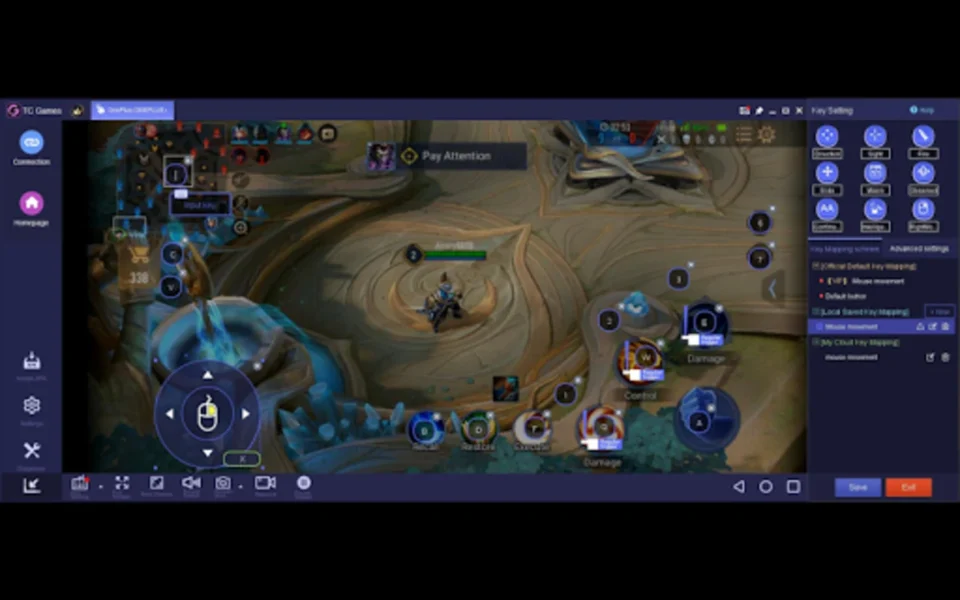
TC Games keeps CPU occupancy lower than 5%, which leaves your computer free for recording or livestreaming while you play. The keymapping center lets you place virtual keys over on-screen buttons and bind them to your keyboard or mouse, with a W/A/S/D joystick mode, macro keys, and smart keys for complex actions. For keeping your display comfortable during long sessions, check out Monitorian which adjusts monitor brightness from the system tray.
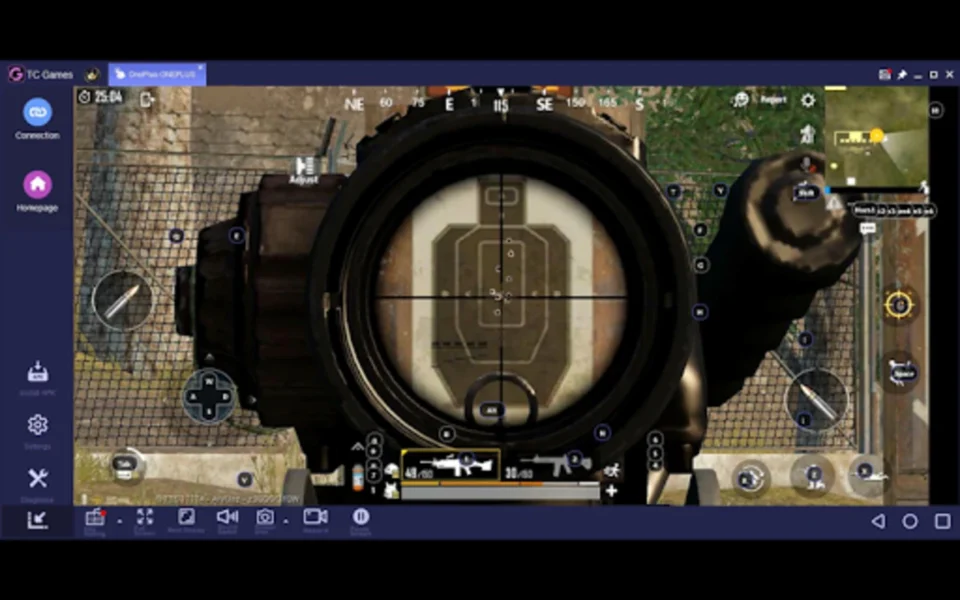
After testing it with PUBG Mobile over USB, aiming with a mouse felt dramatically more precise than touch controls, and the Shift Binding option made sprinting effortless. Ready-made keymaps got the game running in minutes, while custom schemes saved to the cloud for later use. According to Wikipedia, screen mirroring replicates a device's display on another screen in real time.
Why Use This Software?
- Plays fast-paced mobile games with the precision of a mouse instead of touch.
- Runs games natively on your phone, so it is faster than a simulator.
- Records highlights and tutorials directly from the app.
- Streams gameplay to platforms like Twitch, YouTube, and Facebook.
- Saves battery with screen off control during long sessions.
- Works over USB for stability or WiFi for convenience.
- Offers its core features free, with no time limits or constant upgrade popups.
Screenshots
Key Features
- 🖥️ Real-Time Mirroring – Mirrors your Android screen to PC at up to 1080p and 60 FPS.
- ⌨️ Keyboard and Mouse Control – Simulates touch input with precise desktop controls.
- 🎯 Keymapping Center – Places virtual keys over on-screen buttons for any game.
- 🕹️ W/A/S/D Joystick Mode – Adjusts touch sensitivity to mimic finger movement.
- 🔁 Macro and Smart Keys – Triggers multiple actions with a single programmable press.
- ☁️ Cloud Keymaps – Saves custom control schemes and restores them anywhere.
- 🎥 HD Recording – Captures gameplay with pause and resume at up to 90fps.
- 🚿 Watermark Remover – Exports clips without an intrusive logo.
- 🔋 Screen Off Control – Keeps the phone display off to conserve battery.
- 🎨 Visual Tweaks – Adjusts brightness, contrast, saturation, and motion blurring.
How to Install
- Download the TC Games installer from the link below.
- Run the setup and install the app on your Windows PC.
- Install the TC Games companion app on your Android phone.
- Enable USB Debugging on the phone and connect it with a USB cable, or scan the QR code over the same WiFi network.
- Pick a ready-made keymap or open the keymapping center to build your own.
- Launch your game and start playing with keyboard and mouse.
- Also try WinDirStat to free up disk space for your recordings.
System Requirements
| OS | Windows 7, 8, and 10 |
| Android | Version 4.0 and up (works through Android 14) |
| CPU | Any Intel or AMD Processor |
| RAM | 2 GB minimum |
| Storage | Around 100 MB of free disk space |
| License | Freemium — free core features, optional VIP |
Pros and Cons
Pros
- Free core features with no time limits
- Native performance, faster than a simulator
- Deep keymapping with macro and smart keys
- Low CPU usage, under 5% occupancy
- Records at up to 90fps
- Cloud storage for custom keymaps
- Screen off control saves battery
- QR code makes WiFi pairing quick
- Livestreaming support built in
- Adjustable visuals and motion correction
Cons
- Free recordings carry a watermark
- Occasional crashes and unexplained lag
- VIP membership needed for full output
- No iOS device support
- Connection issues with outdated drivers
- Older Windows versions listed officially
- Wireless mode less stable than USB
- Setup needs USB Debugging enabled
- Some titles lack ready-made keymaps
- Interface takes time to learn
Power Tips
Top Alternatives
- ApowerMirror – a versatile mirroring tool that supports both Android and iOS devices, with recording and annotation features.
- BlueStacks – an Android emulator that runs games directly on your PC instead of mirroring, ideal when your phone is low-end.
- Wondershare MirrorGo – mirrors your phone to the big screen with keyboard and mouse support plus social app control.
Frequently Asked Questions
Yes, it is a legitimate mirroring tool from Sigma Resources & Technologies, though you should always download it from the official site or a trusted source.
Yes, the core features — mirroring, keymapping, recording, and screenshots — are free with no time limits, while the optional VIP removes watermarks and adds extras.
No, it is designed exclusively for Android devices; iPhone users need alternative software like ApowerMirror.
Yes, you can connect over WiFi by scanning a QR code on the same network, though USB gives more stable performance for fast-paced games.
Yes, it supports recording at up to 90 frames per second for smooth, high-quality gameplay clips.
Conclusion
The TC Games free download turns your PC into a proper battle station for Android games, pairing native phone performance with the accuracy of a keyboard and mouse. The keymapping depth, cloud-saved schemes, and 90fps recording put it ahead of basic mirroring tools, and the free tier is genuinely usable with no time limits or nagging popups.
The trade-offs are watermarked free recordings, occasional lag on some setups, and no iOS support. For anyone who plays mobile games seriously on a Windows PC, though, the TC Games free download is one of the most complete free ways to make the jump to the big screen.


Comments (0)