
iDevice Manager Free Download for Windows
What is iDevice Manager Free Download for Windows?
The iDevice Manager Free Download gives you a simple way to manage your iPhone and iPad from a Windows PC. It lets you transfer photos, videos, contacts, and backups without using iTunes. The tool gives you full control over your iOS data, all stored locally on your computer. It is made by Marx Softwareentwicklung in Germany and works as a clean, easy alternative to iTunes and iCloud.
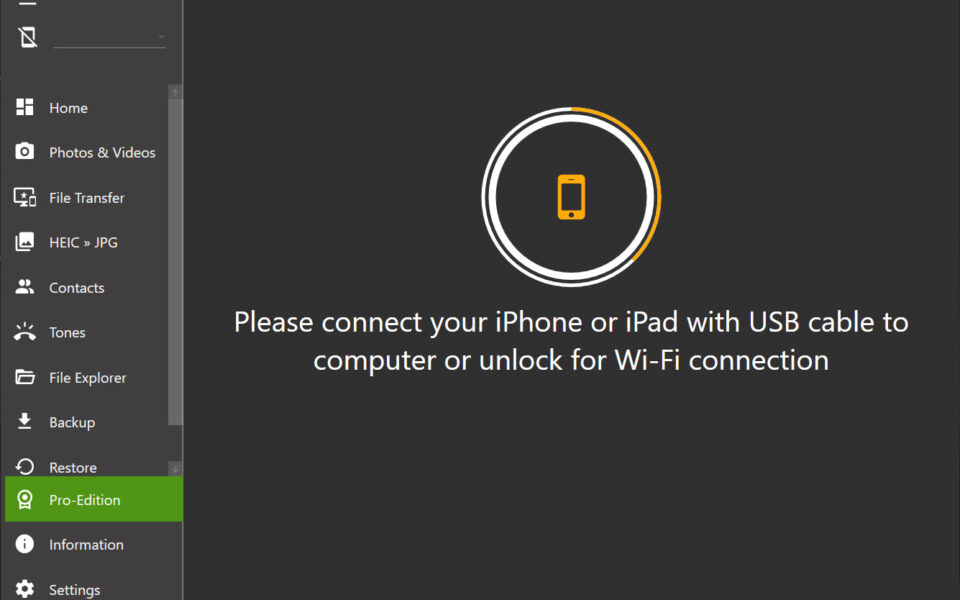
iDevice Manager connects your device via USB cable or Wi-Fi. Once connected, you can browse files, copy media both ways, and create backups. It also has a built-in file explorer that opens folders Apple usually keeps hidden. For other useful mobile tools, check out Discord which is a great free communication app for Windows.
The tool supports iOS 11 and above, plus most modern iPhone and iPad models. It is free to use, with a Pro version available for advanced features. According to TechSpot, iDevice Manager was earlier known as iPhone Explorer and offers far more control than basic iPhone browsers.
Why Use This Software?
- The iDevice Manager Free Download lets you manage your iPhone without the hassle of iTunes.
- Transfer photos and videos both ways via USB or wireless Wi-Fi.
- Convert HEIC photos to JPG so they open easily on Windows.
- Keep all your data local — no cloud or Apple ID restrictions.
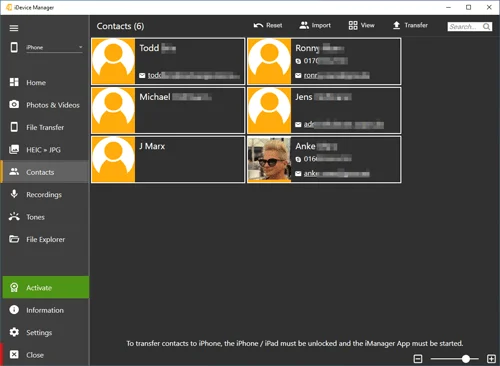
- Sync contacts from Outlook, Google, and vCard files.
- Create custom ringtones without the 32-second iTunes limit.
- Free to use with an optional Pro version for power users.
Screenshots
Key Features
- 📷 Photo and Video Transfer – Copy media both ways between your iPhone and PC via USB or Wi-Fi.
- 📡 Wireless Wi-Fi Sync – Transfer files without a cable when your phone and PC share the same network.
- 🔄 HEIC to JPG Converter – Convert iPhone HEIC photos to JPG or PNG so they open on Windows.
- 👥 Contact Management – Sync contacts with Outlook, Google, Windows Contacts, and vCard files.
- 💾 Backup and Restore – Make local backups of photos, contacts, messages, and app data.
- 🎵 Ringtone Creator – Turn MP3, WAV, AIFF, and M4A files into custom iPhone ringtones.
- 📂 File Explorer – Access the iOS file system and copy documents, app data, and media.
- 💬 Message Export – View and export SMS messages, even save them as a PDF file.
- 📱 Multiple Devices – Connect and manage several iPhones or iPads at the same time.
- 🆓 Free to Use – The basic version is free, with a Pro edition for extra features.
How to Install
- Download the iDevice Manager installer from the link below.
- Install iTunes from Apple's website first, since the tool needs it to detect devices.
- Run the iDevice Manager setup and follow the install steps.
- Connect your iPhone or iPad via USB and tap "Trust this computer."
- Start browsing, transferring, and backing up your files.
- Also Download Win32 Disk Imager for Windows – Free
System Requirements
| OS | Windows 7, 8, 8.1, 10, 11 (32/64-bit) |
| CPU | Intel or AMD Processor |
| RAM | 1 GB minimum |
| Storage | 100 MB free disk space |
| Other | iTunes 10 or later required |
| File Size | ~30 MB |
Pros and Cons
Pros
- Free to download and use
- Manages iPhone without iTunes hassle
- Photo and video transfer both ways
- Wireless Wi-Fi sync support
- Built-in HEIC to JPG converter
- Custom ringtone creator
- Full file system access
- Syncs contacts from many sources
- Backup and restore like iTunes
- Manages multiple devices at once
Cons
- Requires iTunes installed to work
- Some features need the Pro version
- Only available for Windows
- Interface can overwhelm beginners
- Slow with very large photo libraries
- No move option (copy then delete) for photos
- Free version is a limited trial of Pro
- Occasional bugs reported by users
- Not for Mac or Linux users
- Pro features need a paid license
Power Tips
Conclusion
The iDevice Manager Free Download is a handy tool for anyone who wants to manage an iPhone or iPad from Windows without fighting with iTunes. It handles photo transfers, backups, contact syncing, and ringtone creation in one clean interface.
It supports iOS 11 and above, works over USB or Wi-Fi, and keeps your data local and secure. If you want more freedom and control over your iPhone data, the iDevice Manager Free Download is well worth trying on your Windows PC.





Comments (0)