
NAPS2 Free Download for Windows – Document Scanner
What is NAPS2 Free Download for Windows – Document Scanner?
The NAPS2 free download gives you a clean, free and open-source document scanning application built around simplicity and ease of use. Moreover, it works with WIA- and TWAIN-compatible scanners, so most devices from Canon, Brother, HP, Epson, and Fujitsu just work. Because you can organize the pages as you like and save them as PDF, TIFF, JPEG, or PNG, one tool covers the whole job. Therefore, it suits home users and offices that digitize paper regularly. Available on Windows, Mac, and Linux, NAPS2 stays completely free with no hidden costs.
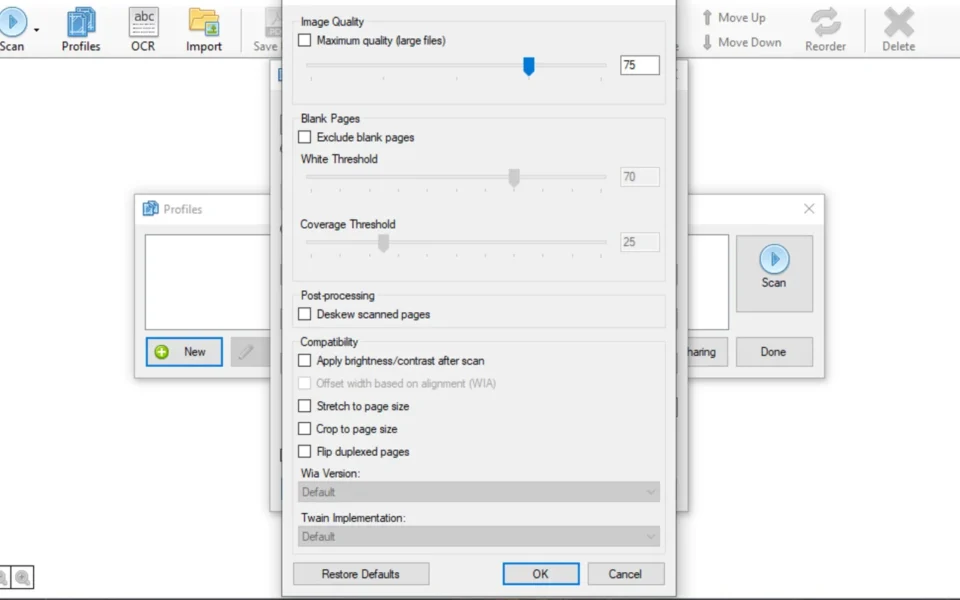
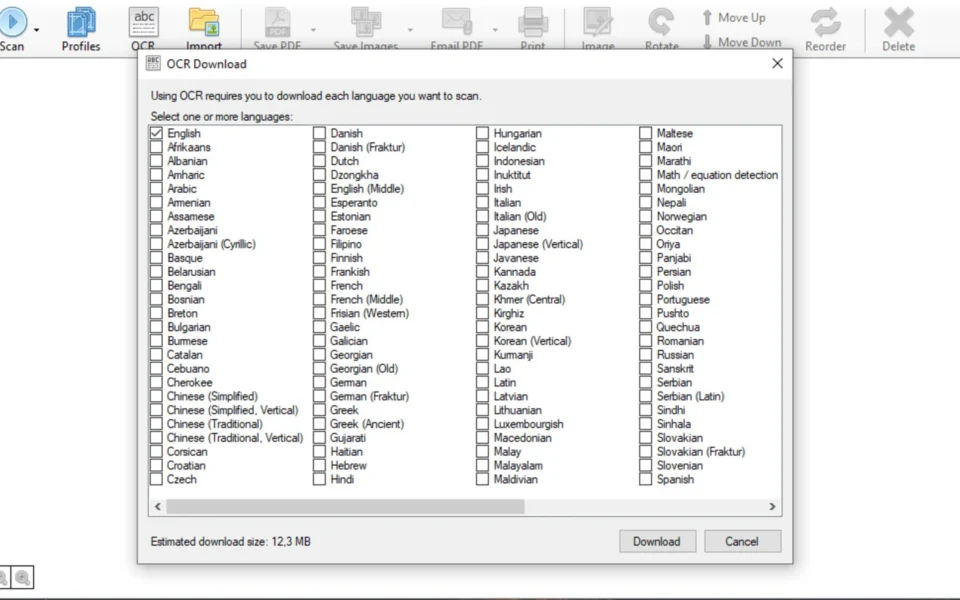
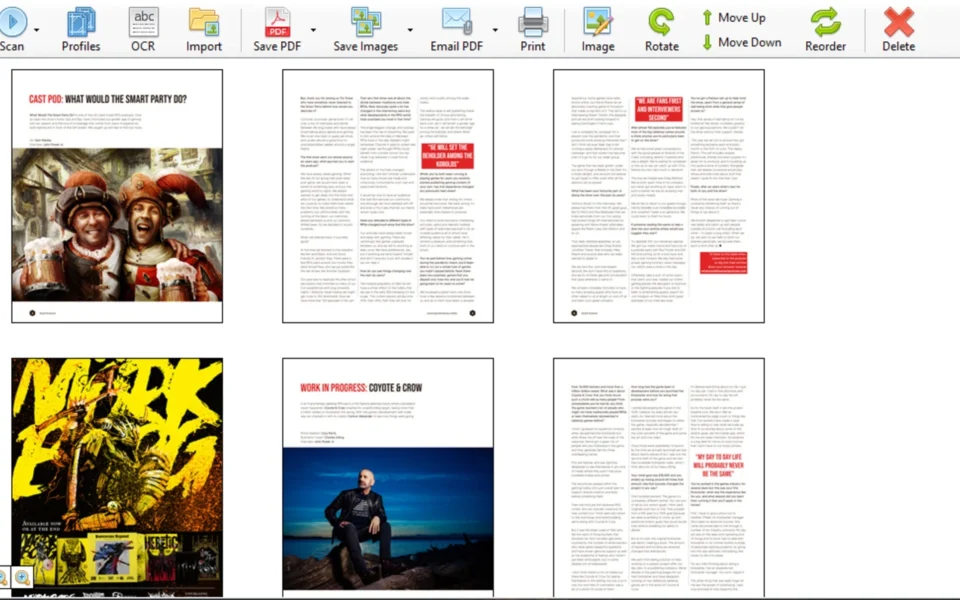
NAPS2 works by connecting to your scanner through WIA or TWAIN drivers and pulling pages straight into its workspace. As a result, you can rearrange pages by dragging them, rotate any that are misaligned, and crop unwanted areas without additional software. In addition, built-in OCR lets you extract and index text so you can search for any word in the PDF in seconds. For previewing documents you plan to publish, check out Kindle Previewer which shows how files look on different devices.
After testing it with an older flatbed scanner, the setup took under two minutes and the first scan landed as a clean PDF. Furthermore, the OCR layer made a stack of old receipts fully searchable. The NAPS2 free download is best suited to anyone who scans documents at home or in a work environment. According to Wikipedia, OCR converts images of text into machine-readable, searchable data.
Why Use This Software?
- The NAPS2 free download turns any document into a polished PDF fast.
- Moreover, custom profiles save time on every future scan.
- In addition, page tools let you fix pages without extra software.
- Furthermore, OCR makes your scanned documents fully searchable.
- Also, it supports a wide variety of devices and popular scanner brands.
- Besides, dozens of languages make it usable almost anywhere.
- Finally, it is free, open source, and available on three platforms.
Screenshots
Key Features
- 🖨 WIA and TWAIN Support – Works with most compatible scanners and drivers.
- 📄 Multiple File Formats – Saves as PDF, TIFF, JPEG, PNG, and more.
- 🔍 Built-In OCR – Extracts and indexes text from scanned documents.
- 🌍 Multilingual Support – Available in over 40 different languages.
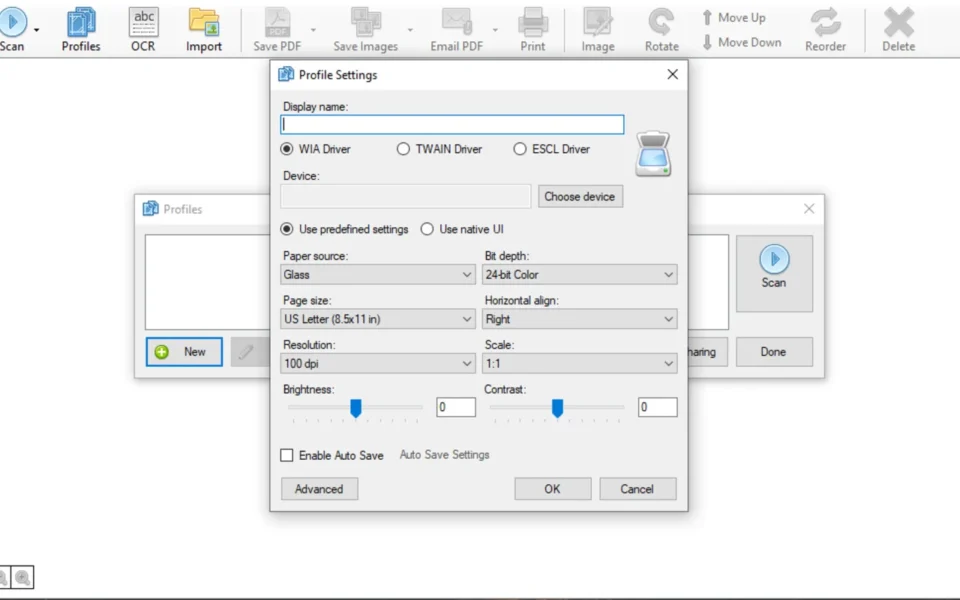
- 👤 Custom Profiles – Stores your preferred settings for faster future scans.
- ⚙️ Resolution and Page Size – Sets DPI and page size before each scan.
- 🔄 Page Editing Tools – Rotate, crop, and rearrange pages by dragging.
- 👁 PDF Preview – Check your document before you save it.
- 🖥 Cross-Platform – Runs on Windows, Mac, and Linux.
- 🆓 Free and Open Source – No cost, no ads, community supported.
How to Install
- Download the NAPS2 installer from the link below.
- Run the setup file and follow the wizard.
- Launch NAPS2 and create a user profile.
- Choose your driver, resolution, and page size.
- Click Scan, then save your document as a PDF.
- Also try Subtitle Edit if you also work with text files and captions on your PC.
System Requirements
| OS | Windows 10 and 11 (also Mac and Linux) |
| CPU | Any Intel or AMD Processor |
| RAM | 2 GB minimum |
| Storage | 100 MB plus space for scans |
| Scanner | WIA- or TWAIN-compatible device |
| Extra | OCR data adds around 5–10 MB |
Pros and Cons
Pros
- Completely free and open source
- Works with WIA and TWAIN scanners
- Built-in OCR with many languages
- Saves in PDF, TIFF, JPEG, PNG
- Easy page rotate, crop, reorder
- Custom scan profiles
- Available in over 40 languages
- Runs on Windows, Mac, and Linux
- Quick two-minute setup
- No ads or bundled software
Cons
- Interface looks fairly plain
- No advanced image retouching
- OCR accuracy varies by scan quality
- Older scanners may need extra drivers
- Not a full document manager
- OCR data increases file size
- No cloud storage integration
- Batch options are basic
- Limited automation features
- Scanner support depends on drivers
Power Tips
Conclusion
The NAPS2 free download is one of the easiest document scanning tools you can get for Windows. It connects to WIA and TWAIN scanners, lets you organize pages exactly as you like, and saves everything as PDF, TIFF, JPEG, or PNG. Moreover, built-in OCR turns your scans into searchable documents without







Comments (0)