
What is NAPS2 Free Download?
NAPS2 is a free, open-source document scanning software that makes it easy to digitize papers, photos, and files into various digital formats. Designed with simplicity and efficiency in mind, it supports a wide range of scanners through both WIA and TWAIN drivers, ensuring compatibility with popular brands such as Canon, Brother, HP, Epson, Fujitsu, and Xerox. Users can create profiles for different scanning setups, adjusting DPI, resolution, and page size to suit their needs. Try downloading Cura
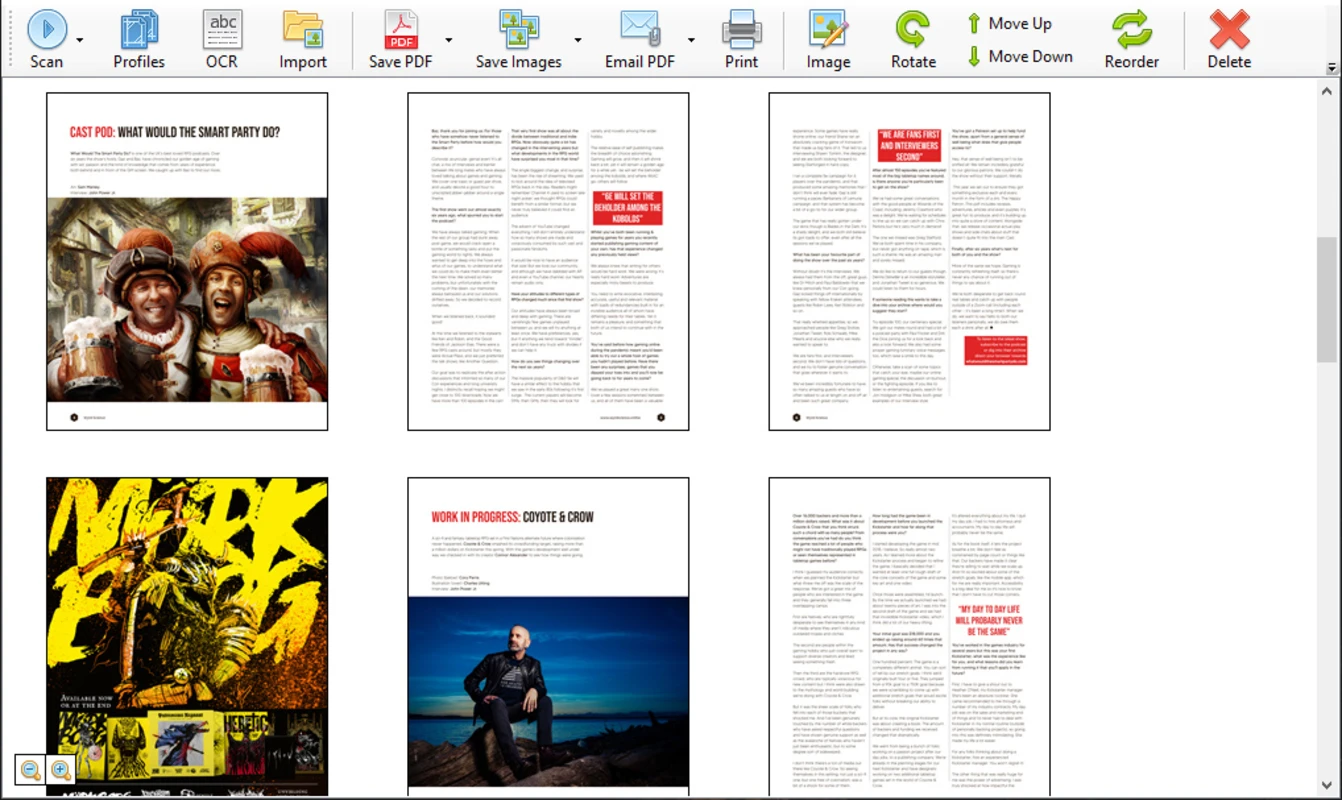
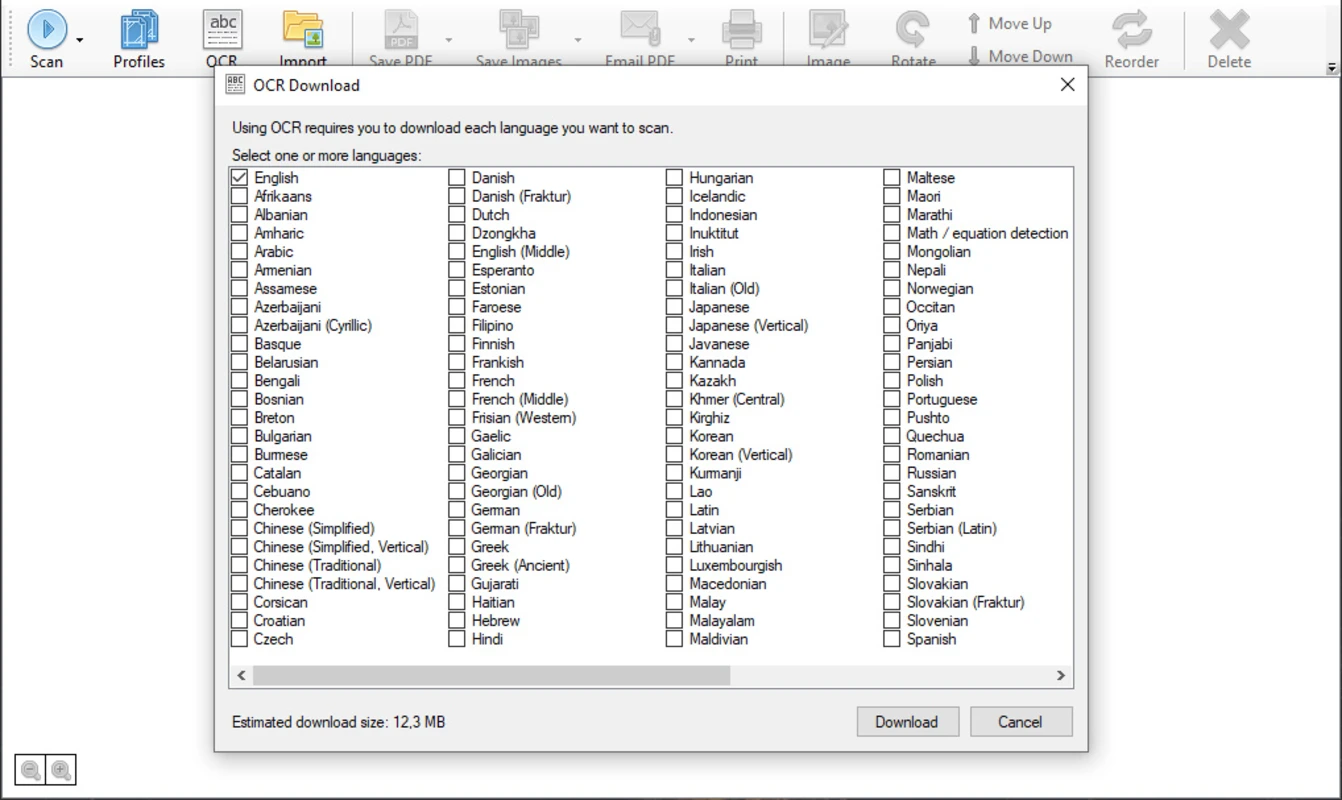
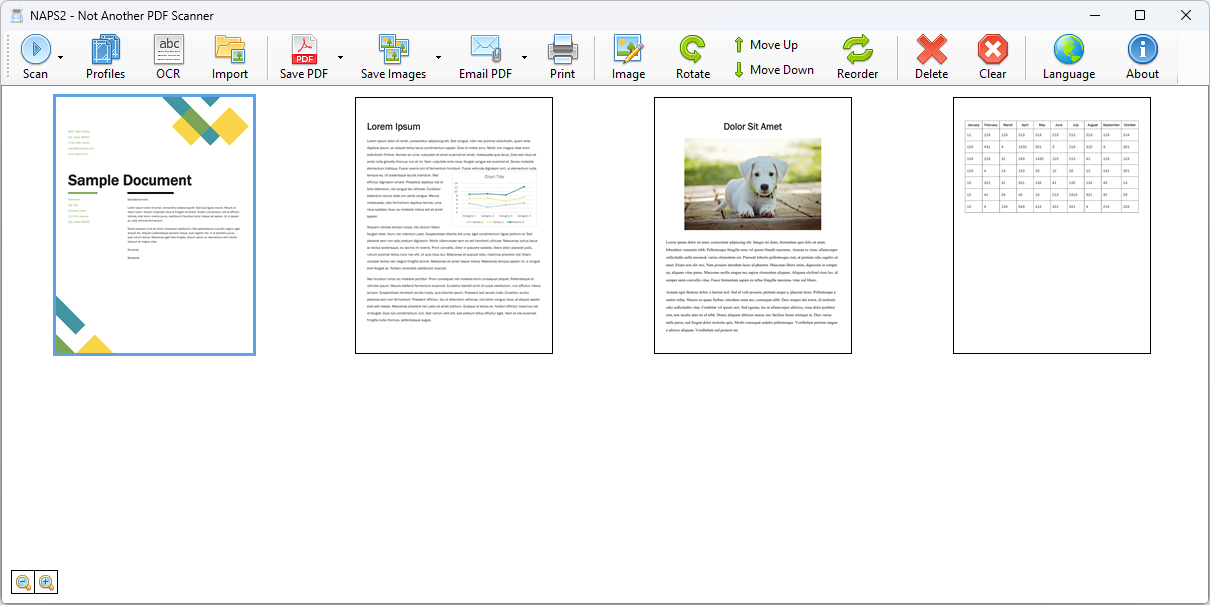
With NAPS2, scanned documents can be arranged, rotated, cropped, and trimmed before saving. It also features OCR (Optical Character Recognition), allowing text within images or PDFs to be made searchable and editable across multiple languages. The software supports exporting files into popular formats like PDF, JPEG, PNG, and TIFF, with options to save, email, or print directly from the application. Its multilingual interface, cross-platform compatibility (Windows, Mac, and Linux), and ability to work with both automatic document feeders and flatbed scanners make it a versatile tool for home, office, and professional use. Try downloading FocusWriter
NAPS2 is a free, open-source document scanning application that makes it easy to digitize paper documents. Designed with simplicity and efficiency in mind, NAPS2 supports PDF creation, image saving, OCR text recognition, and multiple export formats. Also try Calibre
Unlike bulky or brand-restricted scanning software, NAPS2 works seamlessly with most flatbed scanners, automatic document feeders, and major drivers (WIA and TWAIN). With just a few clicks, users can scan, edit, and organize pages into professional PDF files or export them to JPEG, PNG, or TIFF formats.
NAPS2 is especially popular among students, professionals, and offices that require fast, customizable scanning workflows with minimal setup. also download Evernote
Why Use This Software?
- ✔ Completely free and open-source – no hidden costs or premium versions.
- ✔ Lightweight and easy-to-use interface compared to bundled scanner software.
- ✔ Works with multiple brands like Canon, Epson, HP, Fujitsu, Brother, Xerox, and more.
- ✔ Ideal for both home and professional use.
- ✔ OCR functionality makes digitized text searchable and editable.
- ✔ No bloatware – a clean, efficient scanning environment.
Screenshots
Key Features
- 📑 PDF and Image Export – Save scanned documents as PDF, JPEG, PNG, or TIFF.
- 🖨 Driver Compatibility – Works with WIA and TWAIN drivers for maximum device support.
- 📐 Custom Profiles – Set up scanning preferences like DPI, resolution, color depth, and page size.
- 🔄 Preview and Editing – Rotate, crop, trim, and arrange scanned pages before saving.
- 🔍 OCR (Optical Character Recognition) – Convert scans into searchable text in multiple languages.
- 🌍 Multilingual Support – Available in over 100 languages for global users.
- 📬 Direct Actions – Save, email, or print scanned files instantly.
- 📂 Import & Export – Bring in existing images or documents and re-export them into your preferred format.
- 🖥 Cross-Platform – Available for Windows, macOS, and Linux.
- 🛠 Free & Open-Source – 100% free software, actively supported by an open-source community.
How to Install
- Download the latest NAPS2 installer from the link below.
- Run the setup file and follow the installation wizard.
- Connect your scanner (USB or wireless).
- Launch NAPS2 and configure a scanning profile with your preferred DPI, resolution, and output format.
- Start scanning documents using the flatbed or automatic document feeder.
- Edit, rearrange, or apply OCR before exporting the final file.
System Requirements
| OS | Windows 7, 8, 10, 11 / macOS / Linux |
| Processor | 1 GHz or faster |
| RAM | 512 MB minimum (1 GB recommended) |
| Disk Space | 100 MB free |
| Scanner Support | Any device with WIA or TWAIN drivers |
Power Tips
Conclusion
NAPS2 is one of the best free and open-source scanning solutions available today. With its fast setup, cross-platform support, and powerful OCR features, it offers everything you need to digitize, organize, and manage documents without extra costs.
Whether you’re scanning invoices, photos, or academic notes, NAPS2 provides a lightweight, efficient, and reliable tool that replaces bloated manufacturer software.
If you want a simple yet powerful document scanning solution, NAPS2 is an excellent choice.







Comments (0)