
Kindle Previewer Free Download for Windows – eBooks
What is Kindle Previewer Free Download for Windows – eBooks?
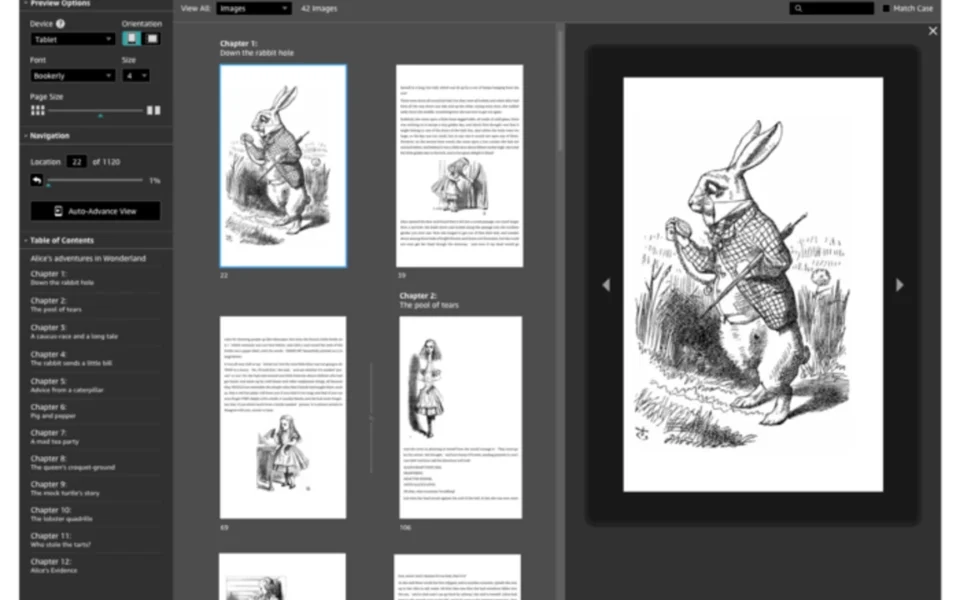
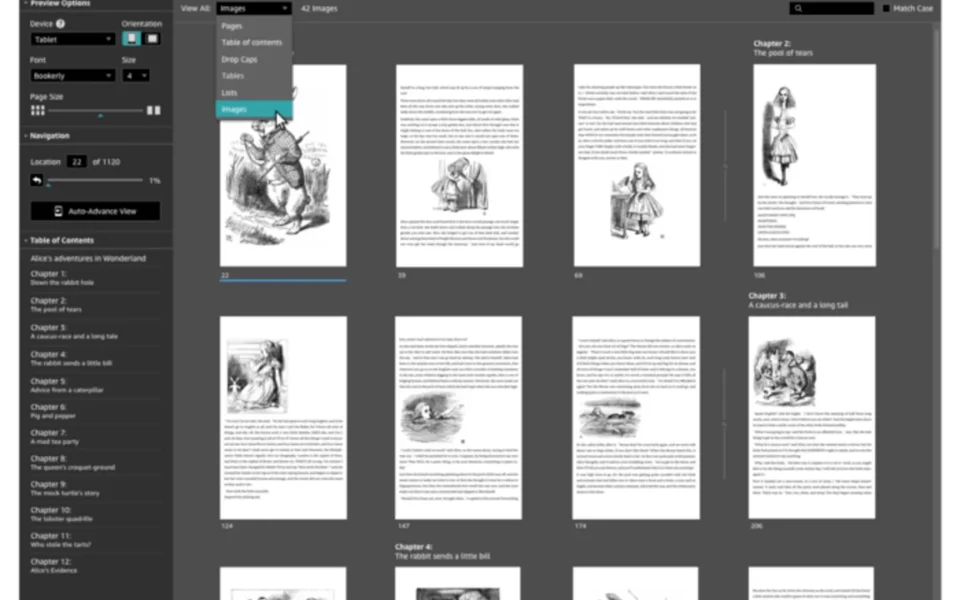
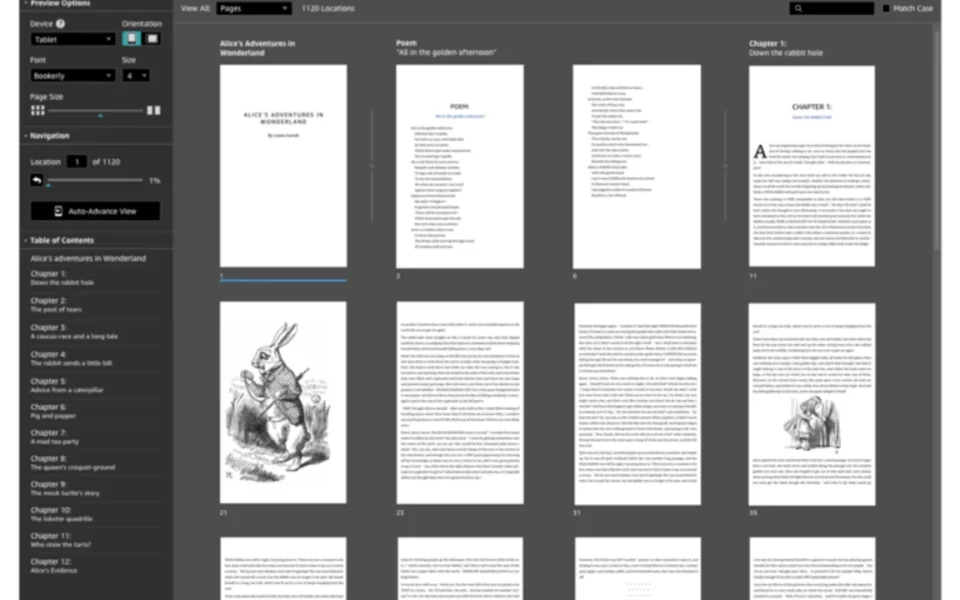
The Kindle Previewer free download lets you see exactly how your eBook will look on Kindle devices before you publish it. Moreover, this free Amazon tool emulates phones, tablets, and e-readers, so you catch layout issues early. Because reader screens vary so much, previewing helps your book look professional everywhere. Therefore, it is essential for authors and publishers using Kindle Direct Publishing. Built by Amazon, Kindle Previewer stays completely free with no hidden costs.
Kindle Previewer works by converting your file and showing it in a real Kindle-style view. As a result, you can check fonts, spacing, images, and tables across different devices. In addition, it supports EPUB, MOBI, DOCX, HTML, and other common eBook formats. For editing your EPUB before previewing, check out Sigil which is a powerful open-source EPUB editor.
After testing it on a draft eBook, switching between phone and e-reader modes instantly revealed a formatting slip. Furthermore, fixing it before upload saved a rejected submission later. The Kindle Previewer free download is best suited to anyone self-publishing on Amazon. According to Wikipedia, Kindle is Amazon's line of e-readers and reading apps for digital books.
Why Use This Software?
- The Kindle Previewer free download shows your book on many devices at once.
- Moreover, it catches formatting mistakes before you publish to Kindle.
- In addition, font and size testing keeps your text readable everywhere.
- Furthermore, it supports the latest Enhanced Typesetting features.
- Also, the conversion log helps you spot and fix layout errors.
- Besides, it opens many formats, so you rarely need to convert first.
- Finally, it is free, official, and trusted by Amazon authors worldwide.
Screenshots
Key Features
- 📱 Multi-Device Preview – Shows your book on phone, tablet, and e-reader modes.
- 🔤 Font and Size Testing – Changes fonts and sizes to check readability.
- 🔄 Orientation Switching – Views your book in portrait and landscape modes.
- 📖 Enhanced Typesetting – Reflects the latest Kindle layout and typography.
- 📂 Wide Format Support – Opens EPUB, MOBI, DOCX, HTML, and more.
- 🌐 Multi-Language Support – Displays localized menus and error messages.
- 🔍 Fast Navigation – Jumps by page, chapter, or table of contents.
- 📝 Conversion Log – Shows detailed formatting and conversion results.
- ⌨️ Keyboard Shortcuts – Speeds up page flipping and book navigation.
- 🆓 Completely Free – An official, free tool from Amazon for authors.
How to Install
- Download the Kindle Previewer installer from the link below.
- Run the setup file and follow the easy prompts.
- Launch the app once the installation finishes.
- Click Open Book and select your eBook file.
- Switch device modes to check how it looks.
- Also try Subtitle Edit if you also create and sync subtitles for your video content.
System Requirements
| OS | Windows 7, 8, 10, and 11 |
| CPU | Any Intel or AMD Processor |
| RAM | 2 GB minimum, 4 GB recommended |
| Storage | 400 MB free disk space |
| Display | 1024×768 resolution or higher |
| Internet | Needed for download and updates |
Pros and Cons
Pros
- Completely free and official
- Previews many devices at once
- Supports many eBook formats
- Enhanced Typesetting support
- Detailed conversion log
- Multi-language interface
- Fast page and chapter navigation
- Handy keyboard shortcuts
- Backed by Amazon
- Great for KDP authors
Cons
- Large download of around 350 MB
- Preview only, no editing tools
- Interface looks plain and basic
- Formatting may vary on non-Kindle
- Mobi 7 needs conversion first
- Not a general eBook reader
- Uses notable disk space
- No PDF format support
- Occasional slow first open
- Limited advanced customization
Power Tips
Conclusion
The Kindle Previewer free download is an essential tool for anyone publishing eBooks on Amazon Kindle. It emulates phones, tablets, and e-readers, so you can see exactly how your book will appear to real readers. Moreover, its support for Enhanced Typesetting and many formats helps you catch layout problems before they reach customers.
In real-world use, Kindle Previewer is best suited to self-publishing authors and publishers who want polished, professional eBooks. While it is a large download and offers preview only without editing, its accuracy and Amazon backing are hard to beat. Therefore, if you publish on Kindle, the Kindle Previewer free download is a must-have for your Windows PC.


Comments (0)