
DeskSpace Free Download for Windows – 3D Desktops
What is DeskSpace Free Download for Windows – 3D Desktops?
The DeskSpace free download gives you a virtual desktop manager that brings the famous Cube 3D effect to Windows, much like the one you usually see on Linux. Moreover, it expands your desktop space into multiple virtual desktops you can spin through with a trendy 3D cube. Because each side holds its own apps and wallpapers, you always know which desktop you are on. Therefore, it suits anyone who wants to organize workspaces and reduce clutter. Developed by Otaku Software as the successor to Yod'm 3D, DeskSpace is a trial version with a 14-day trial before it becomes paid.
DeskSpace works by placing your desktops on the faces of a rotating cube that you switch with activation hotkeys. As a result, you can drag windows between desktops and switch between projects without minimizing windows. In addition, if you move a window out of the screen, the cube turns automatically to the next face. For controlling your monitor brightness while you work, check out Monitorian which adjusts multiple displays from the system tray.
After testing it on a busy setup, spreading tasks across separate desktops instantly cut the on-screen clutter. Furthermore, setting different wallpapers for each side made navigation feel natural within minutes. The DeskSpace free download is best suited to anyone who multitasks and wants a visually appealing workspace. According to Wikipedia, a virtual desktop expands your workspace beyond the limits of a single screen.
Why Use This Software?
- The DeskSpace free download brings improved productivity through organizing workspaces.
- Moreover, it lets you group related windows and applications on separate desktops.
- In addition, you can switch between projects without minimizing windows.
- Furthermore, customizable settings personalize your desktop environment fully.
- Also, support for multiple monitors extends the effect across every screen.
- Besides, each desktop can suit different workflow needs with its own look.
- Finally, it adds an amazing look to your desktop while staying practical.
Screenshots
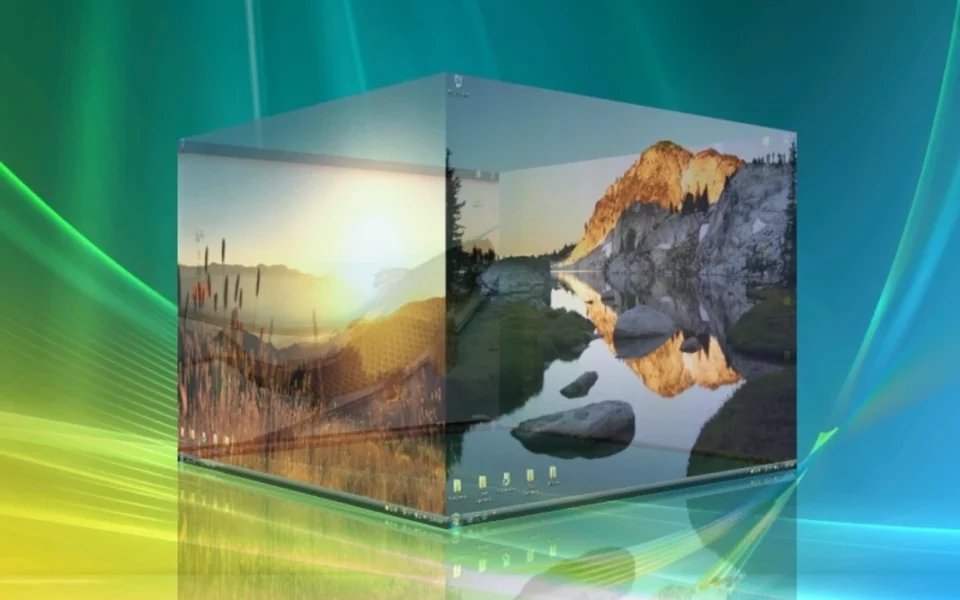
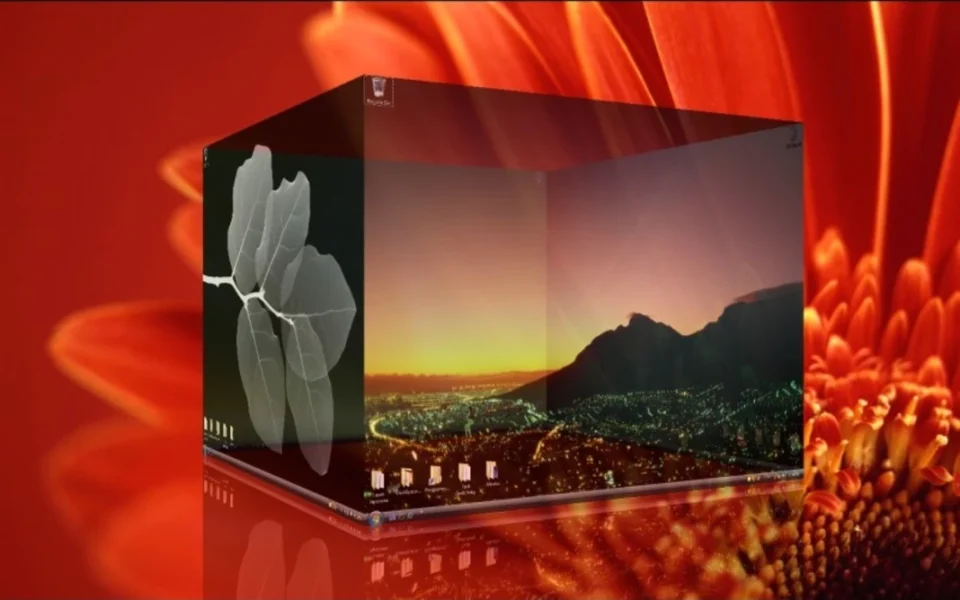
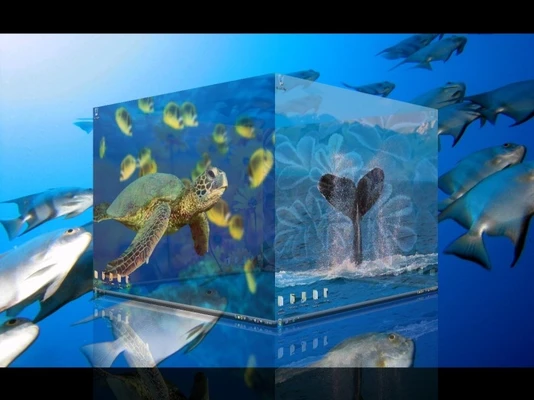
Key Features
- 🧊 3D Cube Effect – Switches desktops with a smooth rotating 3D cube.
- 🖥 Multiple Virtual Desktops – Creates up to six virtual desktops to spread out tasks.
- 🖼 Custom Wallpapers – Sets a different wallpaper for each side of the cube.
- ⌨️ Activation Hotkeys – Assigns hot keys to bring any desktop to the foreground.
- 🎚 Visual Controls – Adjusts rotation speed, graphic level, zoom, and transparency.
- ✨ Mirror Effect – Adds a polished mirror effect under the rotating cube.
- 🖱 Drag Windows Between Desktops – Moves open windows across workspaces easily.
- 🖥 Multiple Monitors – Supports multiple displays for wide customization.
- 🔔 Tray Icon Access – Opens options from a dropdown menu in the tray icon.
- 🔄 Seamless Transition – Uses smooth transition effects when switching between desktops.
How to Install
- Download the DeskSpace installer from the link below.
- Run the setup file and follow the wizard.
- Launch the app and find its tray icon.
- Open the menu to set up desktop hot keys.
- Press a hotkey and start using your 3D desktop experience.
- Also try WinDirStat to clean up disk clutter alongside your tidier desktop.
System Requirements
| OS | Windows XP, Vista, 7, and 8 |
| CPU | Any Intel or AMD Processor |
| RAM | 512 MB minimum |
| Storage | 5.5MB download size |
| Graphics | 3D-capable graphics card |
| License | 14-day trial, then paid |
Pros and Cons
Pros
- Visually appealing 3D cube effect
- Multiple desktops to organize workspaces
- Efficient window and app management
- Customizable settings to personalize
- Drag windows between desktops
- Seamless transition effects
- Support for multiple monitors
- Choice of rotation speed and zoom
- Mirror effect and transparency
- Smooth switching between desktops
Cons
- Only a 14-day trial, then paid
- Latest version 1.5.8.14 is from 2012
- Options buried behind endless menus
- No longer actively developed
- Setup can frustrate new users
- Users gave it a rating of 2 out of 5 stars
- Built for older Windows versions
- Needs decent 3D graphics support
- Not recommended by some reviewers
- Modern Windows has built-in desktops
Power Tips
Conclusion
The DeskSpace free download brings a striking Cube 3D effect to Windows, turning multiple virtual desktops into faces of a rotating cube you can spin through. It combines desktop personalization with real utility, letting you spread out tasks, drag windows between desktops, and customize every side with its own wallpaper. Moreover, controls like rotation speed, transparency, and mirror effect give the whole experience a polished feel.
In real-world use, DeskSpace is best suited to users who love a visually appealing desktop and want to manage open windows with style. However, it is a trial version whose version 1.5.8.14 dates back to 2012, so modern Windows users may find the built-in virtual desktops simpler. Therefore, if you want that classic 3D cube look, the DeskSpace free download is worth a try on your Windows PC.








Comments (0)