
What is Monkey’s Audio Free Download for Windows?
The Monkey's Audio free download gives you a fast and powerful lossless audio compressor for Windows. It shrinks your music files into the APE format without losing any sound quality at all. Unlike MP3 or AAC, which throw away audio data, Monkey's Audio keeps every single bit. When you decompress an APE file, you get back an exact copy of the original. It is 100% free for both personal and commercial use.
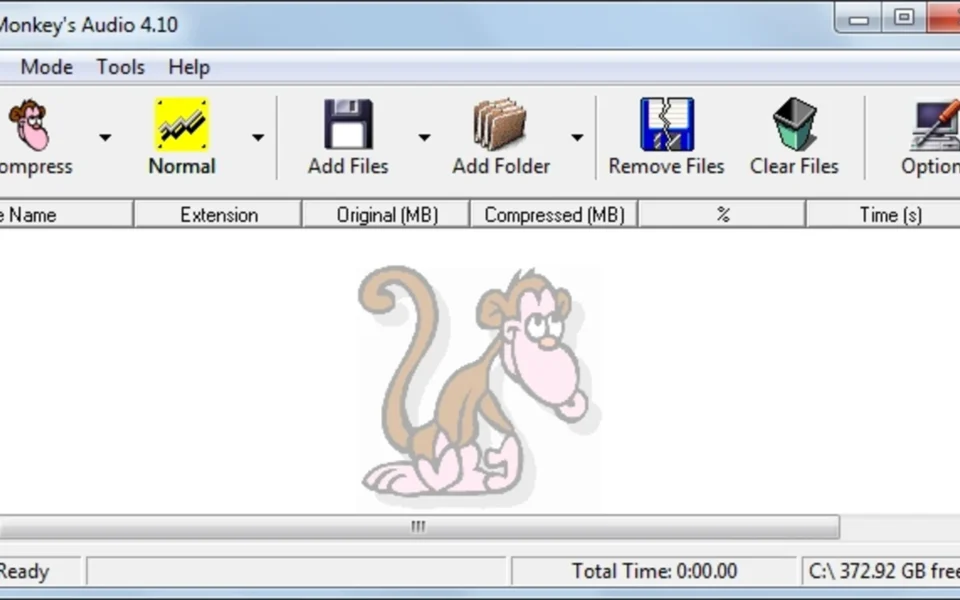
Monkey's Audio was created by Matt Ashland in 2000 and has been developed for over 26 years. It uses its own .APE file format, which often compresses better than FLAC. The clean Windows interface makes it easy to compress, decompress, verify, and convert audio files. For another great media tool, check out Format Factory which converts audio and video files on Windows.
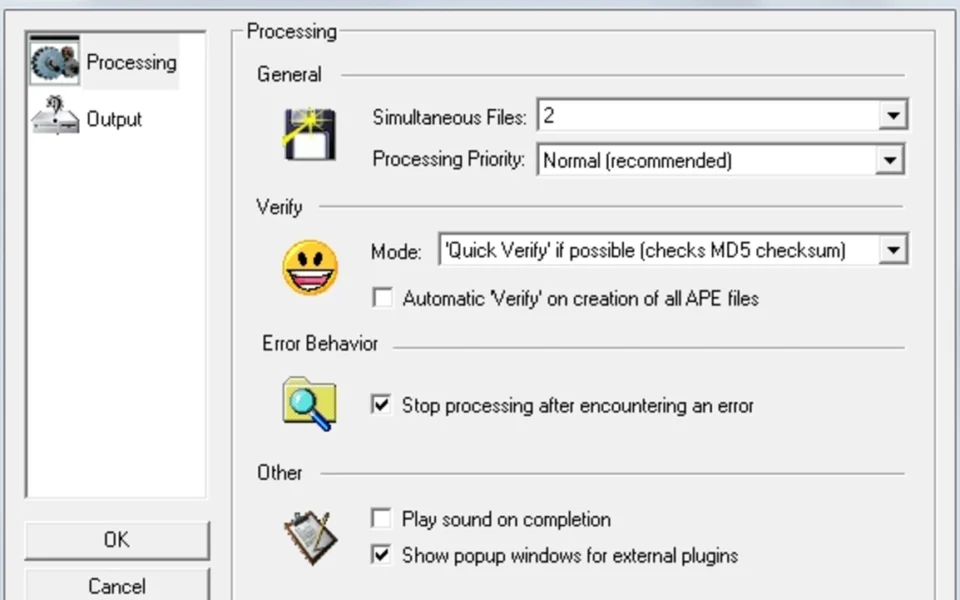
After testing it on a folder of WAV files, the batch compression with multi-threading felt fast even at the High setting. Monkey's Audio is best suited to audiophiles and collectors who want to archive music at the smallest size with zero quality loss. According to Hydrogenaudio, Monkey's Audio became open source in 2023 and supports multi-channel and high-resolution audio. You can also download VoxCut for free.
Why Use This Software?
- The Monkey's Audio free download archives your music with zero quality loss.
- Saves more space than FLAC at the highest compression settings.
- Decompresses back to a perfect, bit-identical copy anytime.
- CRC error detection keeps your audio library safe from corruption.
- Flexible APE tags help you organize thousands of tracks.
- Works with most popular media players and rippers.
- 100% free for both personal and commercial use.
Screenshots
Key Features
- 🎵 Perfect Lossless Sound – Compresses audio with absolutely no quality loss, bit for bit.
- 📉 Better Than FLAC – APE files often run 5 to 15% smaller than equivalent FLAC files.
- ⚡ Multi-Threaded Speed – Version 11 adds multi-threaded encoding and decoding for fast jobs.
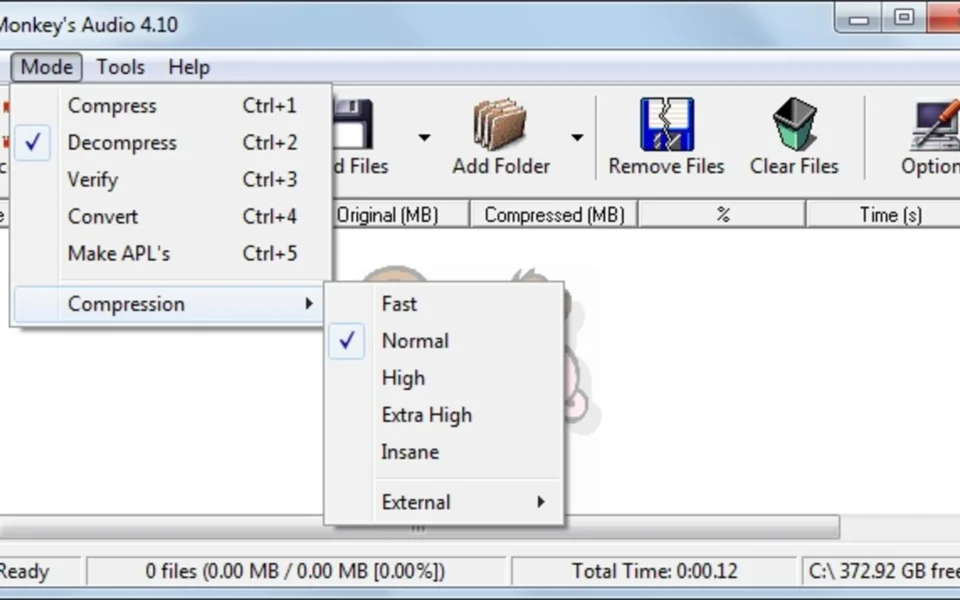
- 🎚️ Five Compression Levels – Choose Fast, Normal, High, Extra High, or Insane to suit your needs.
- 🔄 Format Conversion – Convert from FLAC, ALAC, WavPack, TAK, and Shorten with tag transfer.
- 🏷️ Flexible APE Tags – Tag files with artist, album, and year to organize big libraries.
- 🛡️ CRC Error Detection – Built-in checks catch any corruption so errors never go unnoticed.
- 🎧 Wide Player Support – Works with foobar2000, Winamp, Media Center, and VLC.
- 🖥️ DirectShow Filter – Includes a filter to play APE files in Windows Media Player and more.
- 🆓 Free and Open Source – No cost, no ads, with open-source code since 2023.
How to Install
- Download the Monkey's Audio installer from the link below.
- Run the setup file and follow the simple installation steps.
- Launch Monkey's Audio after the install finishes.
- Click Add Files or drag your audio files into the window.
- Pick a compression level, then click Compress to start.
- Also Download MP3TAG for Windows – Free
System Requirements
| OS | Windows 7, 8, 8.1, 10, 11 (32/64-bit, ARM64) |
| CPU | Intel or AMD Processor with AVX2 |
| RAM | 512 MB minimum |
| Storage | 10 MB free disk space |
| Other | Audio player with APE support for playback |
| File Size | ~3 MB |
Pros and Cons
Pros
- 100% free and open source
- Perfect lossless audio quality
- Better compression than FLAC
- Multi-threaded fast encoding
- Five compression levels
- CRC error detection built in
- Flexible APE tagging
- Converts from other lossless formats
- DirectShow filter for playback
- Tiny 3 MB download
Cons
- Windows only, no Mac or Linux GUI
- APE not supported on iPhone or iPad
- Slower to decode than FLAC
- Fewer devices support APE than FLAC
- No error recovery in corrupt files
- Not streamable like some formats
- Needs conversion for mobile players
- Interface looks dated
- Insane mode is very slow
- Larger files than lossy MP3 or AAC
Power Tips
Conclusion
The Monkey's Audio free download is one of the best free lossless audio tools available for Windows. It compresses your music to the compact APE format without losing a single bit of quality, making it perfect for building a high-fidelity music archive.
In real-world use, Monkey's Audio is best suited to audiophiles and collectors who want the smallest possible lossless files and do not mind the slower decoding. It is fast to encode, safe thanks to CRC checks, and completely free. If you care about preserving your music at its original quality, the Monkey's Audio free download is a must-have for your Windows PC.








Comments (0)