
VoxCut Free Download for Windows – Silence Remover
What is VoxCut Free Download for Windows – Silence Remover?
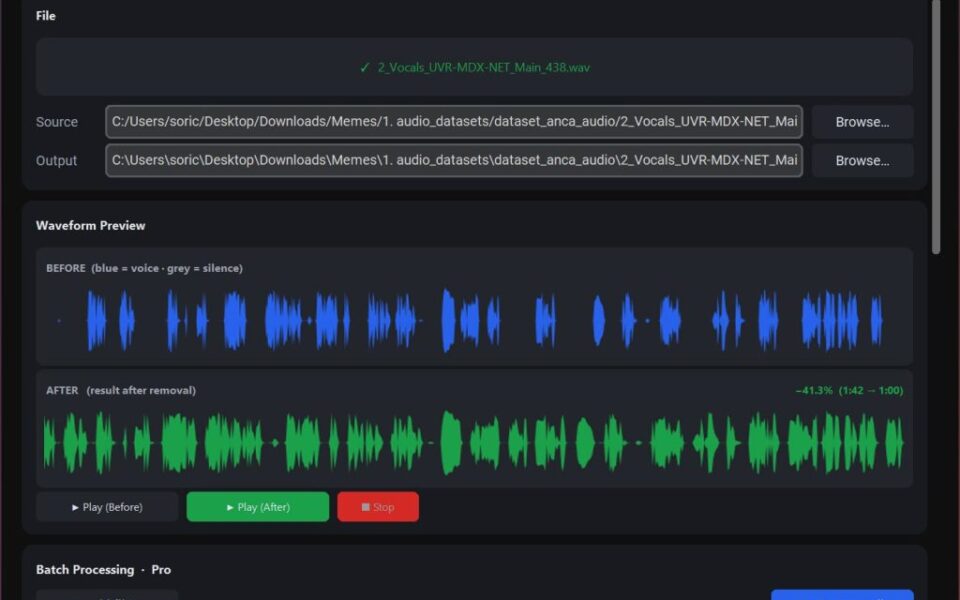
The VoxCut free download gives you a simple tool that automatically cuts silent parts from your audio and video files on Windows. Moreover, it detects dead air in podcasts, interviews, and training videos, then trims it in one click. Because everything runs locally, your files never leave your computer or touch the cloud. Therefore, it suits creators who want fast, private editing without a subscription. With FFmpeg bundled inside, VoxCut needs nothing extra to install and stays free to use.
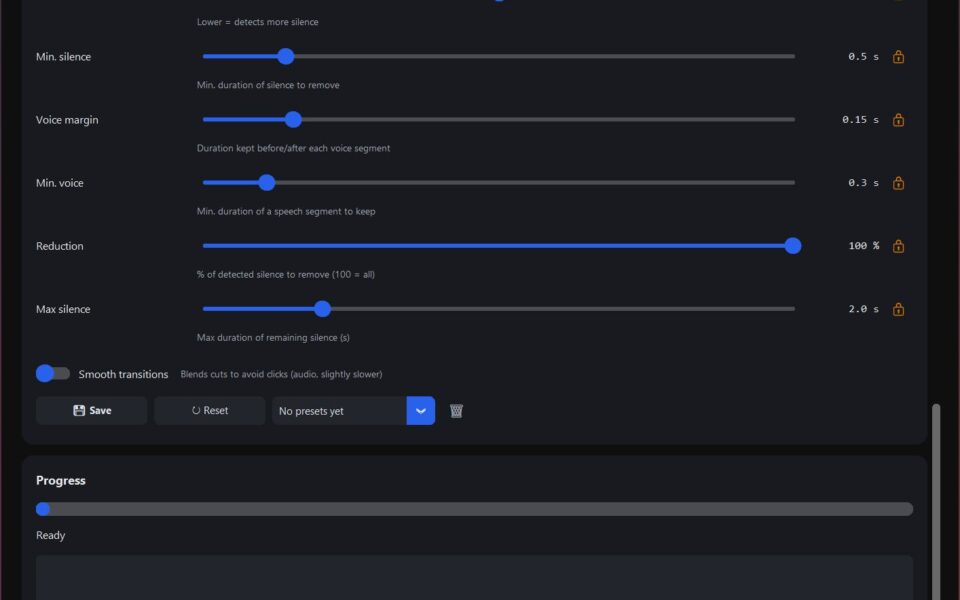
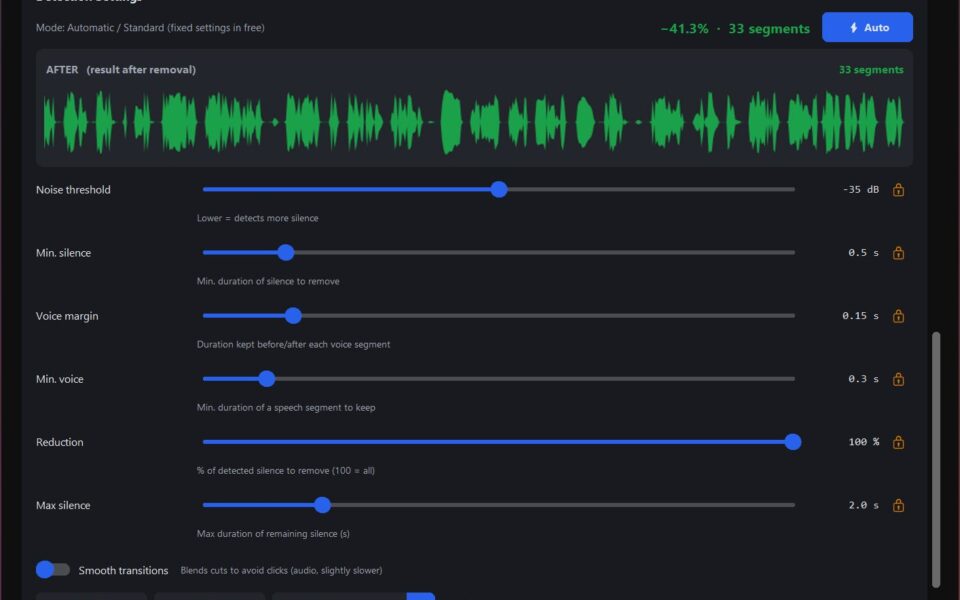
VoxCut works by scanning your recording for gaps of silence and removing them automatically. As a result, long pauses and awkward gaps disappear without manual cutting. In addition, you can adjust how sensitive the detection is to match your recording style. For fixing subtitles on the same videos, check out Subtitle Edit which syncs and edits captions with ease.
After testing it on a rough podcast recording, the silent gaps vanished and the file felt tighter instantly. Furthermore, the one-click flow saved a lot of manual trimming time. The VoxCut free download is best suited to podcasters, editors, and anyone cleaning up spoken audio. According to Wikipedia, FFmpeg is a free tool that handles audio and video processing behind many editing apps.
Why Use This Software?
- The VoxCut free download removes dead air without manual editing.
- Moreover, one-click processing saves hours on long recordings.
- In addition, local processing keeps your private files off the cloud.
- Furthermore, adjustable sensitivity fits any recording or speaking style.
- Also, bundled FFmpeg means there is nothing extra to install.
- Besides, it handles both audio and video in the same simple tool.
- Finally, it is free with no subscription or hidden account needed.
Screenshots
Key Features
- ✂️ Auto Silence Cutting – Detects and removes silent parts in one click.
- 🎙 Podcast Ready – Cleans up podcasts, interviews, and voice recordings.
- 🎬 Audio and Video – Works on both sound files and video clips.
- 🎚 Adjustable Sensitivity – Sets how strict the silence detection should be.
- 🔒 100% Local Processing – Keeps your files private on your own PC.
- 📦 FFmpeg Bundled – Includes everything needed with no extra installs.
- ⚡ Fast One-Click Flow – Trims long recordings in just a few seconds.
- 💾 Multiple Formats – Handles common audio and video file types.
- 🚫 No Subscription – No cloud account or monthly fee required.
- 🆓 Free to Use – A free tool for quick silence removal.
How to Install
- Download the VoxCut installer from the link below.
- Run the setup file and follow the prompts.
- Launch VoxCut once the installation finishes.
- Import your audio or video recording.
- Click to auto-cut the silence, then export.
- Also try Monkey's Audio to compress your finished audio into a lossless format.
System Requirements
| OS | Windows 10 and 11 (64-bit) |
| CPU | Any modern Intel or AMD Processor |
| RAM | 2 GB minimum, 4 GB recommended |
| Storage | 200 MB plus space for your files |
| Extra | FFmpeg bundled, no install needed |
| Internet | Not required for processing |
Pros and Cons
Pros
- Free to use
- One-click silence removal
- 100% local and private
- FFmpeg bundled inside
- Works on audio and video
- Adjustable detection settings
- No subscription needed
- Fast processing
- Cross-platform availability
- Saves manual editing time
Cons
- Relatively new and less known
- Limited advanced editing tools
- Small developer support base
- Few tutorials available online
- Interface is fairly basic
- Best for silence cutting only
- Some features may be premium
- Not a full audio editor
- Format support may vary
- Backup needed before export
Power Tips
Conclusion
The VoxCut free download is a handy tool for anyone who wants to quickly strip silent parts from audio and video on Windows. It detects dead air automatically and trims it in one click, saving hours of manual editing. Moreover, its fully local processing keeps your files private with no cloud or subscription involved.
In real-world use, VoxCut is best suited to podcasters, interviewers, and video creators who need clean, tight recordings fast. While it is newer and focuses mainly on silence removal, its simplicity and speed are hard to beat. Therefore, if you edit spoken audio often, the VoxCut free download is a useful tool for your Windows PC.








Comments (0)