
VPN Gate Client Plugin Free Download for Windows
What is VPN Gate Client Plugin Free Download for Windows?
The VPN Gate Client Plugin is a free, open-source tool that connects you to thousands of public VPN servers around the world. It works as a plugin for the SoftEther VPN Client. Once installed, you can join any volunteer-run relay server in just a few clicks. The VPN Gate Client Plugin helps you bypass censorship, hide your IP address, and stay safe on public Wi-Fi. It is completely free with no registration needed.
VPN Gate was created by the University of Tsukuba in Japan as an academic research project. Its goal is to give people free and open access to the internet. The network is run by volunteers who share their computers as VPN servers. For another handy security tool, check out RogueKiller which detects and removes malware on Windows.
After testing it on a public Wi-Fi network, the one-click connect to a fast Japan server made browsing feel both private and quick. The VPN Gate Client Plugin is best suited to users who want a free way to bypass blocks and protect their privacy. According to FileHorse, it uses SSL-VPN encryption and offers better throughput than L2TP, OpenVPN, or SSTP. You can also try downloading PandaVPN.
Why Use This Software?
- The VPN Gate Client Plugin gives you free VPN access with no sign-up needed.
- Bypass government firewalls to browse blocked sites like YouTube.
- Hide your IP address to protect your identity online.
- Strong encryption keeps you safe on public Wi-Fi.
- Thousands of servers across many countries to choose from.
- Better speed than most traditional VPN protocols.
- Free, open source, and backed by an academic project.
Screenshots
Key Features
- 🌐 Thousands of Free Servers – Connect to volunteer-run public VPN relay servers worldwide.
- 🔒 Strong AES-256 Encryption – Military-grade encryption keeps your data safe on any network.
- 🚫 Bypass Censorship – Get past government firewalls to reach blocked websites freely.
- 🕵️ Hide Your IP Address – Mask your real IP to stay anonymous while browsing.
- ⚡ High Throughput – Faster performance than L2TP, OpenVPN, or SSTP connections.
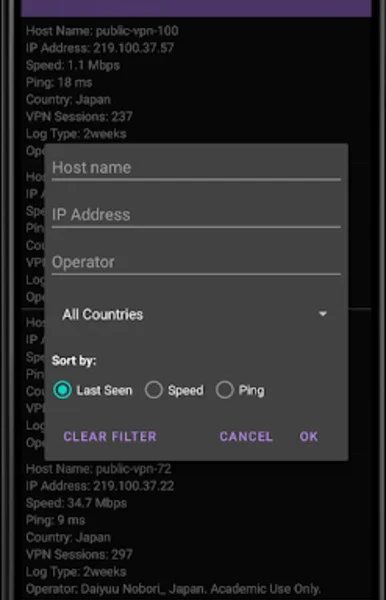
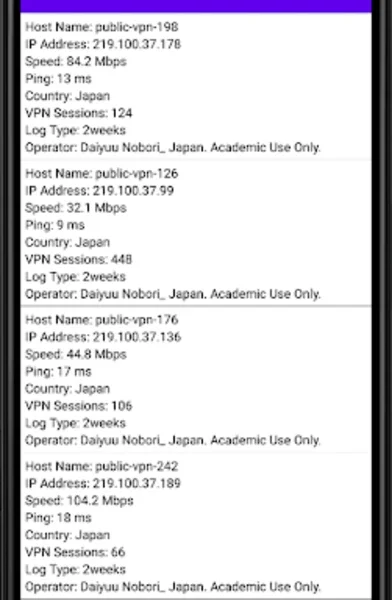
- 📋 Server List View – See each server's speed, ping, country, and uptime before connecting.
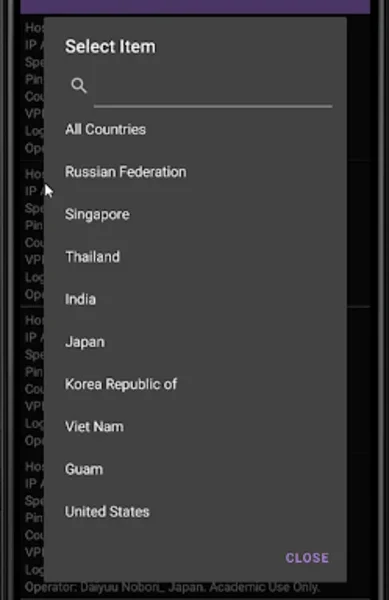
- 🌍 Country Selection – Pick servers by country like Japan, USA, Korea, or Singapore.
- 🔌 Multi-Protocol Support – Works with SSL-VPN, L2TP/IPsec, OpenVPN, and MS-SSTP.
- ✅ No Registration – Use it instantly with no sign-up or personal details required.
- 🆓 Free and Open Source – No cost, no ads, with digitally signed safe files.
How to Install
- Download the VPN Gate Client Plugin with SoftEther VPN Client from the link below.
- Run the installer and choose the VPN Gate Client Plugin component.
- Follow the setup steps and finish the installation.
- Launch the client and open the VPN Gate Public VPN Relay Servers list.
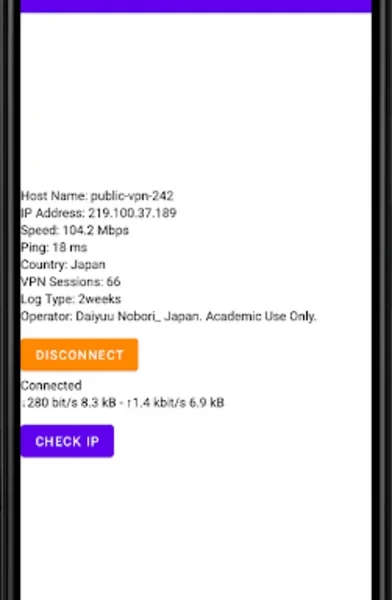
- Pick a server by speed or country and click Connect.
- Also Download RogueKiller for Windows – Free
System Requirements
| OS | Windows 7, 8, 8.1, 10, 11 (32/64-bit) |
| CPU | Intel or AMD Processor |
| RAM | 1 GB minimum |
| Storage | 100 MB free disk space |
| Other | SoftEther VPN Client required |
| File Size | ~66 MB |
Pros and Cons
Pros
- Completely free with no registration
- Thousands of servers worldwide
- Strong AES-256 encryption
- Bypasses government firewalls
- Better throughput than OpenVPN
- Multi-protocol support
- Digitally signed, safe files
- Open source and academic-backed
- Hides your IP for privacy
- No ads or hidden costs
Cons
- No kill switch to protect dropped connections
- Volunteer servers can be unreliable
- No quick "smart connect" feature
- Speeds vary by server
- Servers may go offline suddenly
- Manual server selection only
- Mainly for Windows PCs
- Not ideal for highly sensitive data
- Mostly Asia-based server presence
- Setup needs SoftEther VPN Client
Power Tips
Conclusion
The VPN Gate Client Plugin is one of the best free VPN tools available for Windows. It connects you to thousands of volunteer servers worldwide, helping you bypass censorship, hide your IP, and stay safe on public networks — all without paying a cent or signing up.
In real-world use, the VPN Gate Client Plugin is best suited to users who want free, no-fuss access to blocked content and basic privacy. It lacks some polish like a kill switch, but for a free academic project it delivers great value. If you want a reliable free VPN, the VPN Gate Client Plugin is well worth trying on your Windows PC.








Comments (0)