ImgBurn – Powerful CD, DVD, Blu-ray, and ISO Burning Software
What is ImgBurn – Powerful CD, DVD, Blu-ray, and ISO Burning Software?
ImgBurn is a free and lightweight disc burning software designed for creating, writing, reading, verifying, and managing CD, DVD, HD DVD, and Blu-ray discs. Known for its reliability and extensive format support, ImgBurn has become one of the most popular tools for users who need to create ISO images, burn bootable discs, backup media, and manage optical storage devices.
The software supports a wide range of image formats including ISO, BIN, IMG, NRG, MDS, MDF, CUE, DI, DVD, and GI, making it a versatile solution for both casual users and professionals. Whether you're creating installation media, archiving important files, backing up games, or burning movies and music collections, ImgBurn provides powerful tools wrapped in a compact package.
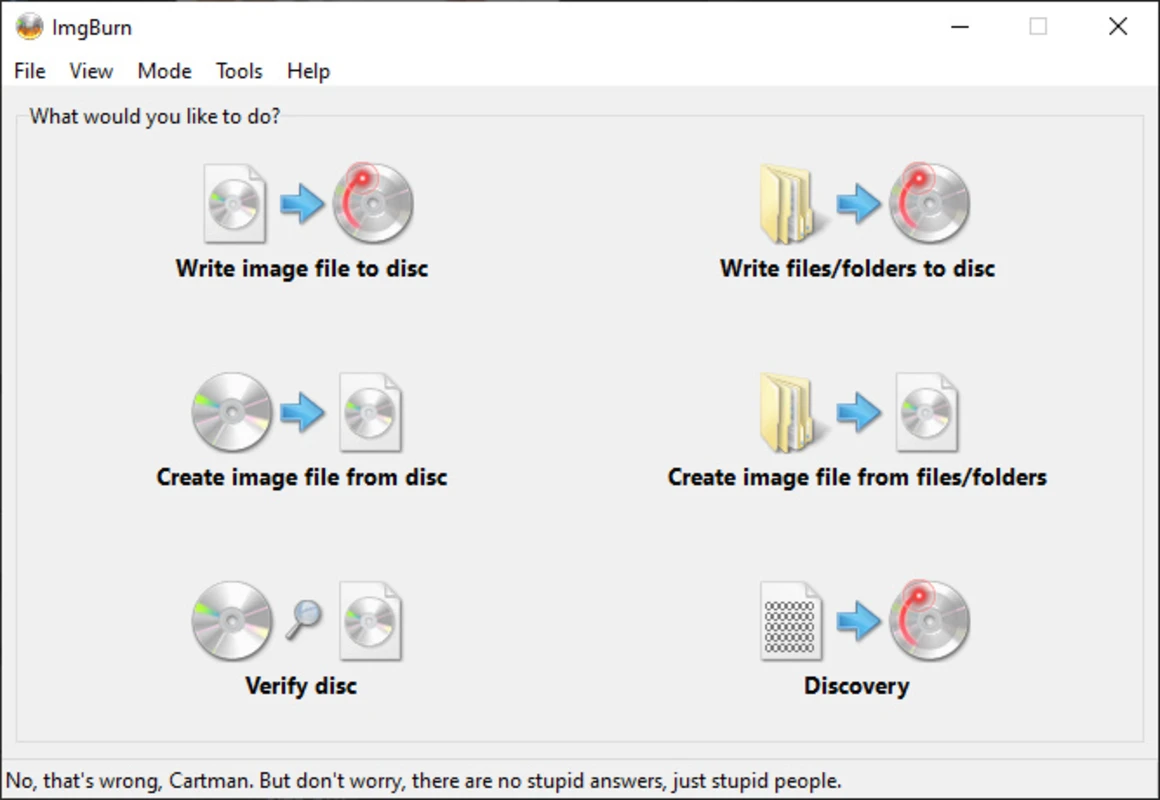
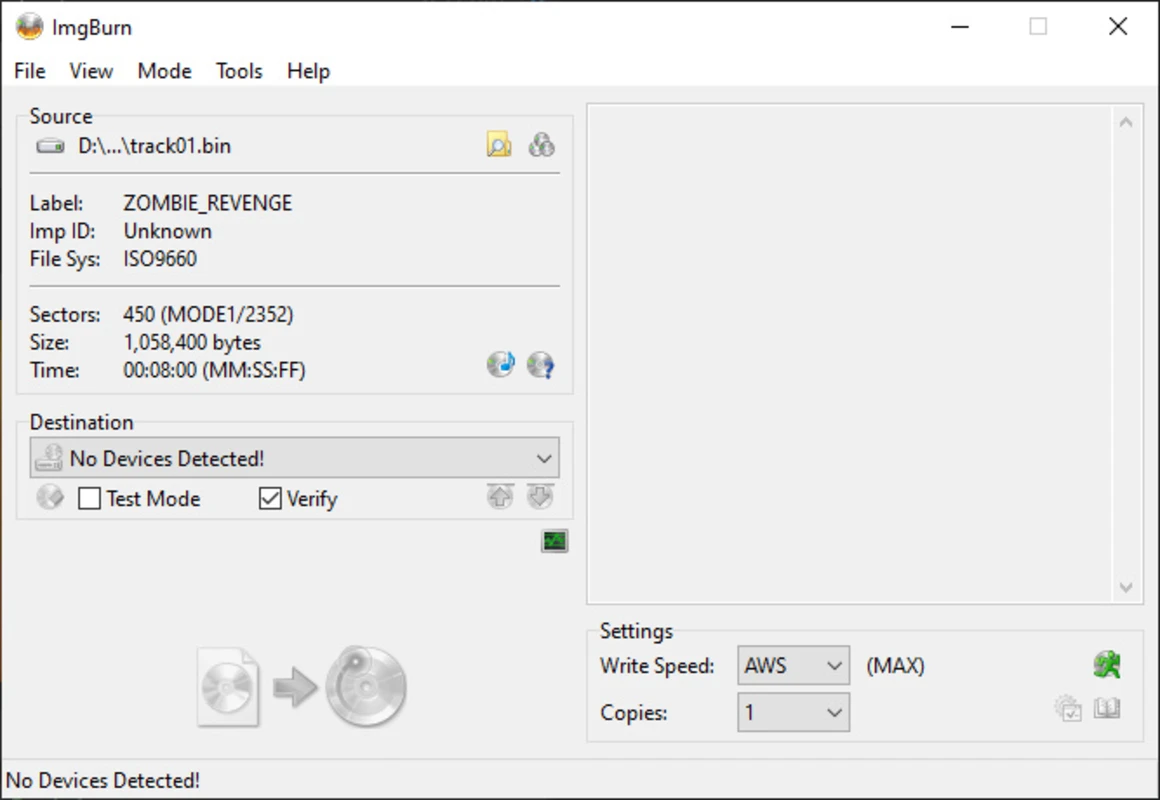
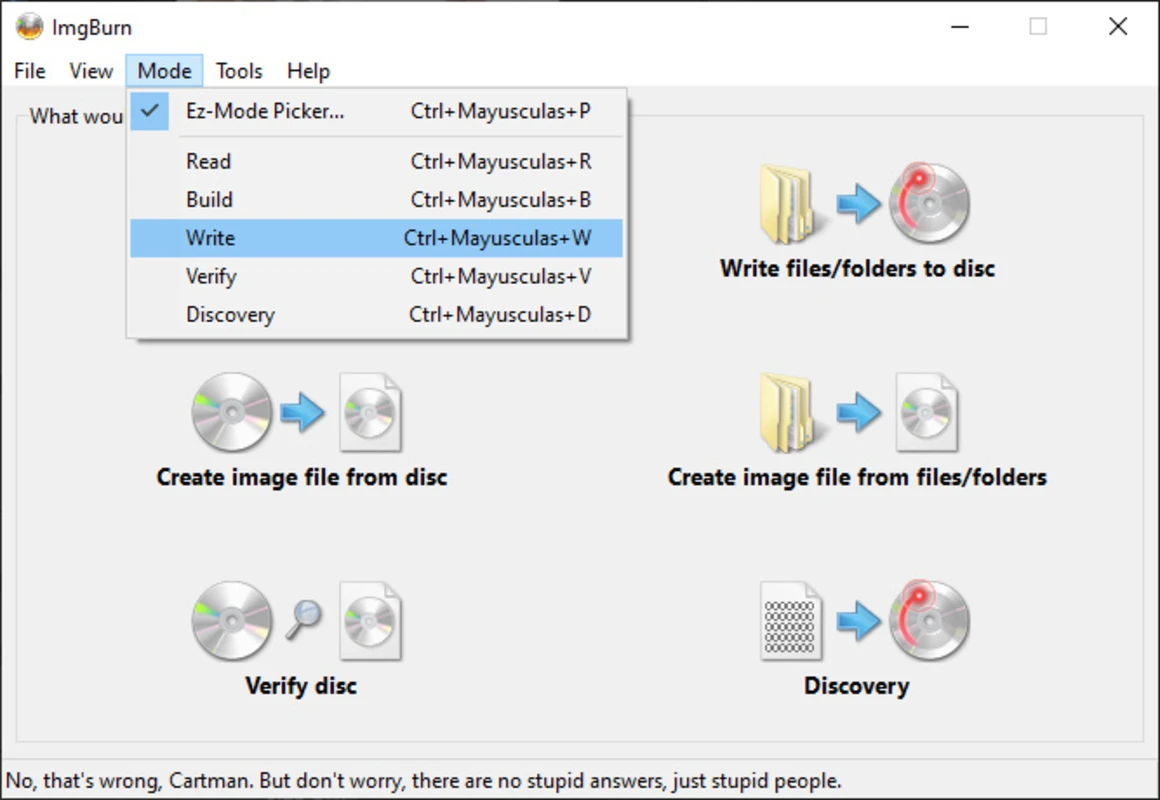
One of ImgBurn's biggest strengths is its multiple operating modes, including Read, Build, Write, Verify, and Discovery. These modes allow users to create image files from discs, build ISO images from files and folders, write images to media, verify data integrity, and test drive capabilities.
With advanced support for dual-layer DVDs, Blu-ray discs, bootable media creation, image verification, and custom write settings, ImgBurn remains a trusted choice for disc burning and ISO management on Windows systems. Also download Win32 Disk Imager Free Download
Why Use This Software?
- Create and burn ISO files with ease.
- Supports a huge range of image formats.
- Excellent for creating bootable installation media.
- Lightweight and fast compared to larger burning suites.
- Advanced settings for power users and professionals.
- Reliable verification tools ensure successful burns.
- Ideal for backups, archives, movies, games, and operating systems.
Screenshots
Key Features
- 🔥 Disc Burning Software – Burn CD, DVD, HD DVD, and Blu-ray discs.
- 📀 ISO Image Creation – Create ISO files from folders, files, and optical discs.
- 💿 Image Writing Mode – Write ISO, BIN, IMG, NRG, MDF, and other image formats.
- 📂 Build Mode – Build bootable discs and custom ISO images.
- ✔️ Verification Tools – Verify burned discs to ensure data integrity.
- 🚀 Bootable Media Creation – Create Windows, Linux, and recovery installation discs.
- 📊 Advanced Write Controls – Configure write speed, layers, sectors, and settings.
- 🔄 Dual-Layer Support – Fully supports DVD DL and Blu-ray media.
- 🔍 Discovery Mode – Test drive and media capabilities before burning.
- ⚡ Lightweight Performance – Fast operation with minimal system resource usage.
How to Install
- Download the latest ImgBurn setup file from the link below.
- Run the installer and complete the setup process.
- Launch ImgBurn from your desktop or Start Menu.
- Select the desired mode (Write, Read, Build, Verify, or Discovery).
- Choose your source files or image and begin the burning process.
- Download Sigil 2.8.0 for Windows – EPUB Editor for – Free
System Requirements
| OS | Windows 7, 8, 10, 11 |
| CPU | Intel or AMD Processor |
| RAM | 1 GB minimum |
| Storage | 50 MB free disk space |
| Optical Drive | CD/DVD/Blu-ray burner required for disc writing |
Power Tips
Conclusion
ImgBurn remains one of the most trusted and capable disc burning and ISO management utilities available for Windows. Its ability to create, write, verify, and manage a wide variety of image formats makes it an essential tool for users who frequently work with optical media.
Whether you're creating bootable operating system installers, backing up important files, burning Blu-ray movies, or managing ISO archives, ImgBurn delivers dependable performance without unnecessary complexity. For users seeking a powerful, lightweight, and free burning solution, ImgBurn continues to be an excellent choice.



Comments (0)