
Fldigi Free Download for Windows – Ham Radio Modem
What is Fldigi Free Download for Windows – Ham Radio Modem?
The Fldigi free download turns your computer's sound card into a powerful digital modem for amateur radio on Windows. Moreover, it lets you send and receive text over the air using dozens of digital modes like PSK31, RTTY, and CW. Because it connects your radio to your PC, you can communicate worldwide using only a few watts of power. Therefore, it is a favorite among ham operators and emergency communication teams. Created by Dave Freese (W1HKJ), Fldigi stays completely free and open source.
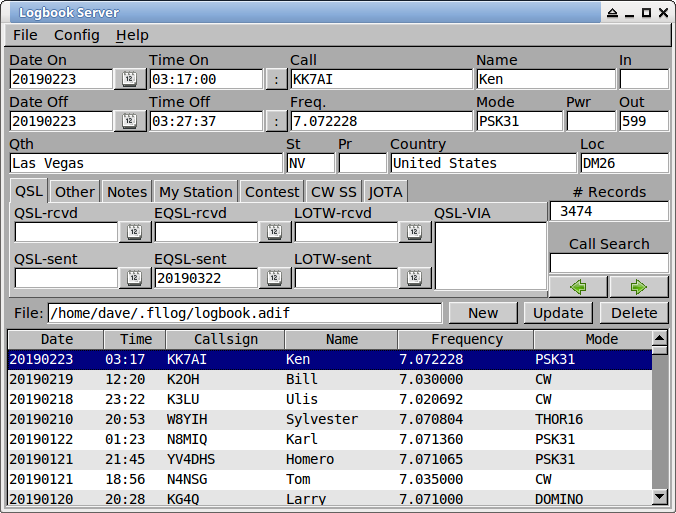
Fldigi works by decoding and encoding audio tones between your radio and computer. As a result, typed text on one station appears on another over the radio link. In addition, it supports rig control, a built-in logbook, macros, and contest logging. For checking your wireless network setup alongside your station, check out NetSpot which maps WiFi coverage and signal strength.
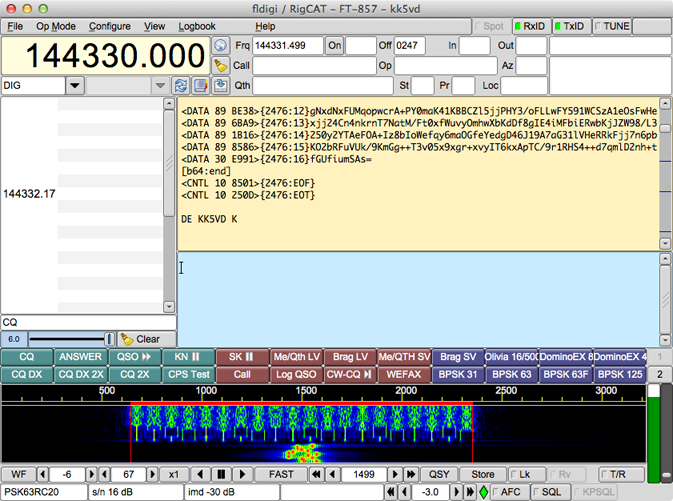
After testing it with an HF transceiver, a clean PSK31 signal decoded instantly on the waterfall display. Furthermore, the setup wizard made configuring the radio and sound card straightforward. The Fldigi free download is best suited to licensed amateur radio operators and EMCOMM volunteers. According to Wikipedia, Fldigi lets an ordinary computer sound card act as a two-way data modem for radio.
Why Use This Software?
- The Fldigi free download supports almost every popular digital mode.
- Moreover, it lets you communicate worldwide on very low power.
- In addition, the waterfall display makes tuning signals simple.
- Furthermore, rig control automates frequency and mode changes.
- Also, the built-in logbook keeps all your contacts organized.
- Besides, it works great for emergency and EMCOMM operations.
- Finally, it is free, open source, and updated by an active community.
Screenshots
Key Features
- 📻 Many Digital Modes – Supports PSK31, RTTY, CW, MFSK, Olivia, and more.
- 🌊 Waterfall Display – Shows signal strength and frequency visually.
- 🎛 Rig Control – Manages your transceiver via Hamlib or RigCAT.
- 🆔 RSID Auto-Detect – Identifies and switches to the correct mode automatically.
- 📖 Built-In Logbook – Records your contacts with callsign and mode details.
- 🏆 Contest Support – Creates Cabrillo logs for amateur radio contests.
- ⌨️ Macro System – Sets custom messages and commands for quick sending.
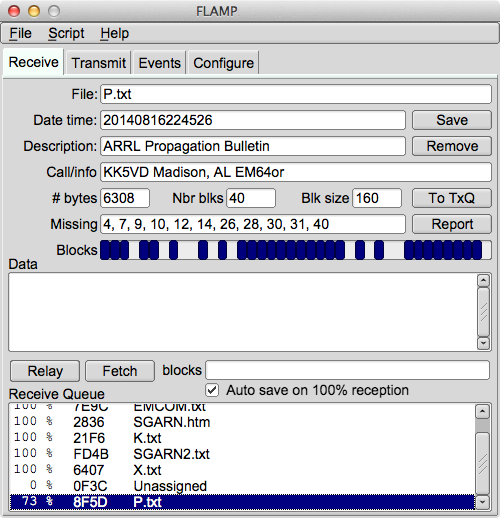
- 📨 EMCOMM Ready – Works with Flmsg and Flrig for emergency messaging.
- 🖥 Cross-Platform – Runs on Windows, macOS, Linux, and FreeBSD.
- 🆓 Free and Open Source – No cost, with full source code available.
How to Install
- Download the Fldigi installer from the link below.
- Run the setup file and follow the installation wizard.
- Watch carefully and decline any bundled extra offers.
- Launch Fldigi and complete the configuration wizard.
- Connect your radio, pick a mode, and start operating.
- Also try PingPlotter to diagnose network latency when running Fldigi over internet links.
System Requirements
| OS | Windows 7, 8, 10, and 11 |
| CPU | Any Intel or AMD Processor |
| RAM | 512 MB minimum |
| Storage | 50 MB free disk space |
| Sound | Working sound card and radio interface |
| Radio | Amateur radio SSB or FM transceiver |
Pros and Cons
Pros
- Completely free and open source
- Supports many digital modes
- Waterfall signal display
- Built-in logbook and macros
- Rig control support
- RSID automatic mode switching
- Great for EMCOMM use
- Cross-platform support
- Active community and updates
- Very low power operation
Cons
- Steep learning curve for beginners
- Interface looks dated and busy
- Installer may offer bundled extras
- Requires a ham radio license
- Needs a radio interface setup
- Occasional crashes reported
- Not for casual, non-radio users
- Minimal hand-holding in setup
- Sound card tuning takes practice
- Niche, specialized purpose
Power Tips
Conclusion
The Fldigi free download is the go-to digital modem software for amateur radio operators on Windows. It turns your sound card into a two-way data modem, supporting dozens of modes like PSK31, RTTY, and CW for worldwide contact. Moreover, features like rig control, a built-in logbook, and EMCOMM tools make it powerful for both hobby and emergency use.
In real-world use, Fldigi is best suited to licensed ham operators and emergency communication volunteers who need reliable digital modes. While it has a learning curve and a dated interface, its versatility and low-power reach are hard to beat. Therefore, if you operate amateur radio, the Fldigi free download is an essential tool for your Windows PC.








Comments (0)