
HandBrake Free Download for Windows – Video Converter
What is HandBrake Free Download for Windows – Video Converter?
The HandBrake free download gives you a powerful, open-source video converter to transcode and compress almost any video on Windows. Moreover, the latest 1.11.2 release adds fixes, updated libraries, and professional encoders like ProRes and DNxHR. Because it supports MP4, MKV, and WebM output, it fits nearly every device and platform. Therefore, both beginners and pros rely on it daily. Built and maintained by volunteers since 2003, HandBrake stays completely free under the GPL license.
HandBrake works by decoding your source video and re-encoding it with the codec and quality you choose. As a result, you can shrink huge files or convert them for phones, TVs, and the web. In addition, it supports H.264, H.265, AV1, and hardware-accelerated encoding for faster jobs. For a simpler HandBrake-based interface, check out VidCoder which uses the same engine with an easier layout.
After testing it on a 4K clip, the H.265 preset cut the file size in half with almost no quality loss. Furthermore, the batch queue processed several files back to back overnight. The HandBrake free download is best suited to anyone who converts or compresses video regularly. According to Wikipedia, HandBrake is a free and open-source transcoder for digital video files.
Why Use This Software?
- The HandBrake free download shrinks large videos without losing quality.
- Moreover, it converts clips for almost any phone, TV, or console.
- In addition, device presets make encoding simple for total beginners.
- Furthermore, hardware acceleration speeds up heavy 4K and HEVC jobs.
- Also, the batch queue lets you convert many files while you sleep.
- Besides, new ProRes and DNxHR support suits professional workflows.
- Finally, it is free, open source, and updated by an active community.
Screenshots
Key Features
- 🎬 Wide Format Output – Exports to MP4, MKV, and WebM containers.
- 🧩 Many Video Codecs – Supports H.264, H.265, AV1, VP9, and more.
- 🎛 Device Presets – Offers ready profiles for phones, TVs, and the web.
- ⚡ Hardware Acceleration – Uses QuickSync, NVENC, and AMD VCN for speed.
- 🎞 ProRes and DNxHR – Adds professional encoders for production work.
- 📋 Batch Queue – Lines up many files and encodes them in sequence.
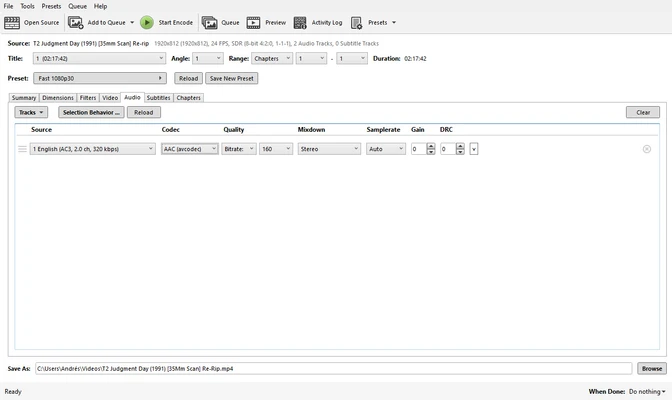
- 🔊 Audio and Subtitles – Handles multiple tracks, passthrough, and subs.
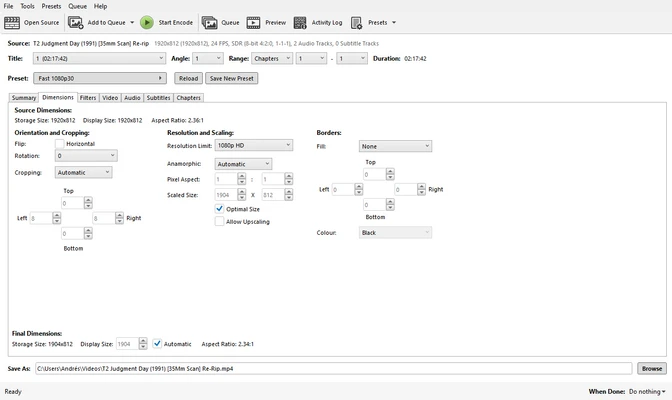
- 🧪 Video Filters – Includes denoise, deinterlace, crop, and scaling tools.
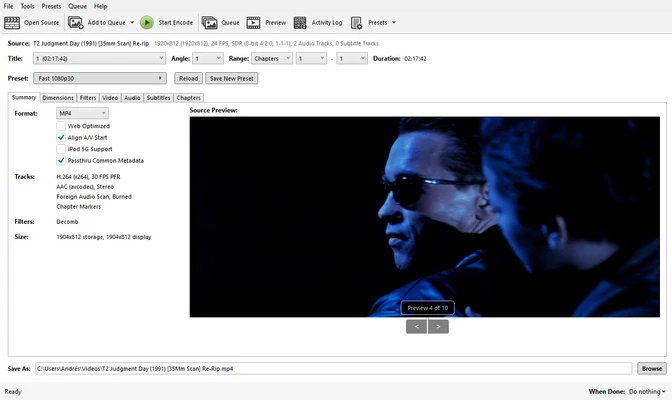
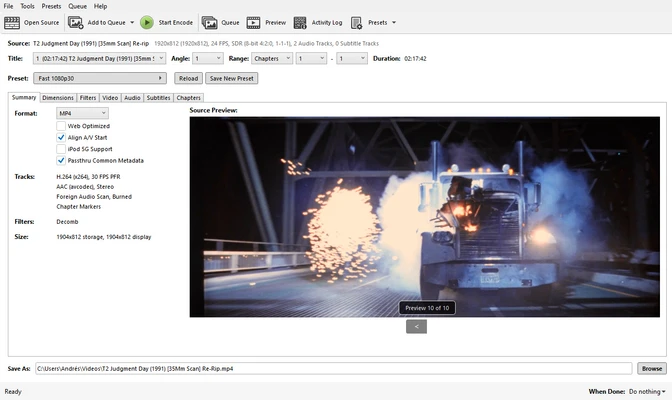
- 👁 Live Preview – Shows a sample frame before you start encoding.
- 🆓 Free and Open Source – No cost, no ads, released under the GPL license.
How to Install
- Download the HandBrake installer from the link below.
- Install Microsoft .NET Desktop Runtime 10.0 if prompted.
- Run the setup file and follow the wizard.
- Launch HandBrake and open your source video.
- Pick a preset, then click Start Encode.
- Also try StaxRip for advanced AV1 and HEVC encoding with fine-tuned control.
System Requirements
| OS | Windows 10 and 11 (64-bit) |
| CPU | Multi-core Intel or AMD Processor |
| GPU | Optional for hardware encoding |
| RAM | 4 GB minimum, 8 GB recommended |
| Storage | 100 MB plus space for videos |
| Runtime | Microsoft .NET Desktop Runtime 10.0 |
Pros and Cons
Pros
- Completely free and open source
- Wide format and codec support
- Powerful batch queue
- Hardware-accelerated encoding
- Professional ProRes and DNxHR
- Device presets for quick starts
- Strong video filter set
- Active community and updates
- Works on Windows, Mac, Linux
- Live preview before encode
Cons
- Interface overwhelms beginners
- No built-in DRM disc support
- Steep learning curve at first
- Requires .NET Runtime on Windows
- Only MP4, MKV, and WebM output
- Presets may break after updates
- No basic video editing tools
- Large files still take time
- Advanced options can confuse
- No timeline-style editing
Power Tips
Conclusion
The HandBrake free download is one of the best open-source video converters you can get for Windows. It transcodes and compresses video into MP4, MKV, and WebM with support for modern codecs like H.265 and AV1. Moreover, the latest 1.11.2 update adds professional ProRes and DNxHR encoders, making it stronger than ever for both home and pro use.
In real-world use, HandBrake is best suited to anyone who wants to shrink, convert, or optimize video without paying a cent. While its interface can overwhelm beginners and needs the .NET runtime, its power and flexibility are hard to beat. Therefore, if you work with video often, the HandBrake free download is a must-have for your Windows PC.








Comments (0)