
What is Shutter Encoder Free Download for Windows?
The Shutter Encoder free download gives you a powerful, open-source media converter for Windows. It handles video, audio, and image files with ease. Built on the trusted FFmpeg engine, it puts a clean, simple interface over FFmpeg's massive power. You no longer need to memorize command-line codes. Just pick your files, choose an output format, adjust a few settings, and hit start. Shutter Encoder is 100% free with no trial limits, no watermarks, and no locked features.
Shutter Encoder was created by Paul Pacifico, a broadcast video editor who needed a faster way to transcode footage. It has grown into one of the most popular free converters for Windows, macOS, and Linux. The tool supports everything from simple MP4-to-MP3 jobs to professional ProRes, DNxHD, and HEVC encoding up to 8K. For another great media tool, check out Format Factory which converts audio and video files on Windows.
After testing it on a batch of large video files, the "Cut without re-encoding" feature stood out — it trimmed clips in seconds without any quality loss. Shutter Encoder is best suited to video editors, content creators, and anyone who wants pro-grade tools without paying for software. According to its GitHub page, Shutter Encoder is open source under the GPL-3.0 license and even includes AI tools for upscaling, transcription, and colorization.
Why Use This Software?
- The Shutter Encoder free download gives you FFmpeg's full power with no command line needed.
- Convert almost any video, audio, or image format you can think of.
- Trim clips losslessly in seconds with the cut-without-re-encoding feature.
- Batch process huge file collections while you do other work.
- Adjust colors, crop frames, and burn subtitles all in one app.
- 100% free with no watermarks, trial limits, or locked features.
- Trusted by editors and even recommended by Avid for Media Composer workflows.
Screenshots
Key Features
- 🎬 Huge Format Support – Convert to H.264, H.265, AV1, ProRes, DNxHD, MP4, MKV, MOV, and many more.
- ⚡ FFmpeg Powered – Access the full power of FFmpeg through a simple graphical interface.
- ✂️ Cut Without Re-Encoding – Trim clips losslessly and in seconds with select codecs.
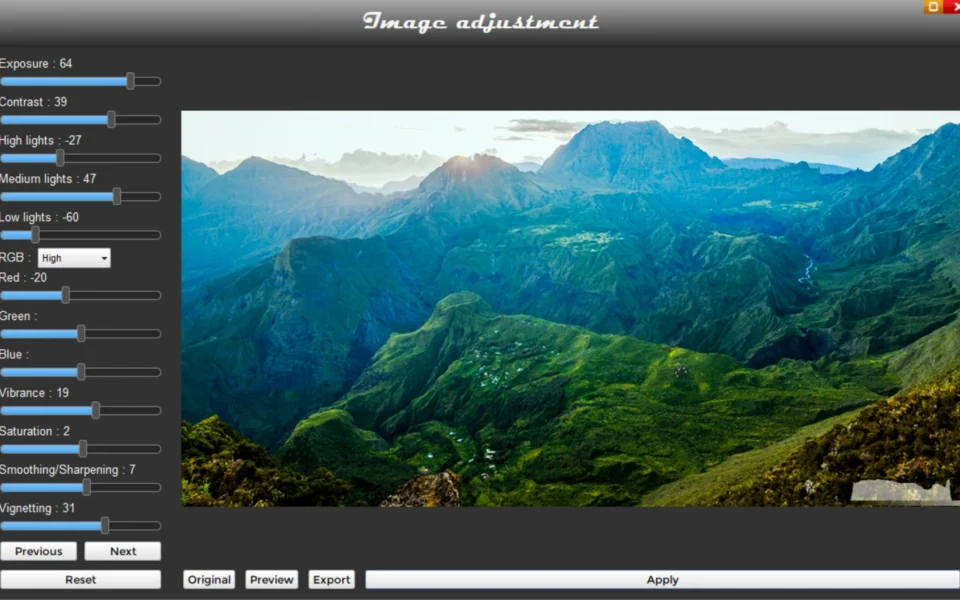
- 🎨 Image Adjustment – Tweak exposure, contrast, color, and apply LUTs right in the app.
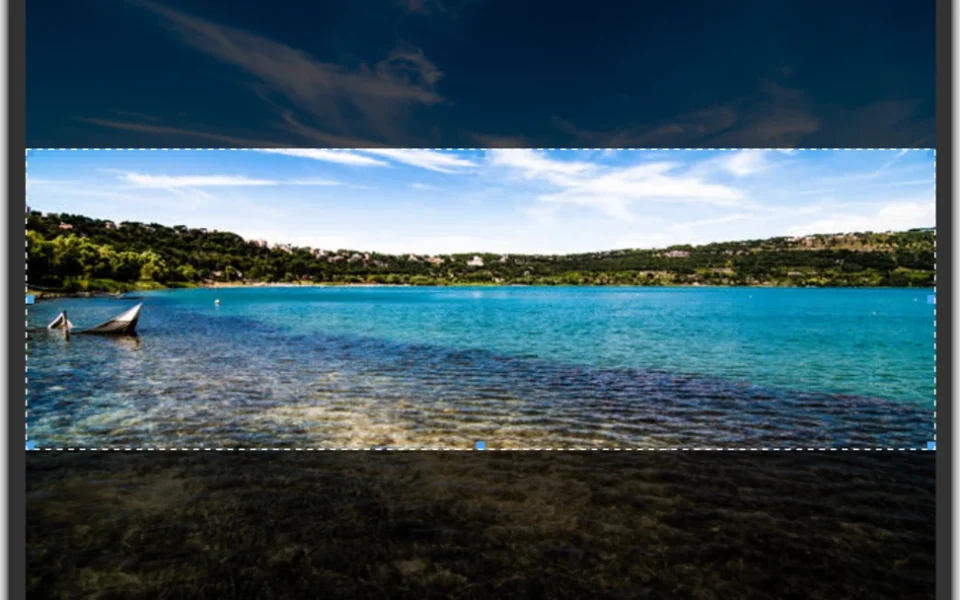
- 🖼️ Image and Video Cropping – Crop footage precisely using pixel values or quick presets.
- 📝 Built-in Subtitle Editor – Create, import, and burn subtitles with a waveform display.
- 🔊 Loudness Analysis – Check audio levels against EBU R128 and ATSC A/85 broadcast standards.
- 📦 Batch Processing – Queue dozens or hundreds of files and let them run on their own.
- 🤖 AI Tools – Upscale, transcribe, remove backgrounds, and colorize with built-in AI features.
- 🆓 100% Free – No watermarks, no trial limits, and full source code on GitHub.
How to Install
- Download the Shutter Encoder installer from the link below.
- Double-click the Shutter Encoder.exe file to start the setup.
- If Windows SmartScreen appears, click "More info" then "Run anyway."
- Pick your language and finish the simple installation.
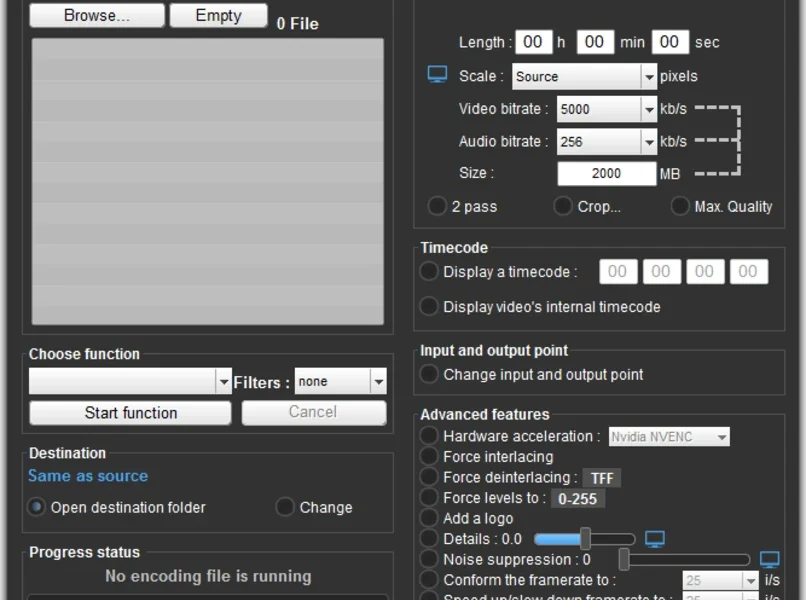
- Browse your files, choose a function and output codec, then click Start function.
- Also Download PotPlayer Free Download for Windows – Free
System Requirements
| OS | Windows 10, 11 (64-bit only) |
| CPU | Intel or AMD Processor |
| RAM | 4 GB minimum (8 GB recommended) |
| Storage | 250 MB free disk space |
| Other | FFmpeg bundled, no extra downloads |
| File Size | ~166 MB |
Pros and Cons
Pros
- 100% free and open source
- Full FFmpeg power with a simple UI
- Huge format and codec support
- Cut without re-encoding feature
- Built-in subtitle editor
- Batch processing for many files
- Image adjustment and cropping
- AI upscaling, transcription, colorize
- No watermarks or trial limits
- Recommended by Avid for workflows
Cons
- 64-bit Windows only, no 32-bit
- Large 166 MB download size
- SmartScreen warning on first launch
- Interface looks a bit dated
- Many options can overwhelm beginners
- AI tools need extra processing power
- No mobile or web version
- Some advanced features lack guidance
- Heavy tasks need a strong CPU
- Donation prompts on the official site
Power Tips
Conclusion
The Shutter Encoder free download is one of the best free media tools available for Windows. It wraps the huge power of FFmpeg in a clean interface that both beginners and pros can use. From format conversion and lossless trimming to subtitle editing and AI upscaling, it handles almost any media job in one app.
In real-world use, Shutter Encoder is best suited to video editors, content creators, and broadcasters who want professional results without paying a cent. It is fast, flexible, and completely free with no catches. If you regularly work with video, audio, or images, the Shutter Encoder free download is a must-have for your Windows PC.








Comments (1)