
What is Electorrent Free Download for Windows?
The Electorrent free download gives you a powerful desktop remote control client for your torrent server on Windows. It lets you manage torrents on a remote machine without opening a web browser. Instead of copying magnet links into a clunky web interface, you control everything from one clean desktop app. Electorrent connects to many popular torrent clients and is completely free and open source.
Electorrent does not download torrents itself. The actual work happens on your remote server, NAS, VPS, or seedbox. The app simply acts as a clean control panel for that server. It supports qBittorrent, uTorrent, Transmission, rTorrent, Deluge, and Synology Download Station. For a local torrent tool, you might also like Sonarr which automates TV show downloads on Windows.
After testing it with a qBittorrent server, the drag-and-drop torrent upload and clipboard magnet paste made managing remote downloads feel effortless. Electorrent is best suited to people running seedboxes, NAS devices, or home servers who want proper desktop control. According to its GitHub page, Electorrent supports automatic updates and handles the magnet link protocol straight from your browser.
Why Use This Software?
- The Electorrent free download lets you control your torrent server without a web browser.
- Manage qBittorrent, uTorrent, Transmission, and more from one app.
- Drag and drop torrent files instead of using a clunky web UI.
- Catch magnet links from your browser automatically.
- Switch between multiple servers like a NAS and a seedbox easily.
- Get native desktop notifications for your downloads.
- Free, open source, and updated straight from GitHub.
Screenshots
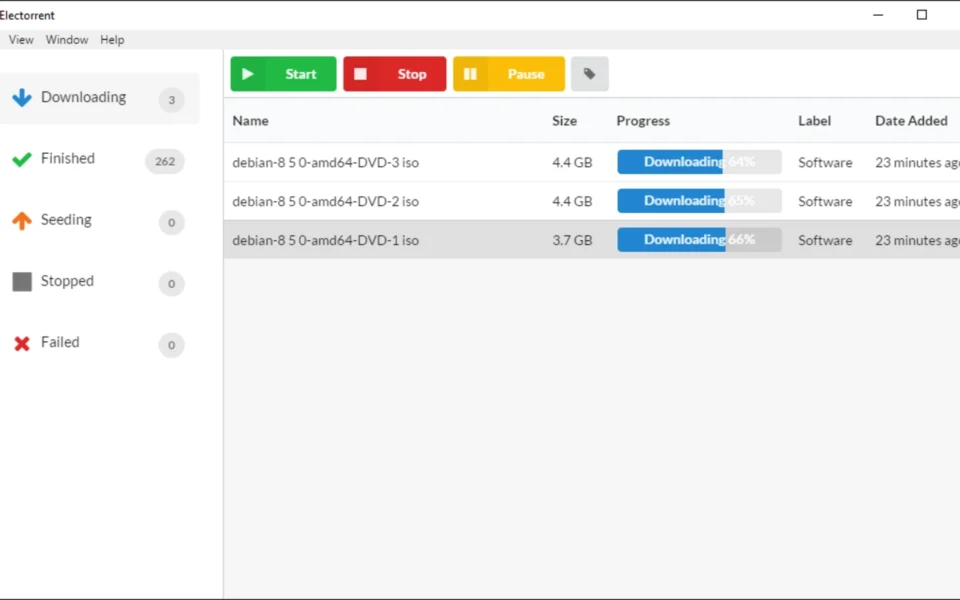
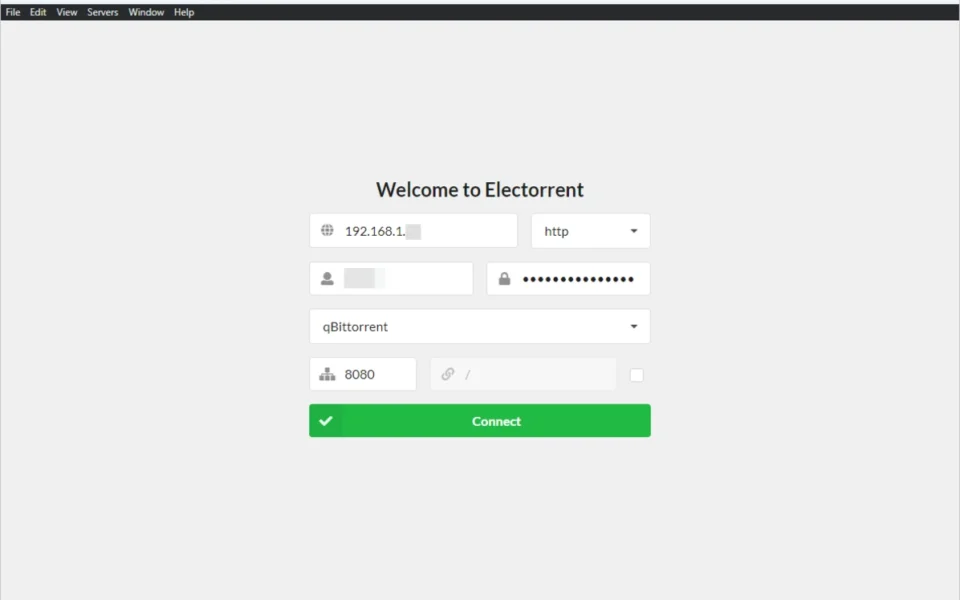
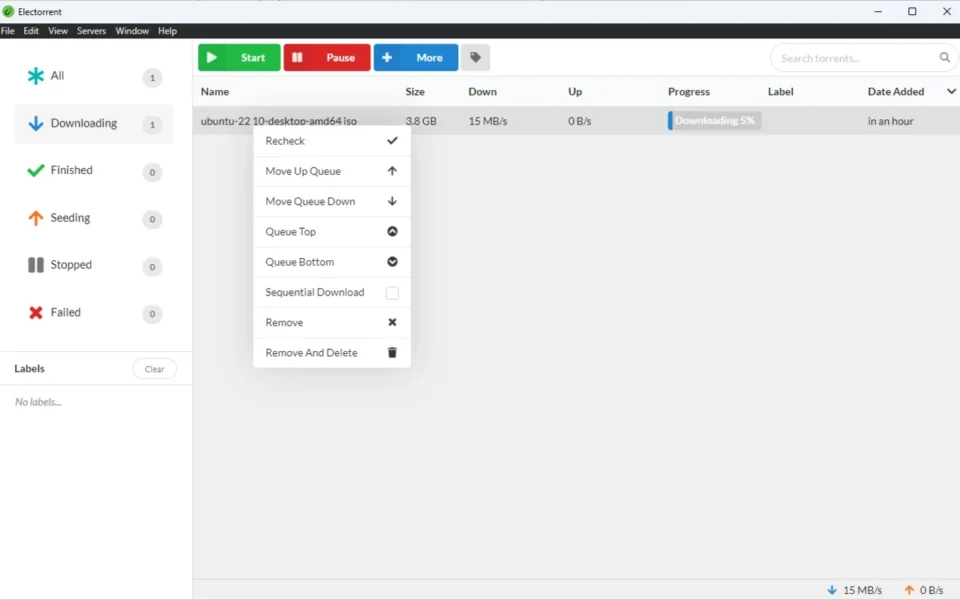
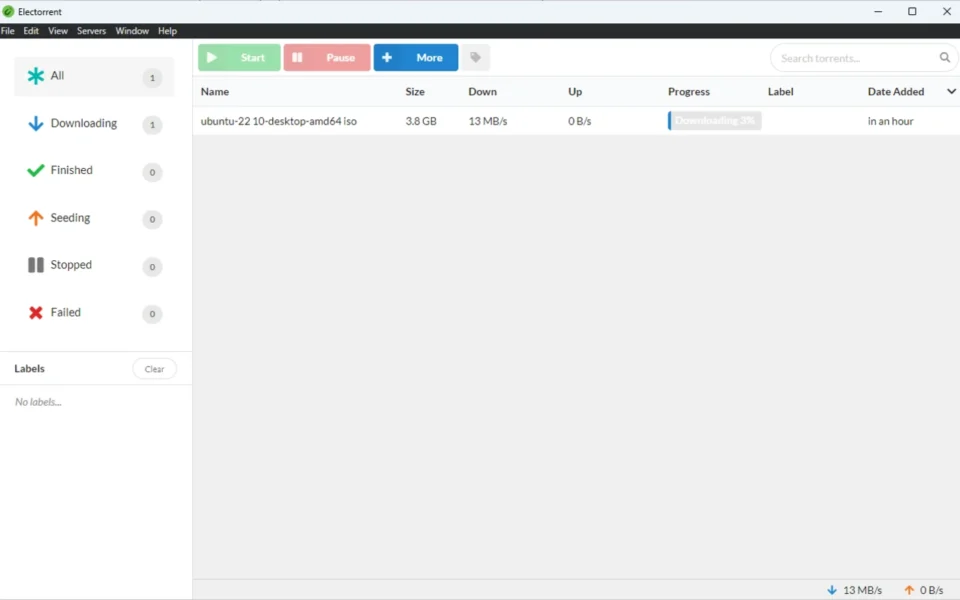
Key Features
- 🔗 Multi-Client Support – Works with qBittorrent, uTorrent, Transmission, rTorrent, Deluge, and Synology.
- 🧲 Magnet Link Handling – Catches magnet links from your browser and sends them to your server.
- 📂 Drag-and-Drop Upload – Drop torrent files onto the window to add them instantly.
- 📋 Clipboard Paste – Paste magnet links straight from your clipboard with a shortcut.
- 🖥️ Multiple Servers – Save and switch between several torrent servers in one app.
- 🔔 Desktop Notifications – Get native alerts when downloads finish or events happen.
- 🏷️ Labels and Sorting – Organize torrents with labels and sort by size, speed, or date.
- ⚙️ Queue Management – Recheck, reorder, and control your queue with a right-click menu.
- 🔄 Automatic Updates – Gets new versions straight from the GitHub repository.
- 🆓 Free and Open Source – No cost, no ads, with full source code on GitHub.
How to Install
- Download the Electorrent installer from the link below.
- Run the one-click installer — it sets up quickly using the Squirrel framework.
- If an antivirus warning appears, allow it, as the app is unsigned but safe.
- Launch Electorrent and enter your server's IP, protocol, client, and port.
- Click Connect and start managing your remote torrents.
- Also Download Sonarr for Windows – Free
System Requirements
| OS | Windows 7, 8, 8.1, 10, 11 (64-bit) |
| CPU | Intel or AMD Processor |
| RAM | 1 GB minimum |
| Storage | 200 MB free disk space |
| Other | A remote torrent client with web/RPC API |
| File Size | ~70 MB |
Pros and Cons
Pros
- Free and open source
- Controls six different torrent clients
- Drag-and-drop torrent uploads
- Magnet link protocol handling
- Multiple server profiles
- Native desktop notifications
- Labels and queue management
- Automatic GitHub updates
- Works on Windows, Mac, and Linux
- Clean, modern interface
Cons
- Does not download torrents itself
- Needs a remote server already set up
- Unsigned, so antivirus may warn you
- Some client-specific features are limited
- Deluge only connects via HTTP
- Not for local-only torrent users
- Requires WebUI or RPC enabled
- qBittorrent needs version 3.2 or above
- Setup needs some technical knowledge
- No built-in torrent search
Power Tips
Conclusion
The Electorrent free download is one of the best remote torrent control apps available for Windows. It puts a clean desktop interface over your remote torrent server, so you never have to fight with a slow web UI again. With support for six major clients and handy features like drag-and-drop and magnet handling, it covers all the common needs.
In real-world use, Electorrent is best suited to people running seedboxes, NAS devices, or home servers who want fast, native control. It will not replace a local client, but for remote management it is hard to beat. If you manage torrents on a remote machine, the Electorrent free download is a must-have for your Windows PC.






Comments (0)