
SP SSD Toolbox Free Download for Windows – SSD Health
What is SP SSD Toolbox Free Download for Windows – SSD Health?
The SP SSD Toolbox free download gives you Silicon Power's official free tool to monitor and maintain your SSD's health on Windows. Moreover, it shows key drive details, S.M.A.R.T. status, and remaining lifespan in one clean interface. Because it reads real drive data, you can catch problems early and avoid sudden data loss. Therefore, it is a smart companion for anyone using a Silicon Power SSD. Made by Silicon Power, this toolbox stays completely free with regular updates long after purchase.
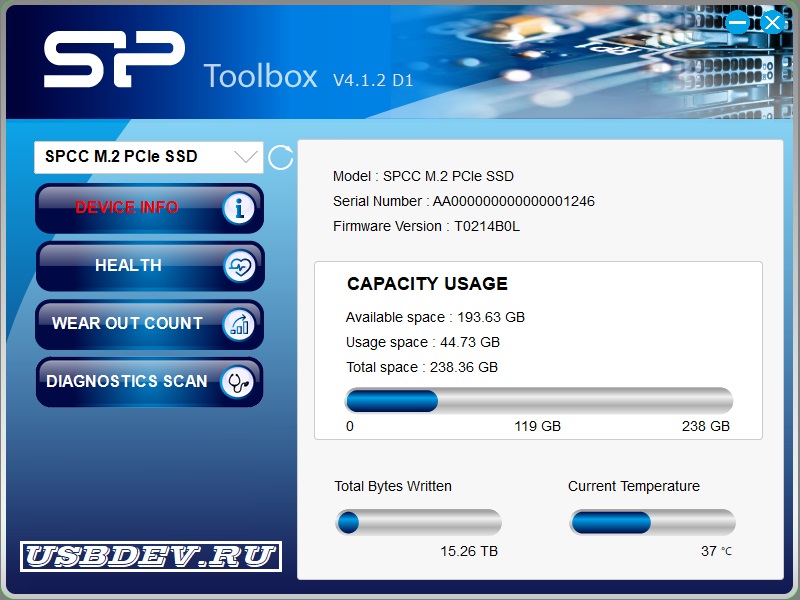
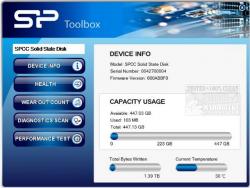
SP SSD Toolbox works by detecting your compatible Silicon Power drive and reading its sensors and S.M.A.R.T. attributes. As a result, you see capacity, temperature, total bytes written, and health at a glance. In addition, it offers diagnostic scans, wear-out counts, performance tests, and secure erase. For checking whether any drive is genuine and error-free too, check out H2testw which verifies real storage capacity and speed.
After testing it on a Silicon Power SSD, the health screen instantly showed the drive was in great shape with plenty of life left. Furthermore, the monthly diagnostic scan finished quickly without touching my data. The SP SSD Toolbox free download is best suited to anyone who owns a Silicon Power SSD. According to Wikipedia, S.M.A.R.T. is a monitoring system that predicts drive failures before they happen.
Why Use This Software?
- The SP SSD Toolbox free download shows your SSD health in seconds.
- Moreover, S.M.A.R.T. monitoring warns you before a drive fails.
- In addition, the wear-out count tells you how much life remains.
- Furthermore, diagnostic scans catch errors without harming your data.
- Also, firmware checks keep your SSD running at its best.
- Besides, secure erase safely wipes a drive before you sell it.
- Finally, it is free, official, and updated well past the warranty.
Screenshots
Key Features
- 💽 Drive Information – Shows model, capacity, firmware, and temperature.
- 🩺 S.M.A.R.T. Health Status – Reports drive health from S.M.A.R.T. attributes.
- ⏳ Wear Out Count – Tracks how much life your SSD has left.
- 🧱 Block Information – Displays bad block counts as an aging warning.
- 🔍 Diagnostic Scan – Runs quick or full non-destructive health checks.
- 🚀 Performance Test – Measures sequential and random read/write speeds.
- 🧹 Secure Erase – Permanently wipes all data on the selected drive.
- 🔄 Firmware Check – Finds the latest firmware for your SSD.
- 🖥 Clean Interface – Presents everything in a simple, readable layout.
- 🆓 Completely Free – An official free tool from Silicon Power.
How to Install
- Download the SP SSD Toolbox installer from the link below.
- Extract the package if needed, then run the setup.
- Follow the wizard to finish the installation.
- Launch the toolbox and select your Silicon Power SSD.
- Open Device Info to start checking your drive.
- Also try UCheck to keep all your drivers and software updated in one click.
System Requirements
| OS | Windows 7, 8, 8.1, 10, and 11 |
| CPU | Any Intel or AMD Processor |
| RAM | 512 MB minimum |
| Storage | 30 MB free disk space |
| Drive | Silicon Power SSD or Industrial Flash |
| Note | Some features are for industrial SSDs |
Pros and Cons
Pros
- Completely free and official
- Clear S.M.A.R.T. health data
- Wear-out life monitoring
- Non-destructive diagnostic scan
- Firmware update checks
- Secure erase for wiping
- Block and aging information
- Lightweight and easy to use
- Free updates after warranty
- Great for routine maintenance
Cons
- Only for Silicon Power SSDs
- May miss USB-connected SP drives
- Some features are industrial-only
- Basic interface design
- No support for other SSD brands
- Limited advanced tweaking options
- Windows only
- Occasional detection issues
- No cloning tool included
- Narrow, brand-specific scope
Power Tips
Conclusion
The SP SSD Toolbox free download is a handy, official tool for keeping your Silicon Power SSD healthy and fast on Windows. It shows drive information, S.M.A.R.T. status, wear-out counts, and lets you run diagnostics or securely erase a drive. Moreover, its clean interface and free updates make routine SSD maintenance simple for anyone.
In real-world use, SP SSD Toolbox is best suited to Silicon Power SSD owners who want early warnings and peak performance from their drives. While it only works with Silicon Power products and keeps some features for industrial SSDs, its value at zero cost is hard to beat. Therefore, if you own a Silicon Power SSD, the SP SSD Toolbox free download is a must-have for your Windows PC.








Comments (0)