
What is H2testw Free Download for Windows?
The H2testw Free Download gives you a small, portable tool to test USB drives and SD cards on Windows. It checks if your storage device has the real capacity it claims. Many cheap flash drives are fake — they show a big size but can only hold a small amount of data. H2testw writes test data to every sector and reads it back to catch these fakes. It needs no installation and runs straight from a folder.
H2testw free download was created by developer Harald Bögeholz from heise.de. It is one of the most trusted tools for spotting counterfeit storage. The tool works with USB sticks, SD cards, memory cards, hard drives, and SSDs. For other handy disk tools, check out Win32 Disk Imager which helps you write and back up disk images on Windows.
The tool is lightweight, free, and supports all modern Windows versions. According to Softpedia, H2testw scores very high for checking the actual size and speed of memory cards and flash drives.
Why Use This Software?
- The H2testw Free Download catches fake USB drives before you lose your data.
- Verify the real capacity of any new flash drive or SD card.
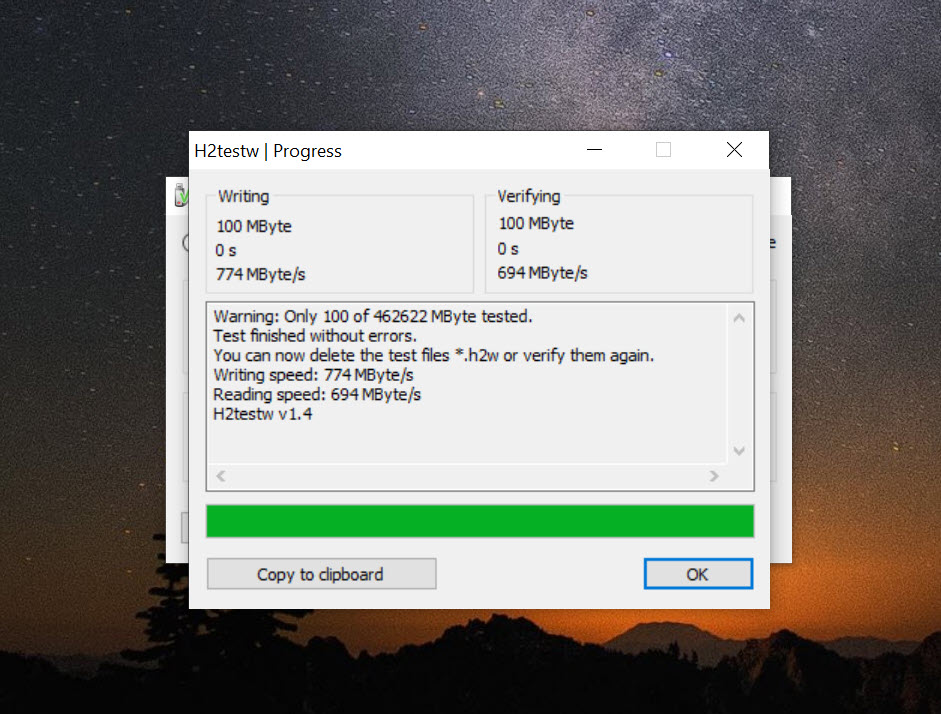
- Check read and write speeds to spot slow or failing devices.
- No installation needed — portable and ready to run instantly.
- Works with USB sticks, SD cards, hard drives, and SSDs.
- Tiny size and completely free with no hidden costs.
- Trusted by IT pros, photographers, and data recovery experts.
Screenshots
Key Features
- 🔍 Fake Drive Detection – Finds USB drives and SD cards that lie about their real storage size.
- ✅ Capacity Verification – Confirms if the actual capacity matches the advertised size.
- 📊 Read and Write Speed Test – Shows the true read and write speed of your storage device.
- 🗂️ Tests Many Devices – Works with USB sticks, SD cards, hard drives, and SSDs.
- 🎯 Full or Partial Scan – Test the whole drive or just a chosen amount of data.
- 🛡️ Safe Data Testing – Writes test files only and does not touch your existing data.
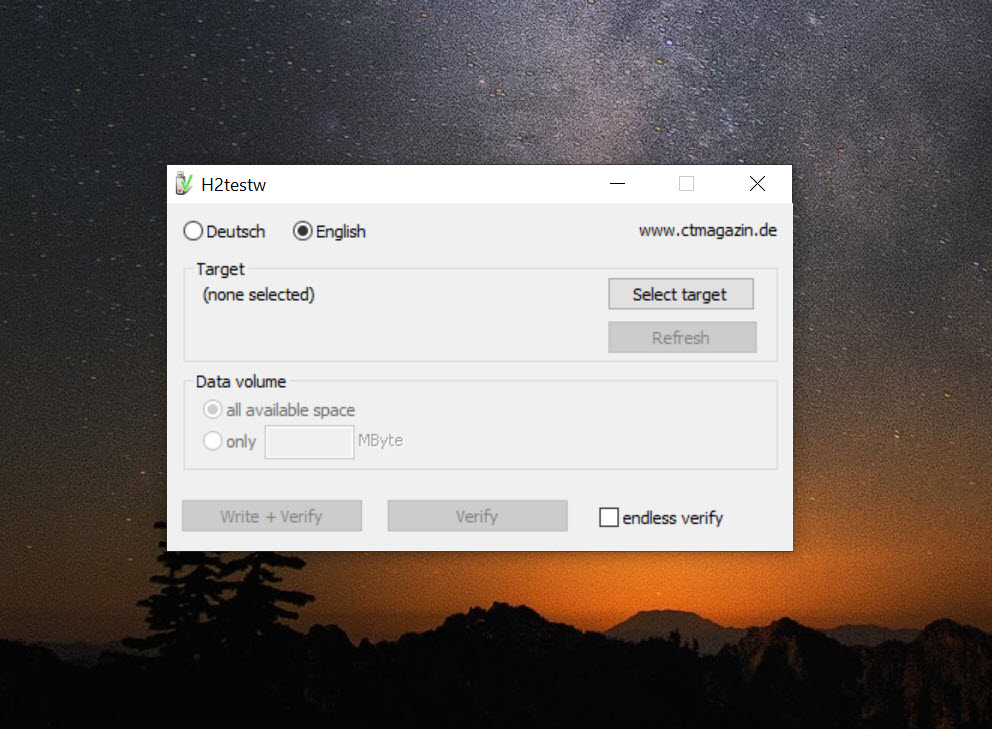
- 🌐 Two Languages – Supports both English and German interface options.
- 📦 Portable — No Install – Runs from any folder with no setup or admin rights needed.
- 🪶 Tiny Size – The download is under 250 KB, one of the smallest tools available.
- 🆓 100% Free – No cost, no ads, and no subscription required to use.
How to Install
- Download the H2testw ZIP file from the link below.
- Extract the ZIP to any folder on your PC.
- Run the H2testw executable — no installation needed.
- Select your target drive and choose how much data to test.
- Click "Write + Verify" to start the test and view the results.
- Also Download System Information Viewer for Windows – Free
System Requirements
| OS | Windows 7, 8, 8.1, 10, 11 (32/64-bit) |
| CPU | Intel or AMD Processor |
| RAM | 256 MB minimum |
| Storage | 1 MB free disk space |
| Other | No admin rights required |
| File Size | ~250 KB |
Pros and Cons
Pros
- Free and portable — no installation needed
- Detects fake USB drives and SD cards
- Verifies real storage capacity
- Shows read and write speeds
- Tiny size — under 250 KB
- Works with many storage device types
- Does not touch existing files
- Trusted by IT professionals
- No ads, no cost, no subscription
- Easy to use with simple controls
Cons
- Interface looks old and basic
- Testing large drives is slow
- Only available for Windows
- No modern graphical design
- Must back up data before testing
- No automatic fake detection alert
- English and German only
- No command-line automation
- Last update was many years ago
- Cannot repair fake or faulty drives
Power Tips
Conclusion
The H2testw Free Download is a must-have tool for anyone who buys USB drives or SD cards. It quickly tells you if a drive is fake and shows the real storage capacity and speed. Whether you are a casual user or an IT professional, this tool helps you protect your data from faulty or counterfeit storage.
It is tiny, portable, and completely free. If you want a simple and reliable way to test your flash drives, the H2testw Free Download is one of the best options available for Windows.






Comments (0)