
What is UCheck Free Download for Windows?
The UCheck Free Download gives you a smart tool to keep all your Windows programs up to date. It scans your PC, finds outdated software, and updates everything in just a few clicks. Instead of checking each app one by one, UCheck does the whole job for you. It is made by Adlice Software and works as a fast, reliable update manager for Windows.
UCheck is more than just an updater. It also works as a package manager and uninstaller. You can install new programs from its software catalog and remove apps you no longer need. It even checks for outdated hardware drivers. For other handy system tools, check out System Information Viewer which shows detailed hardware info on your PC.
The tool is lightweight and runs with very low system use. It comes in both setup and portable versions. According to Softpedia, UCheck is not just a software updater — it also lets you monitor installed apps and deploy new ones when needed.
Why Use This Software?
- The UCheck Free Download keeps all your apps updated without manual effort.
- Update everything in one click instead of visiting each website.
- Close security holes by patching outdated, vulnerable software.
- Install new programs straight from the built-in catalog.
- Remove unwanted apps with the built-in uninstaller.
- Lightweight design runs smoothly with low system use.
- Free version is enough for most home users.
Screenshots
Key Features
- 🔍 Smart Software Scan – Scans your whole PC in seconds to find outdated programs.
- ⚡ One-Click Updates – Update a single app or all outdated programs with one click.
- 📦 Software Catalog – Install new apps directly from a large built-in software repository.
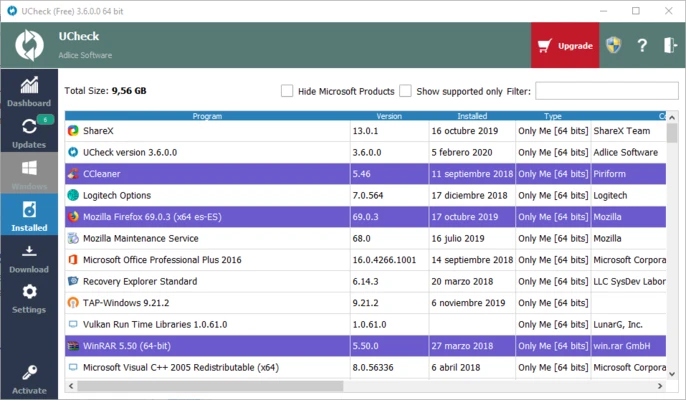
- 🗑️ Built-in Uninstaller – Remove unwanted apps with filtering options in one place.
- 🔧 Driver Checking – Detects outdated hardware and system drivers along with software.
- 🛡️ Security Patching – Closes security holes by patching apps with known vulnerabilities.
- 📋 Inventory View – See every installed app with its current and latest version side by side.
- 📅 Scheduled Scans – Set automatic scans to run at convenient times (Pro feature).
- 💼 Portable Version – Run UCheck without installation, great for technicians and new PCs.
- 🆓 Free to Use – The free version handles scanning and manual updates with no cost.
How to Install
- Download the UCheck setup or portable file from the link below.
- Run the installer or extract the portable version to any folder.
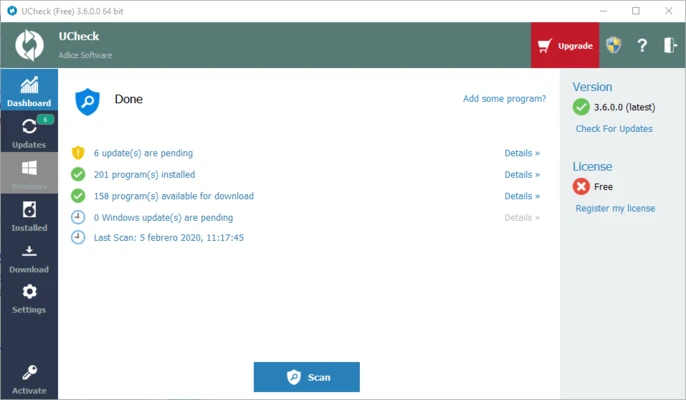
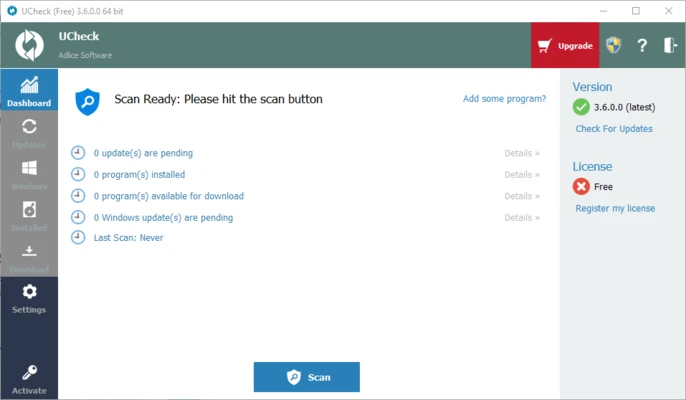
- Launch UCheck and click the Scan button to check your PC.
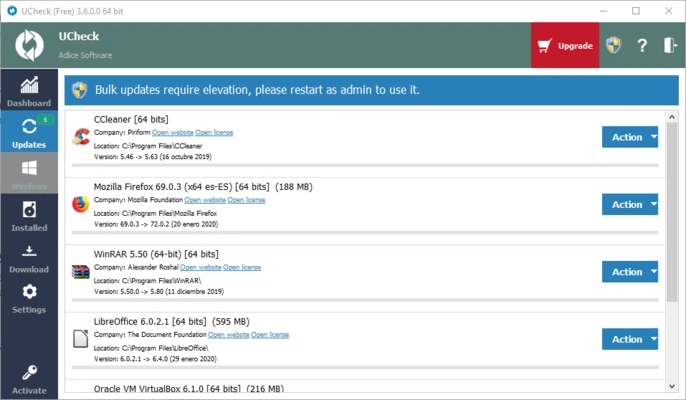
- Review the list of outdated programs under pending updates.
- Click Update to patch a single app or update all at once.
- Also Download NTLite for Windows – Free
System Requirements
| OS | Windows 7, 8, 8.1, 10, 11 (64-bit) |
| CPU | Intel or AMD Processor |
| RAM | 1 GB minimum |
| Storage | 100 MB free disk space |
| Internet | Required for updates |
| File Size | ~30 MB |
Pros and Cons
Pros
- Free version with real functionality
- Scans and updates apps in one click
- Built-in software catalog for new apps
- Works as an uninstaller too
- Lightweight with low system use
- Portable version available
- Inventory view of all installed apps
- Patches security vulnerabilities
- Affordable Pro version at ~$12/year
- Trusted developer (Adlice Software)
Cons
- Some features need the Pro version
- Free version shows nag screens
- Driver detection is not very accurate
- Only available as a 64-bit download
- Scheduled scans are a paid feature
- Niche apps may not be detected
- Bulk install needs a license
- Telemetry is on by default
- No centralized management for enterprises
- Interface can feel busy with info
Power Tips
Conclusion
The UCheck Free Download is a smart and simple tool for keeping your Windows software up to date. It scans your PC, finds outdated apps, and updates them in one click — saving you time and keeping your system secure.
It also works as a package manager and uninstaller, all in one lightweight app. For most home users the free version is more than enough, while the Pro version adds automation for power users. If you want an easy way to keep your PC current, the UCheck Free Download is well worth a try.







Comments (0)