
Malwarebytes Free Download for Windows – Anti-Malware
What is Malwarebytes Free Download for Windows – Anti-Malware?
The Malwarebytes free download gives you a fast, trusted anti-malware tool that finds and removes threats other antivirus software misses on Windows. Moreover, it uses behavior-based detection to catch ransomware, spyware, adware, and PUPs, not just known viruses. Because the free version focuses on on-demand scanning and cleanup, it works perfectly as a second opinion. Therefore, it suits anyone who suspects an infection or wants an extra layer of security. Made by Malwarebytes Corporation since 2008, the free edition stays completely free forever.
Malwarebytes works by scanning your system with its Katana engine and heuristic analysis to spot hidden threats. As a result, it detects and quarantines malware that traditional signature scanners often overlook. In addition, the free version now lets you set up a monthly scheduled scan for peace of mind. For an official on-demand scan too, check out Microsoft Safety Scanner which uses the Microsoft Defender engine.
After testing it on an infected PC, a quick scan cleared adware and PUPs that the installed antivirus had ignored. Furthermore, it ran alongside that antivirus with no conflicts at all. The Malwarebytes free download is best suited to anyone who wants strong, easy malware cleanup. According to Wikipedia, Malwarebytes is anti-malware software that detects and removes malware using signature and behavior-based methods.
Why Use This Software?
- The Malwarebytes free download catches threats your antivirus may miss.
- Moreover, behavior-based detection stops new and emerging malware.
- In addition, it removes annoying PUPs, adware, and toolbars fast.
- Furthermore, it runs safely alongside your main antivirus program.
- Also, the free version now offers a handy monthly scheduled scan.
- Besides, it stays lightweight and does not slow your system down.
- Finally, the free edition is powerful, trusted, and free forever.
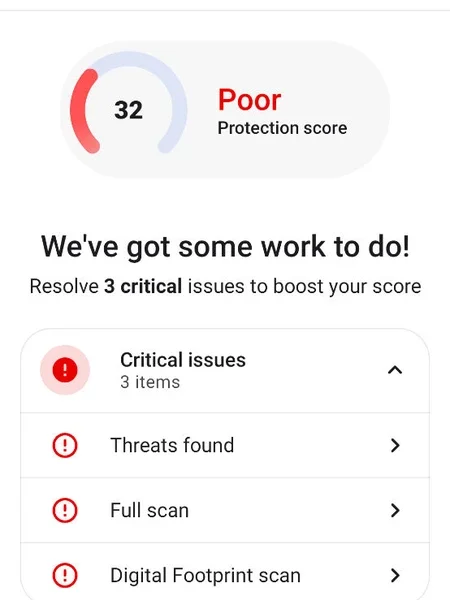
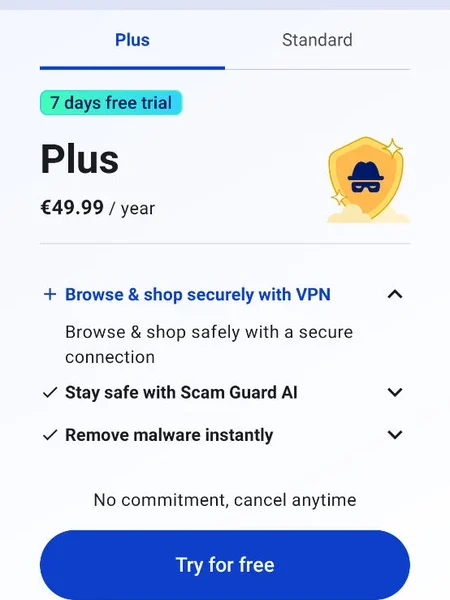
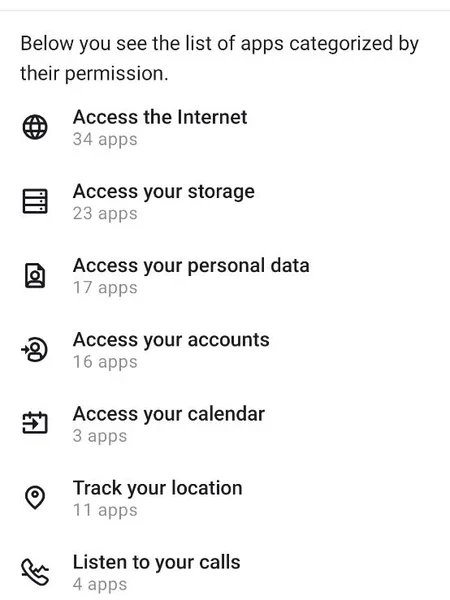
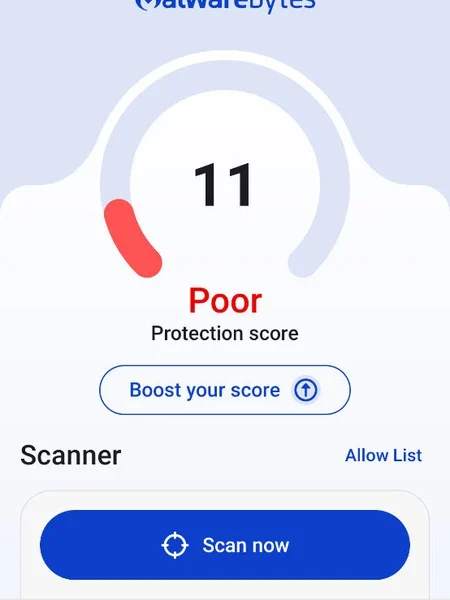
Screenshots
Key Features
- 🛡 Advanced Malware Removal – Detects viruses, spyware, adware, and trojans.
- 🧠 Behavior-Based Detection – Catches new threats using the Katana engine.
- 🚫 PUP Cleanup – Removes potentially unwanted programs and toolbars.
- 🔍 Three Scan Modes – Offers quick, threat, and custom scan options.
- 📅 Scheduled Scan – Free users can set a monthly automatic scan.
- 🪶 Lightweight Performance – Runs fast without slowing down your PC.
- 🤝 Works With Antivirus – Runs safely beside your existing security tool.
- 🗑 Quarantine System – Isolates threats so you can review or restore them.
- 🖥 Cross-Platform – Available for Windows, Mac, Android, and iOS.
- 🆓 Free Forever – The free version covers scanning and threat removal.
How to Install
- Download the Malwarebytes installer from the link below.
- Run the setup file and follow the wizard.
- When the trial ends, switch to the free version.
- Launch the app and click Scan to check your PC.
- Review the results and quarantine any threats.
- Also try SecureAnywhere Antivirus for lightweight, real-time cloud-based protection.
System Requirements
| OS | Windows 10 and 11 (also 7 and 8 tested) |
| CPU | Any Intel or AMD Processor |
| RAM | 2 GB minimum |
| Storage | 250 MB free disk space |
| Internet | Needed for updates and activation |
| Note | Free version after trial ends |
Pros and Cons
Pros
- Free version forever
- Strong behavior-based detection
- Removes PUPs and adware
- Lightweight and fast
- Runs beside other antivirus
- Quick, threat, and custom scans
- Monthly scheduled scan (free)
- Trusted by millions
- Cross-platform support
- Great second-opinion scanner
Cons
- Real-time protection needs Premium
- Premium prompts in free version
- Free has no web protection
- 14-day trial before free kicks in
- Not a full antivirus when free
- Some features locked behind paywall
- Occasional false positives
- Upsell notifications
- Full protection is paid
- Definitions need internet updates
Power Tips
Conclusion
The Malwarebytes free download is one of the most trusted anti-malware tools you can get for Windows. It uses behavior-based detection to find and remove ransomware, spyware, adware, and PUPs that traditional antivirus programs often miss. Moreover, the free version handles on-demand scanning, cleanup, and even a monthly scheduled scan at no cost.
In real-world use, Malwarebytes free is best suited as a powerful second-opinion scanner alongside your main antivirus. While real-time protection and web filtering need the paid Premium version, the free edition's detection and removal are hard to beat. Therefore, if you want reliable malware cleanup, the Malwarebytes free download is a must-have for your Windows PC.







Comments (0)