
Argus Monitor Free Download for Windows – Fan Control
What is Argus Monitor Free Download for Windows – Fan Control?
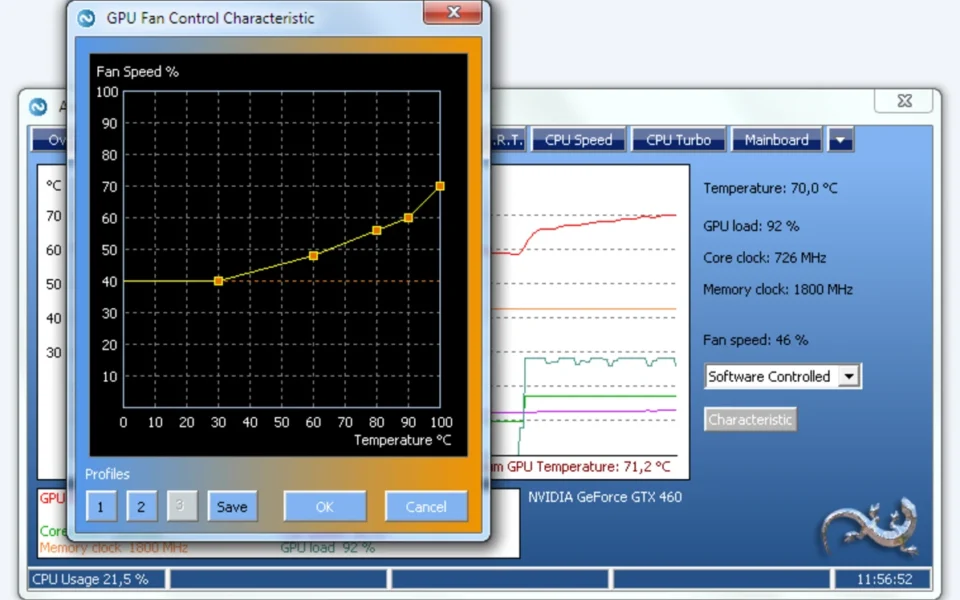
The Argus Monitor free download gives you a powerful tool to watch your PC's temperatures and control fan speeds on Windows. Moreover, it tracks CPU, GPU, motherboard, and drive temperatures in real time through clean graphs. Because it lets you build custom fan curves, you can keep your system cool and quiet at the same time. Therefore, it suits gamers, overclockers, and anyone worried about overheating. Made by Argotronic, Argus Monitor is shareware that offers a fully functional 30-day free trial before a low-cost license.
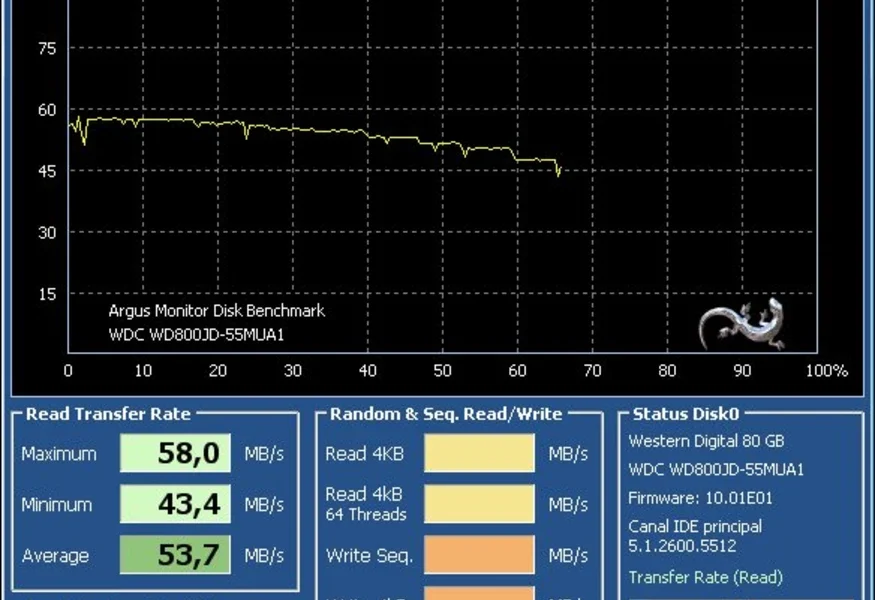
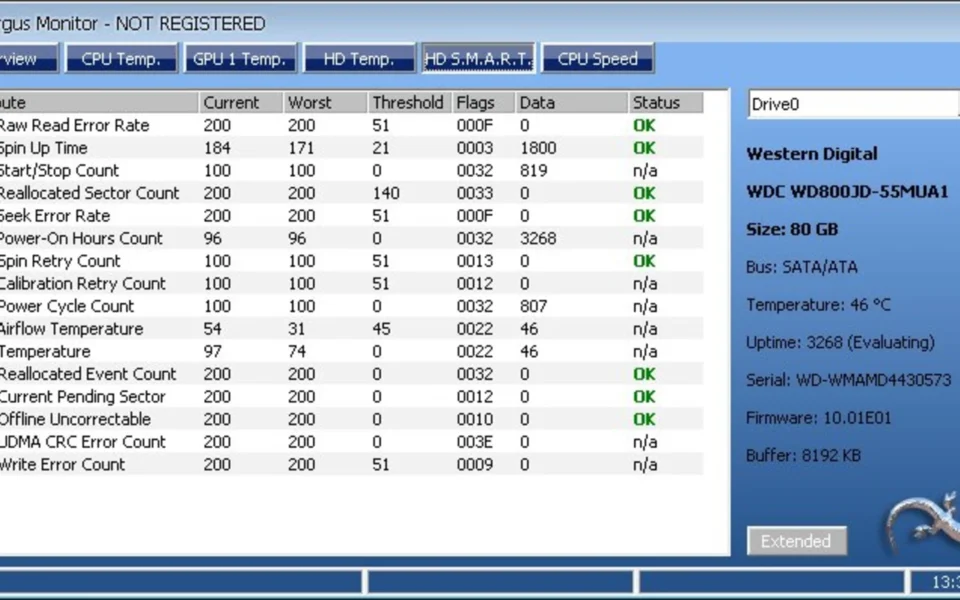
Argus Monitor works by reading the sensors on your motherboard, GPU, and drives, then displaying them live. As a result, you always know how hot your hardware runs and when a fan should spin up. In addition, it checks hard drive and SSD health using S.M.A.R.T. data to warn you before a failure. For testing whether a drive is genuine and healthy too, check out H2testw which verifies real storage capacity and speed.
After testing it on a gaming rig, a custom fan curve kept the CPU cool under load while staying nearly silent at idle. Furthermore, an S.M.A.R.T. alert flagged an aging drive before it could fail. The Argus Monitor free download is best suited to anyone who wants precise control over cooling and hardware health. According to Wikipedia, S.M.A.R.T. is a monitoring system that predicts drive failures before they happen.
Why Use This Software?
- The Argus Monitor free download shows every key temperature at a glance.
- Moreover, custom fan curves keep your PC cool and quiet together.
- In addition, S.M.A.R.T. monitoring warns you before a drive dies.
- Furthermore, custom alerts let you react fast to overheating.
- Also, the tray and gadget displays keep readings always visible.
- Besides, it runs light and stable without any bloatware.
- Finally, it respects your privacy with no ads and controlled updates.
Screenshots
Key Features
- 🌡 Full Temperature Monitoring – Tracks CPU, GPU, motherboard, RAM, and drive temps.
- 🌀 Advanced Fan Control – Builds custom fan curves from any temperature source.
- 💽 S.M.A.R.T. Drive Health – Predicts HDD and SSD failures before they strike.
- 📊 Live Graphs – Shows real-time history of temperatures and fan speeds.
- 🎚 Multi-Controller Support – Runs several fan controllers in parallel per fan.
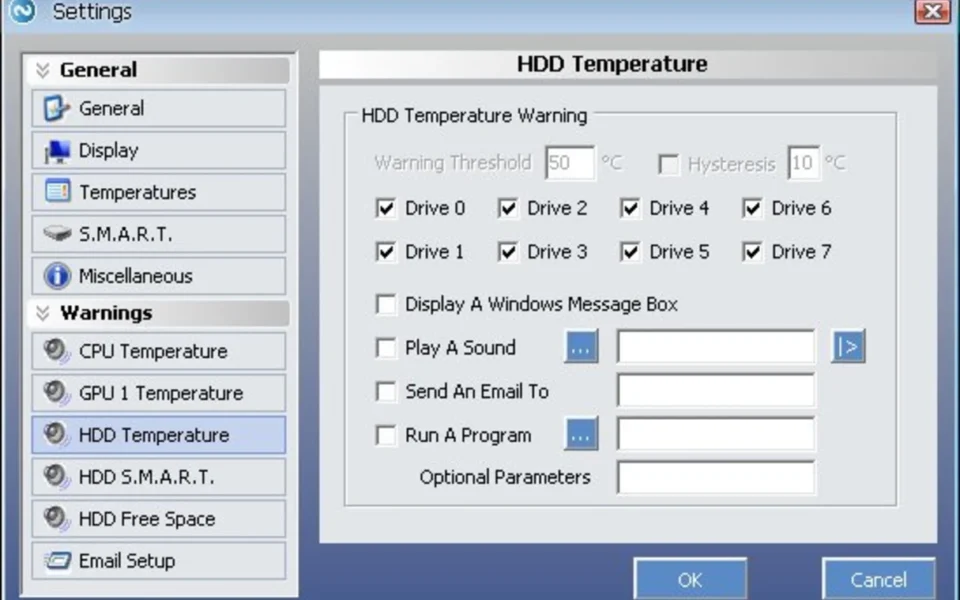
- 🔔 Custom Alerts – Warns you by sound or email when limits are crossed.
- 🌈 RGB Control – Sets lighting on supported devices by temperature or color.
- 🖥 Tray and Gadget Display – Shows key readings without opening the window.
- 🪶 Lightweight and Stable – Runs quietly in the background with low resource use.
- 🔒 Privacy Respecting – No ads, no bloatware, and controllable updates.
How to Install
- Download the Argus Monitor installer from the link below.
- Run the setup file and follow the wizard.
- Launch the app to start the 30-day free trial.
- Open the fan control tab and set your curves.
- Enable tray icons and alerts for easy monitoring.
- Also try UCheck to keep all your drivers and software updated in one click.
System Requirements
| OS | Windows 10 and 11 (also older builds) |
| CPU | Any Intel or AMD Processor |
| RAM | 512 MB minimum |
| Storage | 15 MB free disk space |
| Sensors | Supported motherboard, GPU, and drives |
| License | Free 30-day trial, then paid license |
Pros and Cons
Pros
- Fully functional free trial
- Detailed temperature monitoring
- Powerful custom fan curves
- S.M.A.R.T. drive health checks
- Custom sound and email alerts
- RGB control for some devices
- Lightweight and very stable
- No ads or bloatware
- Tray and gadget displays
- Privacy-respecting design
Cons
- Not free after 30 days
- License needed for updates
- Complex for total beginners
- Interface looks a bit plain
- Trial period feels short
- Windows only, no Mac or Linux
- Laptop fan control often limited
- Requires BIOS tweaks sometimes
- RGB support is device-limited
- Avoid fake crack or keygen sites
Power Tips
Conclusion
The Argus Monitor free download is one of the most complete hardware monitoring and fan control tools you can get for Windows. It tracks temperatures across your whole system, builds precise fan curves, and checks drive health with S.M.A.R.T. data. Moreover, its custom alerts and lightweight design make it a trusted choice for keeping your PC cool and safe.
In real-world use, Argus Monitor is best suited to gamers, overclockers, and builders who want fine control over cooling and early warning of hardware problems. While it becomes paid after the 30-day trial and needs some BIOS know-how, its power and stability are hard to beat. Therefore, if you care about temperatures and fan noise, the Argus Monitor free download is well worth trying on your Windows PC.







Comments (0)