
What is WinDirStat Free Download for Windows?
The WinDirStat free download gives you a powerful visual tool to see exactly how your disk space is used on Windows. Moreover, it scans your drive and shows every file as a colored block in a treemap. Instead of opening folder after folder, you spot the biggest space hogs at a glance. Therefore, you can clean up your drive in minutes, not hours. Built as an open-source project, WinDirStat has helped Windows users free up space for over 20 years.
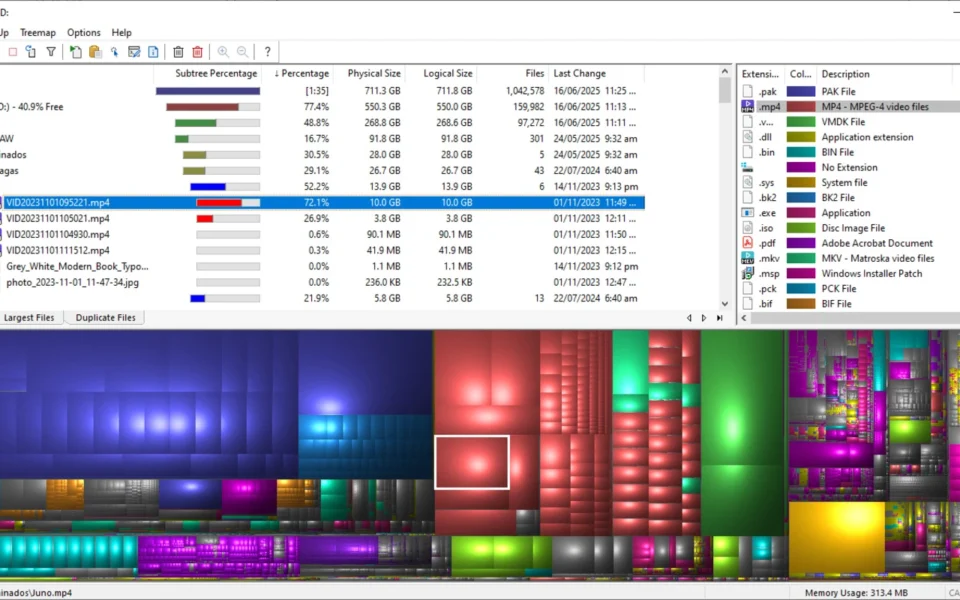
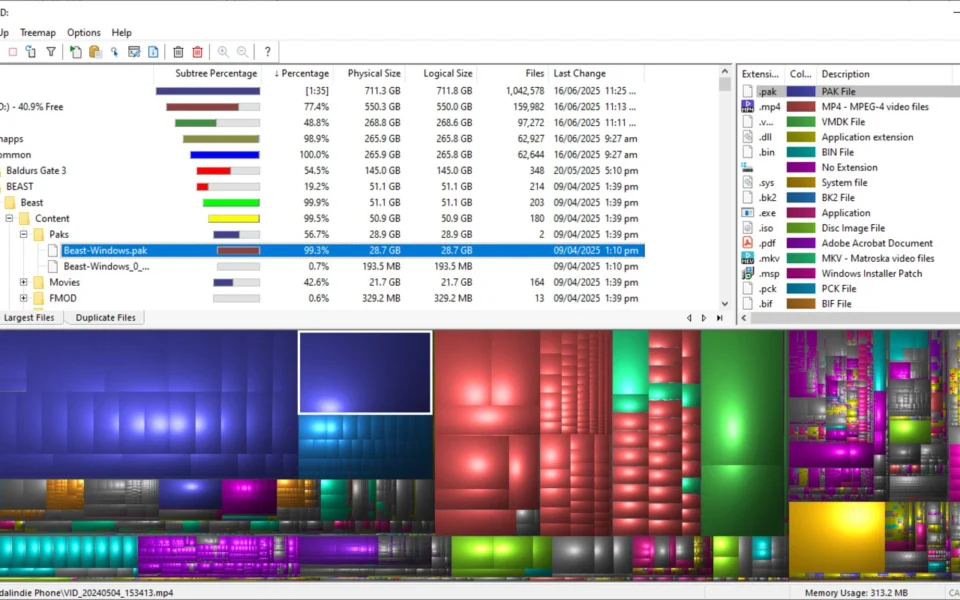
WinDirStat works by scanning your whole drive or a chosen folder first. As a result, it builds three linked views: a directory tree, a file-type list, and a colorful treemap. In addition, larger files take up larger areas in the map, so huge files jump right out at you. For another handy system tool, check out System Information Viewer which shows detailed hardware info on Windows.
After testing it on a nearly full SSD, the treemap instantly revealed a forgotten folder of old video files eating up gigabytes. Furthermore, cleaning them up took just a few clicks. The WinDirStat free download is best suited to anyone whose disk is full for no clear reason. According to Wikipedia, WinDirStat was inspired by the Unix tool KDirStat and is released free under the GNU GPL v2 license.
Why Use This Software?
- The WinDirStat free download shows exactly where your disk space goes.
- Moreover, the color treemap makes huge files easy to spot.
- In addition, the directory tree sorts folders by size instantly.
- Furthermore, file-type stats reveal which formats waste the most space.
- Also, you can delete files right from the app after checking them.
- Besides, fast NTFS scanning saves you time on big drives.
- Finally, it is free, open source, and works on all Windows versions.
Screenshots
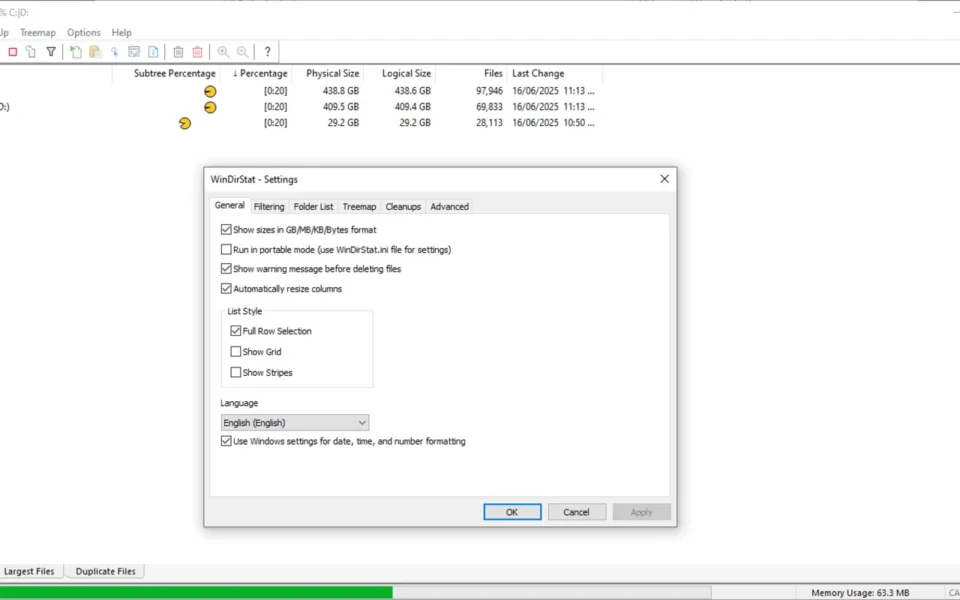
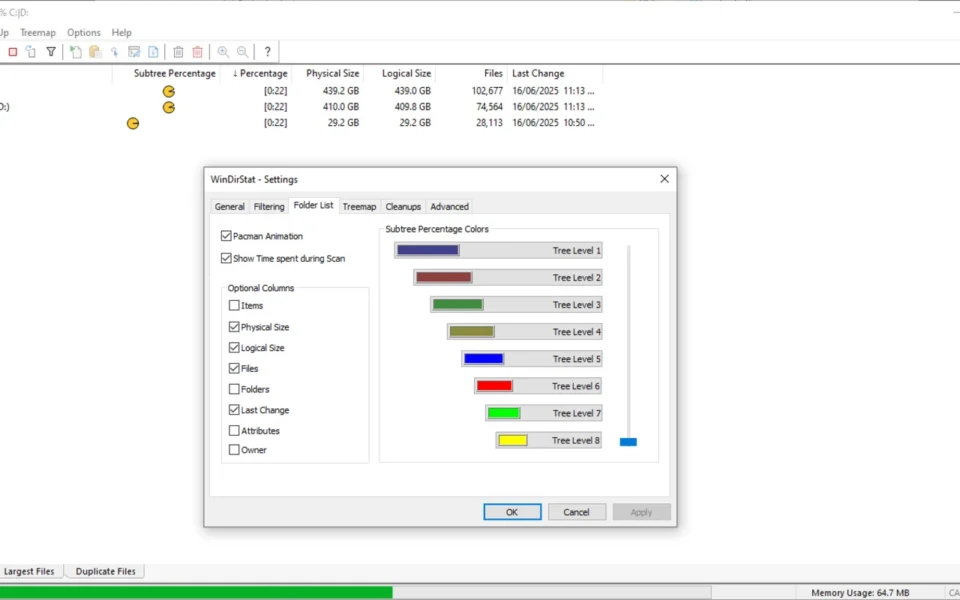
Key Features
- 🗺️ Color Treemap – Shows every file as a colored block sized by how much space it uses.
- 🌳 Directory Tree View – Lists folders sorted by size so the biggest ones appear first.
- 📊 File Type Statistics – Breaks down disk space by extension, like videos, docs, and archives.
- 🔍 Find Large Files – Quickly spots huge files and folders that waste your space.
- 🧹 Built-In Cleanup – Delete files straight from the app after you review them.
- ⚡ Fast NTFS Scanning – Uses the Master File Table for quick scans on NTFS drives.
- 💾 Scans Any Drive – Works on local drives, USB sticks, and network drives.
- 🌙 Dark Mode – A modern dark theme is now available for comfortable use.
- 📦 Portable Version – Run it from a USB drive with no installation needed.
- 🆓 Free and Open Source – No cost, no ads, released under the GPL license.
How to Install
- First, download the WinDirStat installer or portable version from the link below. Then, run the setup file or extract the portable archive. Next, launch the app and pick a drive or folder to scan. After that, wait a moment while it builds the treemap. Finally, review the results and clean up the files you no longer need.
- Download the WinDirStat installer from the link below.
- Run the setup file or extract the portable version.
- Launch WinDirStat and choose a drive or folder.
- Wait for the scan and treemap to finish.
- Review the big files and clean up safely.
- Also try SyncFolders to back up important files before you clean up your drive.
System Requirements
| OS | Windows XP, Vista, 7, 8, 10, 11 (32/64-bit) |
| CPU | Intel or AMD Processor |
| RAM | 512 MB minimum |
| Storage | 10 MB free disk space |
| Drive | Works on local, USB, and network drives |
| File Size | ~5 MB |
Pros and Cons
Pros
- Free and open source
- Clear color treemap view
- Directory tree sorted by size
- File-type space breakdown
- Built-in safe cleanup tools
- Fast NTFS scanning
- Works on all Windows versions
- Portable version available
- Scans USB and network drives
- Tiny 5 MB download
Cons
- Interface looks a bit dated
- Initial scan can be slow on huge drives
- Limited documentation for advanced use
- No built-in duplicate cleaner in old versions
- Manual review needed before deleting
- Not as fast as some newer rivals
- Basic design compared to modern tools
- Windows only, no Mac or Linux
- Treemap can overwhelm new users
- No automatic cleanup suggestions
Power Tips
Conclusion
The WinDirStat free download is one of the best free disk cleanup tools for Windows. It turns confusing disk usage into a clear color map, so you can find and remove space-wasting files in minutes. Moreover, its three linked views make it easy to understand exactly what is filling your drive.
In real-world use, WinDirStat is best suited to anyone facing a full disk with no obvious cause, from home users to system admins. While its design is dated and scans can be slow on huge drives, its visual approach is hard to beat. Therefore, if you want to reclaim disk space fast, the WinDirStat free download is a must-have for your Windows PC.








Comments (0)