
Proxifier Free Download for Windows – Proxy Client
What is Proxifier Free Download for Windows – Proxy Client?
The Proxifier free download gives you a sophisticated proxy client that forces network applications to work through a proxy server, even when they have no proxy support of their own. Moreover, it handles browsers, messengers, games, FTP, SSH, and email clients like Outlook, Eudora, and Netscape without special configuration. Because it uses a flexible rule system based on application names, hostnames, port numbers, and IP addresses, you decide exactly what gets routed. Therefore, it suits anyone stuck behind a firewall or a restricted local area network. Developed by Initex for Windows, Proxifier comes as a trial before you buy a license.
Proxifier works by intercepting connections and sending them through a proxy server or a chain of proxy servers using SOCKS v4, SOCKS v5, or HTTP. As a result, you can bypass firewall restrictions, connect to restricted ports, and resolve DNS names through the proxy instead of your ISP. In addition, it can tunnel the entire system, so every network connection travels through your chosen gateway. For a fully free way to reach public servers, check out VPN Gate Client Plugin which connects you to volunteer-run VPN nodes.
After testing it on a locked-down office network, a single open port was enough to get restricted apps online again. Furthermore, the built-in Proxy Checker made it easy to compare speed and anonymity before committing to a server. The Proxifier free download is best suited to power users who need precise control over their internet traffic. According to Wikipedia, a proxy server acts as an intermediary between your device and the wider internet.
Why Use This Software?
- The Proxifier free download gives proxy support to apps that lack it.
- Moreover, the rule system routes each program exactly how you want.
- In addition, proxy chains add extra layers between you and the web.
- Furthermore, hiding your IP address keeps snoopers away from your activity.
- Also, it works from restricted networks where only one port is open.
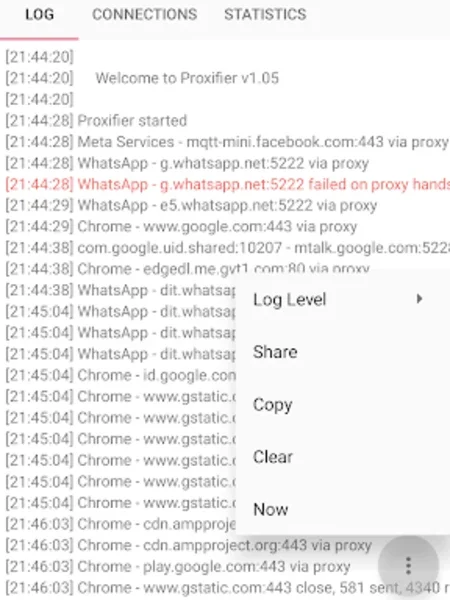
- Besides, real-time logs reveal traffic, errors, and connection details.
- Finally, tunneling the whole system covers every app at once.
Screenshots
Key Features
- 🔀 Universal Proxy Support – Runs apps that have no built-in proxy option.
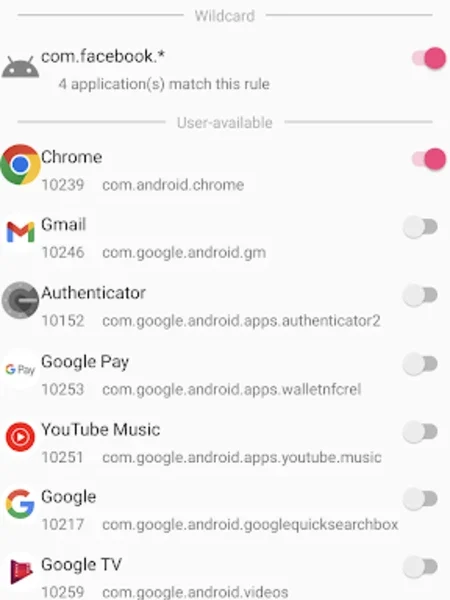
- 🧩 Flexible Rule System – Routes traffic by app name, hostname, port, or IP.
- 🔗 Proxy Chains – Links several proxy servers using different protocols.
- 🌐 Multiple Protocols – Supports SOCKS v4, SOCKS v5, HTTP, HTTPS, and IPv6.
- 🔒 Hidden IP Address – Masks your real IP with encrypted data traffic.
- 🚧 Firewall Bypass – Reaches restricted ports and blocked locations easily.
- 🛰 DNS via Proxy – Resolves DNS names through the proxy for better privacy.
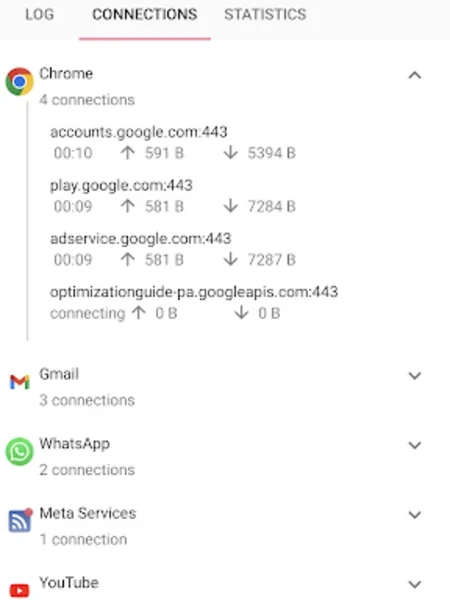
- 📊 Live Monitoring – Shows connections, transfer rate, and bandwidth diagrams.
- 🧪 Proxy Checker – Tests proxy speed and anonymity before you connect.
- 🗂 Detailed Logging – Maintains log files and reports on network errors.
How to Install
- Download the Proxifier installer from the link below.
- Run the setup file and follow the wizard.
- Launch the app and open Proxy Servers settings.
- Add your SOCKS or HTTP proxy details.
- Create proxification rules, then start routing traffic.
- Also try PingPlotter to diagnose latency and packet loss along your new proxy route.
System Requirements
| OS | Windows 7, 8, 10, and 11 (32/64-bit) |
| CPU | Any Intel or AMD Processor |
| RAM | 512 MB minimum |
| Storage | 20 MB free disk space |
| Network | Access to a working proxy server |
| License | Free trial, then paid license |
Pros and Cons
Pros
- Built-in Proxy Checker
- Flexible rule system
- Bypasses firewalls and geo-blocks
- Handles up to 1000 connections
- Encrypted, hidden IP traffic
- Supports many proxy protocols
- Works with apps lacking proxy support
- Detailed logs and reports
- Live bandwidth monitoring
- Simple, intuitive interface
Cons
- Free trial only, then paid
- You must supply your own proxy
- Not a VPN replacement
- Setup can confuse beginners
- Limited interface customization
- Privacy depends on proxy provider
- Windows-focused desktop app
- Rules need manual tuning
- No built-in proxy list
- Misconfiguration can break apps
Power Tips
Conclusion
The Proxifier free download is a powerful tool for anyone who needs full control over how their applications reach the internet. It pushes any program through SOCKS or HTTP proxy servers, chains them together, hides your IP address, and lets a flexible rule system decide what goes where. Moreover, live monitoring, the Proxy Checker, and detailed logs make it genuinely useful for troubleshooting as well as privacy.
In real-world use, Proxifier is best suited to power users, developers, and admins working from restricted networks or behind strict firewalls. While it needs your own proxy server and moves to a paid license after the trial, its flexibility and depth are hard to beat. Therefore, if you want precise traffic control, the Proxifier free download is well worth trying on your Windows PC.




Comments (0)