
What is Hearthstone Deck Tracker Free Download for Windows?
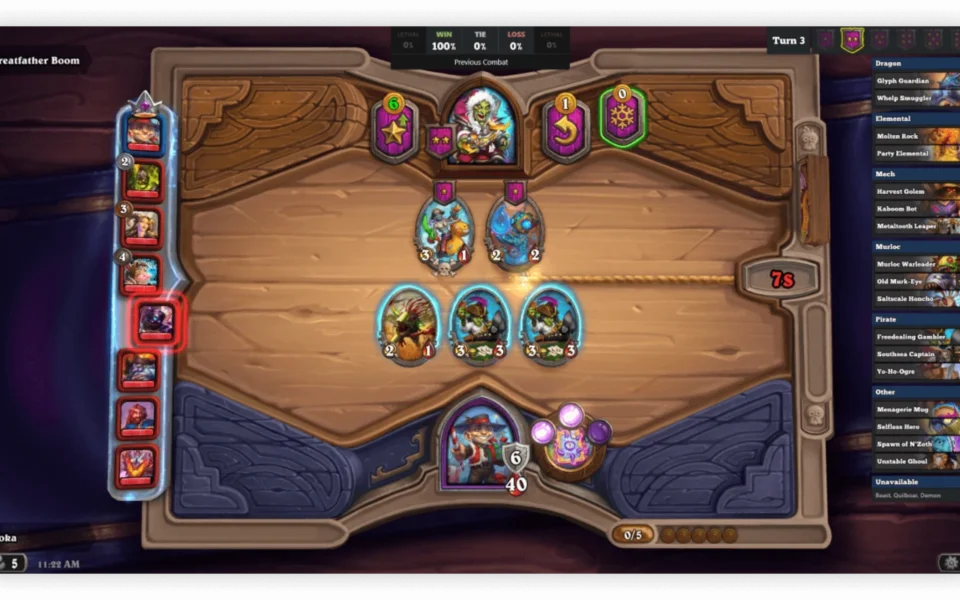
The Hearthstone Deck Tracker Free Download is an open-source companion app for Windows that helps you play Hearthstone better. It tracks every card you and your opponent play during a match. You get a real-time overlay showing your remaining cards, draw odds, and full game stats. Built by the HearthSim community, this tool is trusted by casual players, streamers, and pros alike.
The app, often called HDT, reads from Hearthstone's log file. It does not hook into the game or modify memory, so it is safe and fair to use. You can manage all your decks, import them from codes or the web, and study your win rates in detail. For another handy gaming tool, check out Steam Library Manager which helps you organize and move your Steam games on Windows.
After testing it during a few ranked matches, the in-game overlay felt clean and never got in the way — it showed exactly which cards were left in the deck without slowing the game. According to its GitHub page, the project has earned over 4,900 stars and is reviewed by thousands of developers, making the Hearthstone Deck Tracker one of the most trusted card-game tools available.
Why Use This Software?
- The Hearthstone Deck Tracker helps you make smarter plays with real-time card info.
- See your draw odds so you can plan your next turn with confidence.
- Track your opponent's cards and predict their secrets.
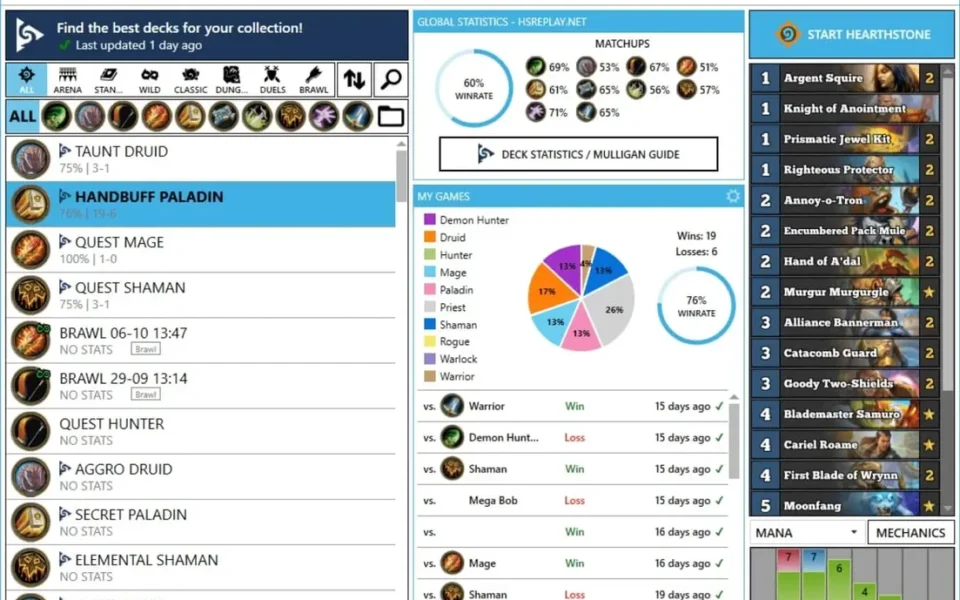
- Study detailed stats to find your strongest decks.
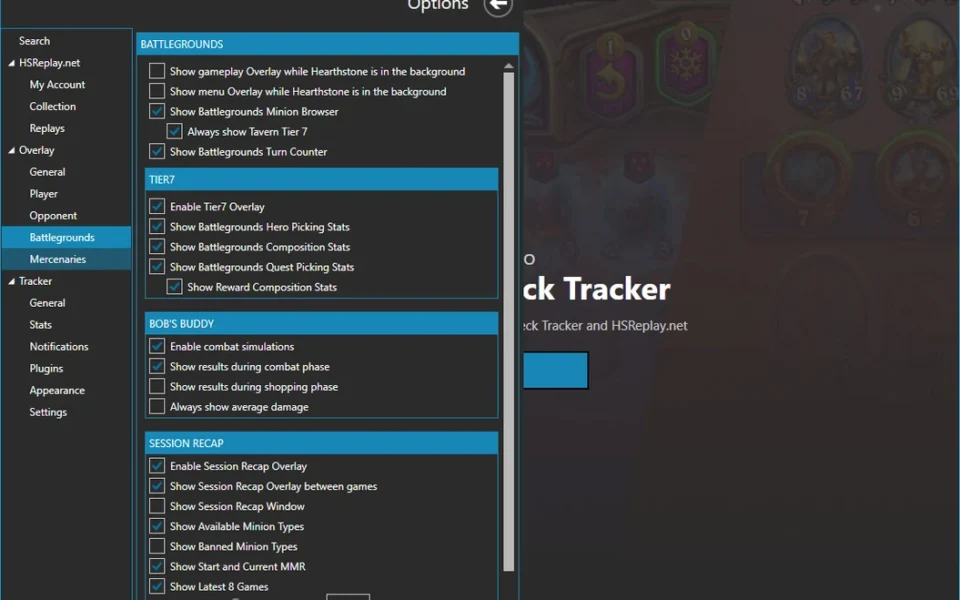
- Battlegrounds Helper improves your combat decisions instantly.
- Safe and fair — it only reads cards already played or drawn.
- Free, open source, and updated often by an active community.
Screenshots
Key Features
- 🎯 Real-Time Overlay – Shows your remaining cards and draw odds right on the game screen.
- 🃏 Opponent Tracking – Tracks every card your opponent plays and which ones they may still hold.
- 📊 Detailed Statistics – Records win and loss rates for each deck, arena run, and game mode.
- 🛡️ Secret Helper – Notifies you of secrets your opponent can trigger during the match.
- ⚔️ Battlegrounds Helper – Calculates your odds of winning each combat in Battlegrounds.
- 📥 Deck Importing – Import decks from codes, files, the web, the clipboard, or your last game.
- 🎥 Replay and Sharing – Save replays online and share your games with friends or viewers.
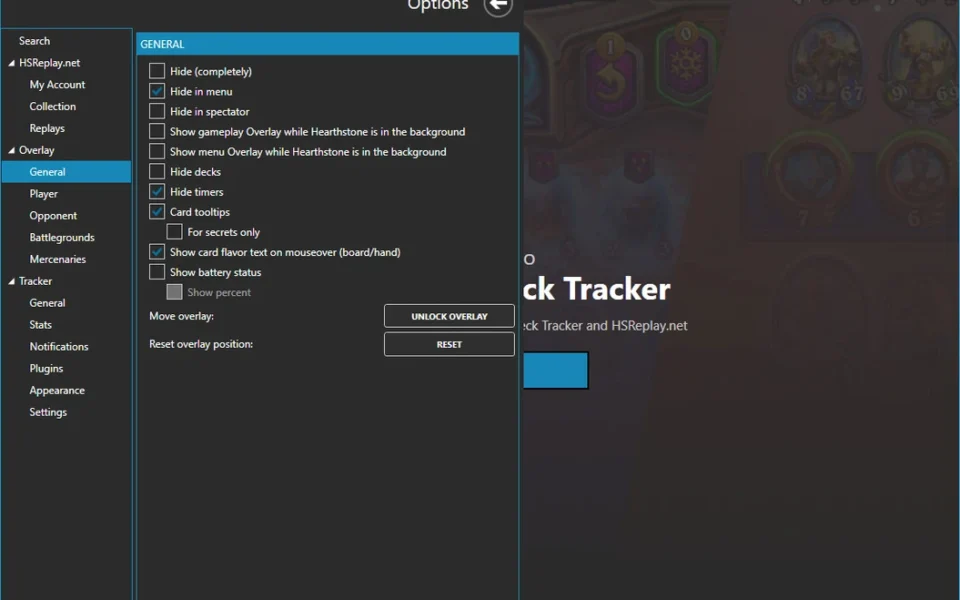
- 🔌 Plugin Support – Add extra features like collection tracking and voice controls via plugins.
- 🤖 Auto Deck Detection – Automatically selects the deck you are currently playing.
- 🆓 Free and Open Source – No cost, no ads, with full source code on GitHub.
How to Install
- Download the Hearthstone Deck Tracker installer from the link below.
- Run the HDT installer and accept the open-source license.
- If Windows SmartScreen appears, click "More info" then "Run anyway."
- Leave the default install path and click Install to copy the files.
- Launch HDT and start Hearthstone — the overlay appears automatically.
- Also Download Steam Notifier for Windows – Free
System Requirements
| OS | Windows 7, 8, 8.1, 10, 11 (64-bit) |
| CPU | Intel or AMD Processor |
| RAM | 1 GB minimum |
| Storage | 50 MB free disk space |
| Other | .NET Framework 4.5 or higher |
| File Size | ~20 MB |
Pros and Cons
Pros
- Free and open source
- Real-time in-game overlay
- Tracks both your and opponent cards
- Detailed deck and arena statistics
- Battlegrounds combat odds helper
- Import decks from many sources
- Replay saving and sharing
- Plugin support for extra tools
- Safe and tournament-legal
- Trusted by pros and streamers
Cons
- Windows only, no Mac or Linux build
- SmartScreen warning on first launch
- Learning curve for new users
- Overlay can conflict with other apps
- Needs .NET Framework 4.5 or higher
- Some features require setup
- No official mobile version
- Relies on Hearthstone log files
- Best used with admin rights
- Occasional updates needed after patches
Power Tips
Conclusion
The Hearthstone Deck Tracker Free Download is a must-have tool for anyone who takes Hearthstone seriously. It gives you a clear edge with real-time card tracking, draw odds, and deep stats — all without breaking any rules.
In real-world use, HDT is best suited to ladder climbers and Battlegrounds fans who want data-driven decisions in every match. It is also a favorite among streamers thanks to its clean overlay and replay sharing. If you want to improve your game for free, the Hearthstone Deck Tracker is one of the best companion apps you can install on your Windows PC.







Comments (0)