
What is Franz Free Download for Windows?
The Franz free download gives you a smart, all-in-one messaging app for Windows. Moreover, it combines WhatsApp, Slack, Telegram, Messenger, and 70+ other services in one clean window. Instead of juggling many browser tabs, you keep every chat in a single place. Therefore, you never miss an important message again. Built on the Electron framework, Franz wraps the web versions of your favorite apps into one tidy desktop client.
Franz was created by developer Stefan Malzner and is open source under the Apache 2.0 license. In addition, it works on Windows, macOS, and Linux. Each service appears as its own tab, so switching between them takes just one click. As a result, your personal and work chats stay neatly organized. For another handy chat tool, check out Discord which is a great free communication app for Windows.
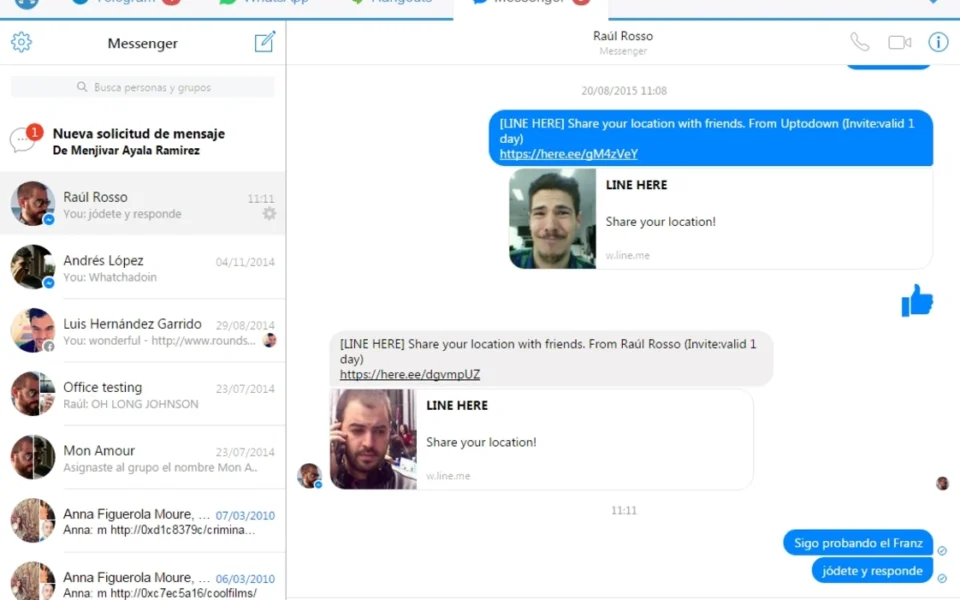
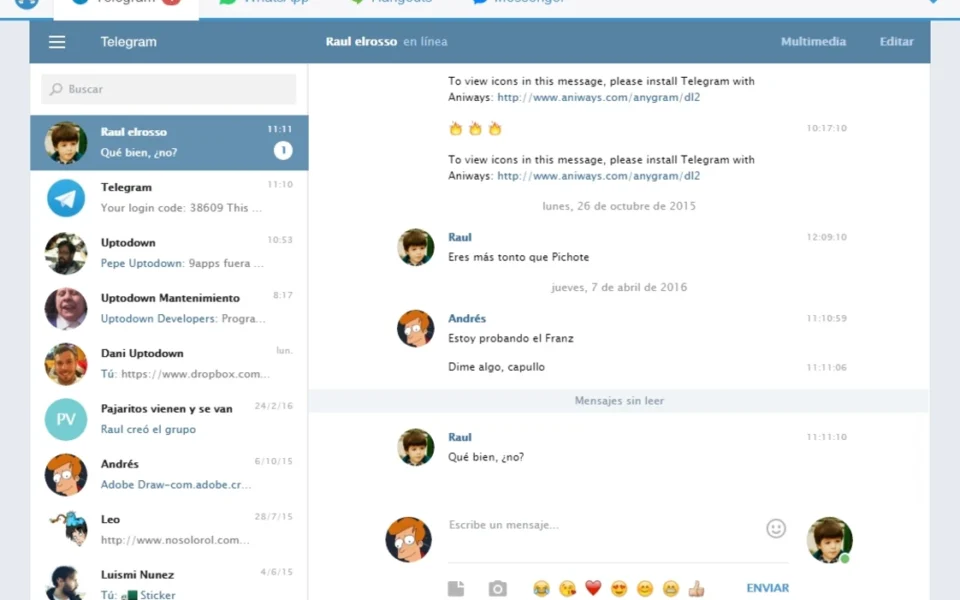
After testing it on a Windows PC, running WhatsApp, Telegram, and Messenger side by side felt smooth and clutter-free. Furthermore, the badge counts made it easy to see which app had new messages. The Franz free download is best suited to people who use many chat apps daily and want one unified inbox. According to its GitHub page, Franz supports adding the same service multiple times, so you can run several accounts at once.
Why Use This Software?
- The Franz free download keeps all your chat apps in one clean window.
- Moreover, it saves you from juggling ten different browser tabs.
- In addition, you can run multiple accounts of the same service.
- Furthermore, badge counts help you spot new messages quickly.
- Also, workspaces let you focus by grouping the services you need.
- Besides, cloud sync keeps your setup the same on every computer.
- Finally, the free tier lets you start with three services at no cost.
Screenshots
Key Features
- 💬 70+ Supported Services – Connect WhatsApp, Slack, Telegram, Messenger, Discord, and many more.
- 🗂️ Tabbed Interface – Each service gets its own tab for quick, one-click switching.
- 👥 Multiple Accounts – Add the same service several times for work and personal profiles.
- 🔔 Smart Notifications – Badge counts show which service has unread messages at a glance.
- 🧩 Workspaces – Group services to create focused, distraction-free work setups.
- 🔇 Mute Services – Silence any service so you only get the alerts you truly need.
- ✅ Spell Checker – A built-in spell checker helps you type clean messages everywhere.
- ☁️ Cloud Sync – Sign in to sync your service setup across multiple computers.
- 🧠 Plugin Recipes – Add or create your own service integrations through recipes.
- 🆓 Free to Use – A free tier covers three services, with paid plans for more.
How to Install
- First, download the Franz installer from the link below. Then, run the setup file and follow the simple steps. Next, sign up for a free Franz account or log in. After that, click "Add a new service" and pick your chat apps. Finally, log in to each service and start chatting.
- Download the Franz installer from the link below.
- Run the setup file and follow the installation steps.
- Create a free Franz account or log in.
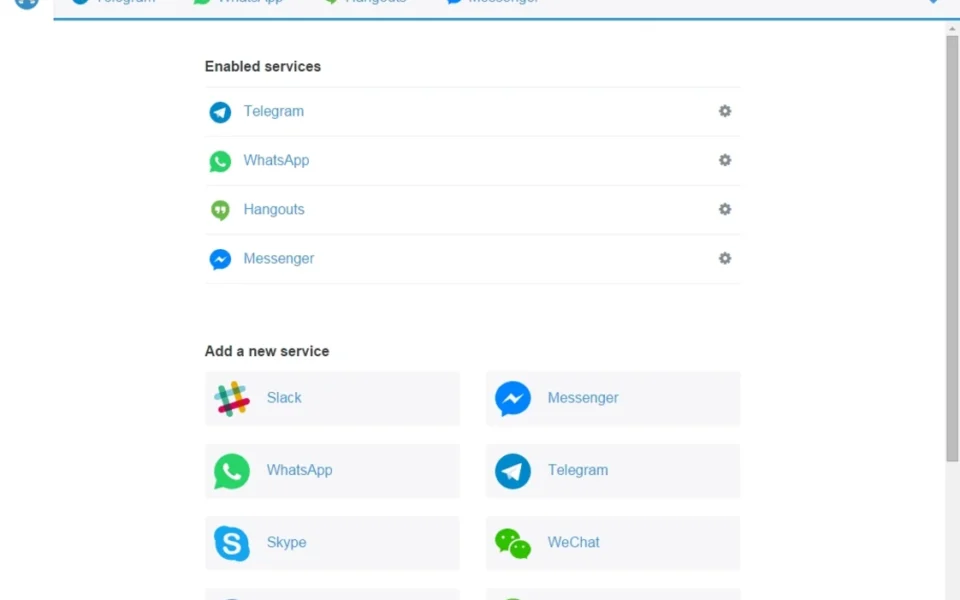
- Click "Add a new service" and choose your apps.
- Log in to each service and start messaging.
- Also Download Discord for Windows – Free
System Requirements
| OS | Windows 7, 8, 8.1, 10, 11 (64-bit) |
| CPU | Intel or AMD Processor |
| RAM | 4 GB minimum (8 GB recommended) |
| Storage | 600 MB free disk space |
| Other | Internet connection and a Franz account |
| File Size | ~530.53 MB |
Pros and Cons
Pros
- Free tier available and open source
- Combines 70+ chat services
- Multiple accounts per service
- Tabbed, easy-to-use interface
- Workspaces for focused work
- Cloud sync across devices
- Plugin recipes for extra services
- Smart badge notifications
- Works on Windows, Mac, Linux
- Spell checker built in
Cons
- Free plan is limited to three services
- Based on Electron, so it uses more RAM
- Underlying services are web-based
- Higher memory use with many accounts
- Some features need a paid plan
- Requires a Franz account to use
- Occasional quirks after service updates
- Not ideal for very low-spec PCs
- Free plan may show ads
- Depends on stable internet connection
Power Tips
Conclusion
The Franz free download is one of the best free messaging tools for Windows. It brings WhatsApp, Slack, Telegram, Messenger, and dozens more services into one clean window, so you stop switching between endless tabs. Moreover, it lets you run multiple accounts and organize everything with workspaces.
In real-world use, Franz is best suited to busy people and teams who rely on many chat apps every day. While the free plan is limited to three services and uses some RAM, its convenience is hard to beat. Therefore, if you want one tidy home for all your chats, the Franz free download is well worth a try on your Windows PC.








Comments (0)