
What is Altus Free Download for Windows?
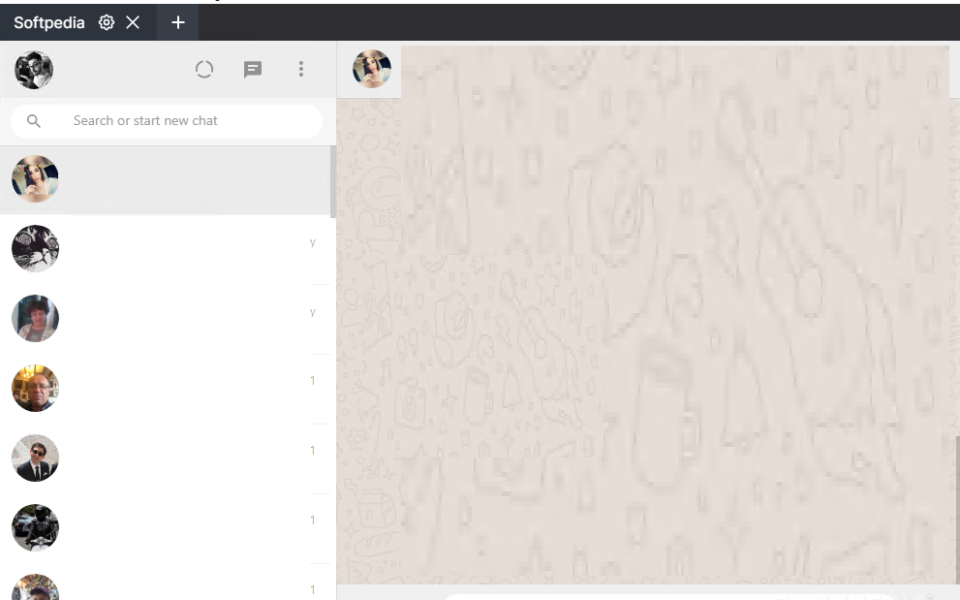
The Altus free download gives you a modern, open-source WhatsApp client for Windows. Moreover, it lets you run several WhatsApp accounts at once in a single window. Unlike WhatsApp Web, Altus adds themes, notifications, and a handy tab bar. Therefore, you can manage your personal and work chats side by side with ease. Built on the Electron framework, this app wraps WhatsApp Web and adds many useful extra features.
Altus was created by developer Aman Harwara and is released under the GPLv3 license. In addition, it works on Windows, macOS, and Linux. Each account gets its own tab, custom name, and personal theme. As a result, switching between accounts feels quick and simple. For another handy communication tool, check out Discord which is a great free chat app for Windows.
After testing it on a Windows laptop, running two WhatsApp accounts in one window felt smooth and clutter-free. Furthermore, the dark mode was easy on the eyes during night use. The Altus free download is best suited to people who juggle multiple WhatsApp numbers and want a cleaner desktop experience. According to its GitHub page, Altus has supported multiple accounts since version 2.0 and includes native notifications on all platforms.
Why Use This Software?
- The Altus free download lets you run multiple WhatsApp accounts in one window.
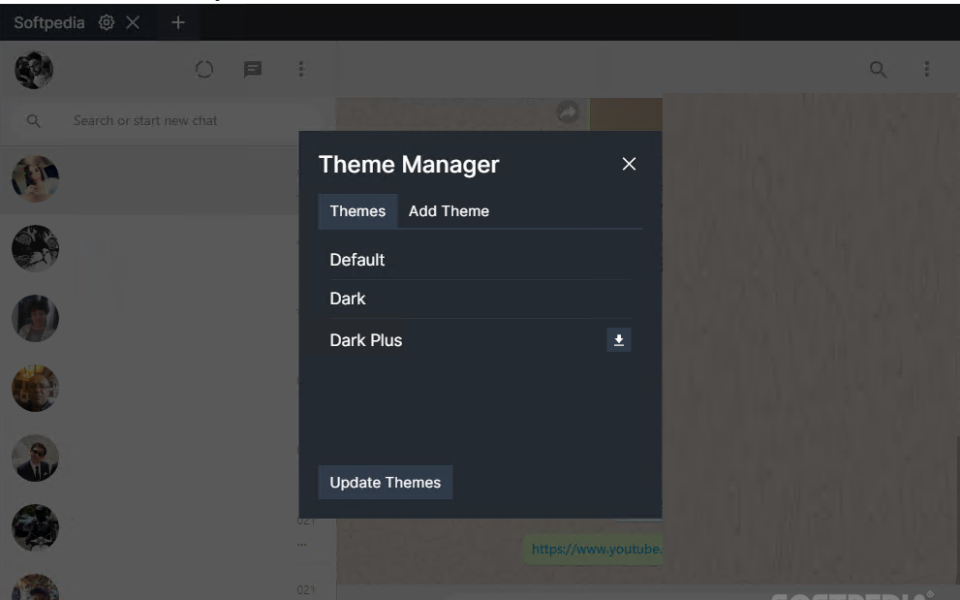
- Moreover, it adds themes and dark mode that WhatsApp Web lacks.
- In addition, the tab bar keeps your personal and work chats organized.
- Furthermore, native notifications open the exact chat with one click.
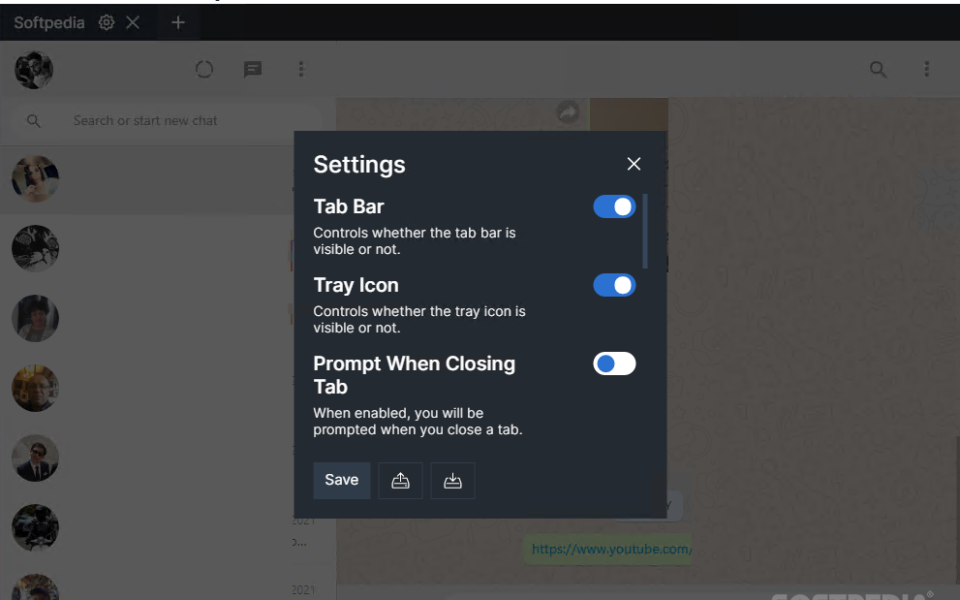
- Also, the tray icon keeps you connected even when minimized.
- Besides, the YouTube preview saves you from switching to a browser.
- Finally, it is completely free and open source.
Screenshots
Key Features
- 👥 Multiple Account Support – Run several WhatsApp accounts at once from a single window.
- 🗂️ Tab Bar Navigation – Switch between your accounts quickly using clean, named tabs.
- 🎨 Custom Themes – Pick from default, dark, and dark plus themes, or make your own.
- 🖌️ Theme Customizer – Create your own theme by picking colors, with no CSS knowledge needed.
- 🌙 Dark Mode – A sleek dark mode helps reduce eye strain during night use.
- 🔔 Native Notifications – Get system-wide alerts, and click one to open that exact chat.
- 🟢 Online Indicator – See which of your contacts are currently online at a glance.
- 📥 Tray Icon – Minimize the app fully and still receive all your messages.
- ▶️ YouTube Preview – Watch YouTube links inside the app without opening a browser.
- 🆓 Free and Open Source – No cost, no ads, released under the GPLv3 license.
How to Install
- First, download the Altus installer from the link below. Then, run the setup file and follow the steps. Next, open Altus and add a new WhatsApp instance. After that, scan the QR code with your phone to link your account. Finally, add more accounts in new tabs if you need them.
- Download the Altus installer from the link below.
- Run the setup file and follow the installation steps.
- Launch Altus and click the plus button to add an account.
- Scan the QR code with WhatsApp on your phone.
- Add more tabs to run additional accounts.
- Also Download Discord for Windows – Free
System Requirements
| OS | Windows 7, 8, 8.1, 10, 11 (64-bit) |
| CPU | Intel or AMD Processor |
| RAM | 2 GB minimum |
| Storage | 200 MB free disk space |
| Other | Internet connection and WhatsApp on phone |
| File Size | ~90 MB |
Pros and Cons
Pros
- Free and open source
- Runs multiple WhatsApp accounts
- Custom themes and dark mode
- Easy theme customizer
- Native system notifications
- Tab bar for easy switching
- Tray icon support
- Online indicator for chats
- Built-in YouTube preview
- Works on Windows, Mac, Linux
Cons
- Based on Electron, so it uses more RAM
- It is a wrapper around WhatsApp Web
- No major new features beyond WhatsApp Web
- Larger download than a simple wrapper
- Depends on WhatsApp Web being online
- Occasional bugs after WhatsApp updates
- No mobile version
- Needs your phone linked to work
- Heavier on low-spec PCs
- Limited official support
Power Tips
Conclusion
The Altus free download is one of the best free WhatsApp clients for Windows. It lets you run multiple accounts in one clean window, with themes, dark mode, and native notifications that WhatsApp Web simply does not offer. Moreover, it works across Windows, macOS, and Linux.
In real-world use, Altus is best suited to people who manage several WhatsApp numbers and want a tidy, customizable desktop experience. While it is a wrapper at heart, its extra features make a real difference. Therefore, if you want a better way to use WhatsApp on your PC, the Altus free download is well worth a try.








Comments (0)