
❓ What is HandBrake?
HandBrake – Free is a free and open-source video transcoder designed to convert, compress, and optimize video files for playback across multiple devices and platforms. Trusted by millions of users worldwide, HandBrake provides a powerful yet user-friendly solution for converting videos from nearly any format into modern, efficient codecs while maintaining excellent video and audio quality.
Originally developed as a DVD-ripping and video conversion utility, HandBrake has evolved into one of the most popular video encoding tools available for Windows, macOS, and Linux. It supports a wide range of input sources including DVDs, Blu-ray folders, video files, camera recordings, screen captures, and digital media archives. Also Try MPEG Streamclip
HandBrake – Free offers advanced encoding technologies such as H.264 (AVC), H.265 (HEVC), VP9, AV1, MPEG-4, AAC, MP3, FLAC, and Opus, enabling users to reduce file sizes significantly without sacrificing quality. It includes presets optimized for devices such as smartphones, tablets, TVs, streaming platforms, gaming consoles, and computers.
The software also features batch processing, subtitle support, chapter management, video filters, cropping, scaling, deinterlacing, hardware acceleration, and queue management, making it suitable for beginners and professionals alike. Whether you’re creating videos for YouTube, archiving DVDs, optimizing media libraries, or compressing large files, HandBrake delivers a reliable and efficient workflow.
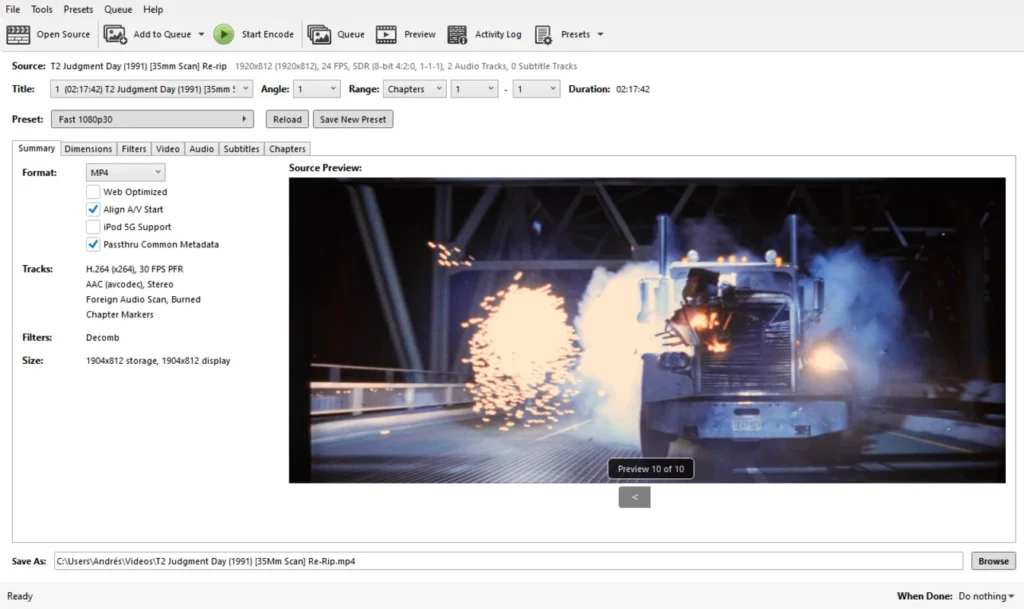
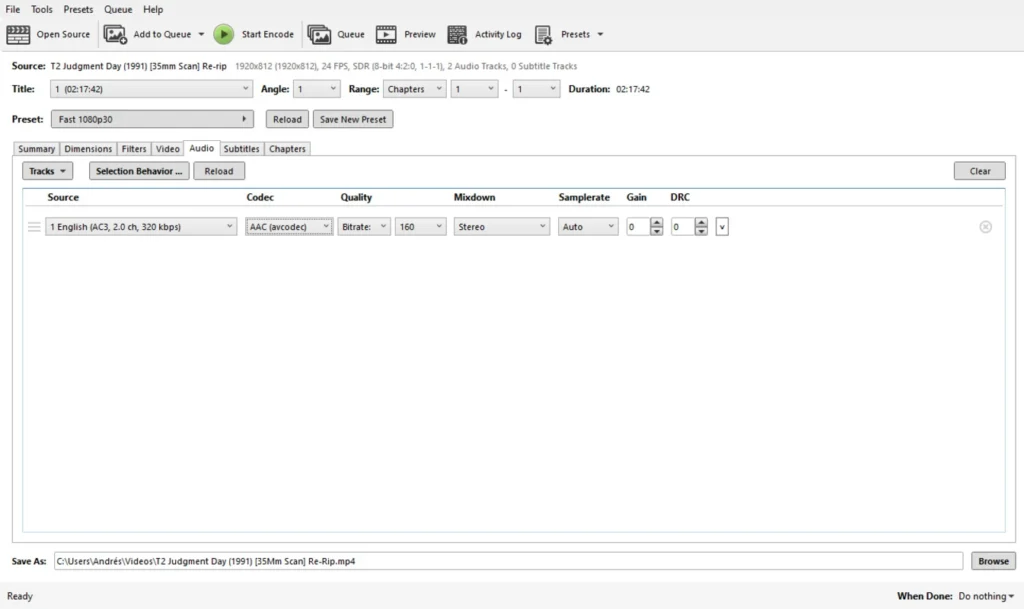
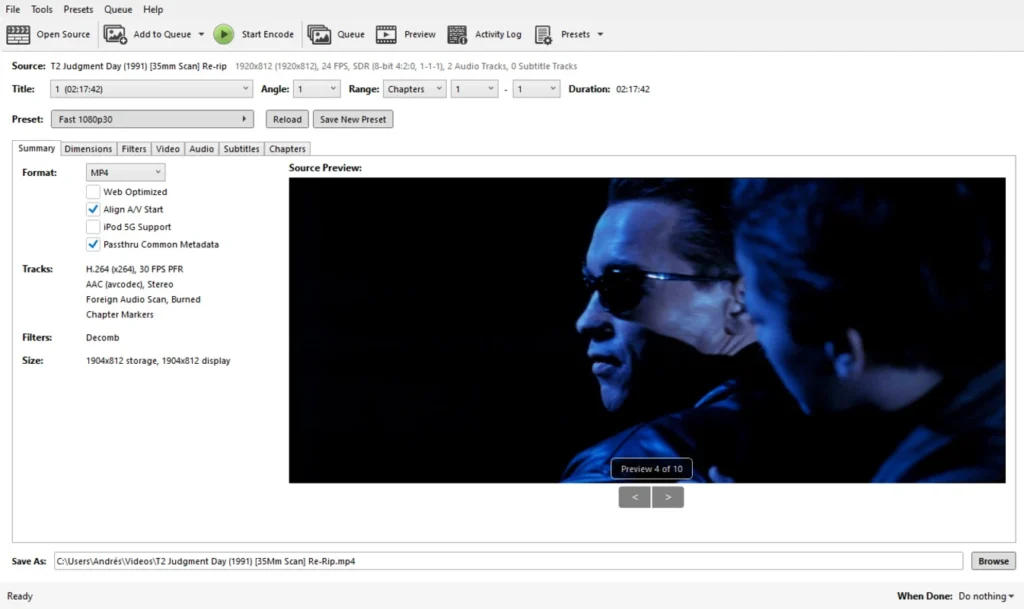
✨ Features and Highlights
🎥 Video Conversion Tool – Convert videos between multiple formats and codecs.
⚡ Modern Codec Support – Encode using H.264, H.265, VP9, AV1, MPEG-4, and more.
📦 File Compression – Reduce video file size while maintaining high quality.
📱 Device Presets – Optimized settings for phones, tablets, TVs, and gaming consoles.
🔄 Batch Processing – Convert multiple videos simultaneously.
📝 Subtitle Support – Add, remove, burn-in, or manage subtitle tracks.
🎬 Chapter Management – Preserve or edit chapter markers during conversion.
🎨 Video Filters – Deinterlace, denoise, sharpen, crop, resize, and enhance videos.
🚀 Hardware Acceleration – Utilize modern CPUs and GPUs for faster encoding.
🌍 Cross-Platform Support – Available for Windows, macOS, and Linux.
📥 How to Install HandBrake
- Download the latest HandBrake installer from the link below.
- Run the setup file and complete the installation process.
- Launch HandBrake after installation.
- Open a video file, DVD source, or media folder.
- Select an output preset and start the encoding process.
Download VUPlayer for Windows – Free
💡 Why Use HandBrake?
- Completely free and open-source.
- Supports virtually all popular video formats.
- Excellent balance between quality and file size.
- Hardware acceleration improves encoding speed.
- Ideal for media libraries, streaming, and backups.
- Powerful enough for professionals yet easy for beginners.
- Regularly updated with modern codec support.
🖥 System Requirements
- OS: Windows 10, 11 (also available for macOS and Linux)
- CPU: Intel or AMD Dual-Core Processor or higher
- RAM: 4 GB minimum
- Storage: 200 MB free disk space
- Internet: Required for updates and documentation
⚡ Power Tips
- Use H.265 (HEVC) for smaller file sizes with excellent quality.
- Enable hardware encoding to speed up conversions.
- Save custom presets for frequently used export settings.
- Use batch queues to process large video collections overnight.
- Adjust Constant Quality (RF) values for the best balance between quality and compression.
✅ Pros and ❌ Cons
| ✅ Pros | ❌ Cons |
|---|---|
| Completely free and open-source | Interface may seem technical for beginners |
| Supports modern codecs including AV1 and HEVC | No built-in video editing timeline |
| Fast hardware-accelerated encoding | Cannot bypass copy-protected commercial discs |
| Extensive format compatibility | Advanced settings require learning |
| Powerful batch processing features | Limited media management tools |
🏁 Conclusion
HandBrake remains one of the best free video conversion and transcoding tools available today. Its combination of advanced encoding options, modern codec support, hardware acceleration, subtitle management, and device presets makes it an essential utility for content creators, media enthusiasts, and everyday users.
Whether you’re compressing large videos, preparing media for mobile devices, archiving DVDs, or optimizing content for streaming platforms, HandBrake delivers professional-grade results without any cost. For anyone looking for a reliable and powerful video converter, HandBrake continues to be one of the top choices available.