
Driver Booster Free Download for Windows – Driver Updater
What is Driver Booster Free Download for Windows – Driver Updater?
The Driver Booster free download gives you IObit's driver updater that scans your entire PC and updates every outdated, faulty, or missing driver with a single click. Its free database covers 9,500,000 drivers and game components — graphics cards, sound cards, network adapters, chipsets, and peripherals from over 1,000 hardware brands — so you never have to track down the website of each device manufacturer again. Every driver comes from the manufacturer's official source or Windows, passes Microsoft WHQL testing, and follows IObit's review rules.
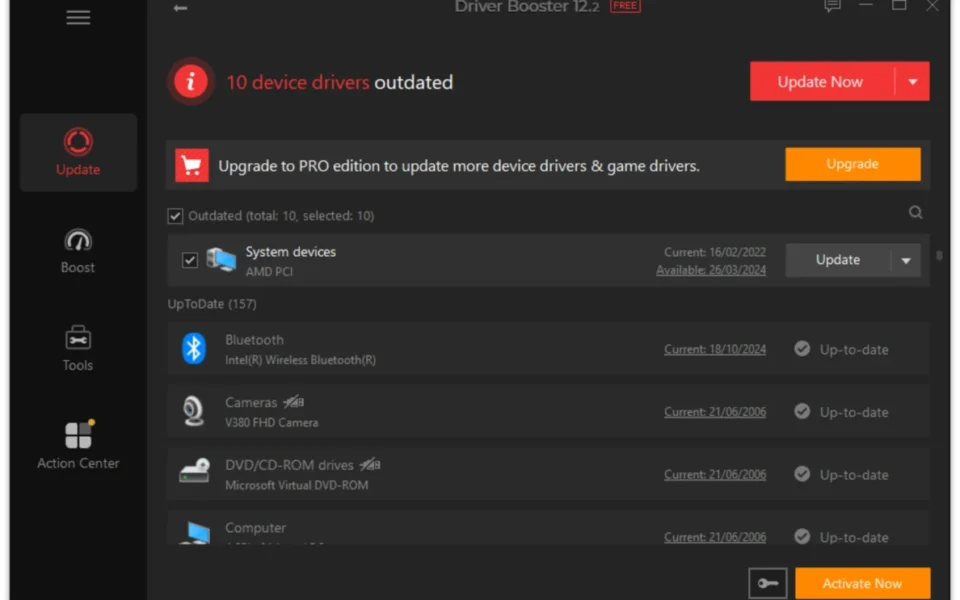
Outdated drivers cause the problems people rarely connect to them: random crashes, missing sound, broken WiFi, and stuttering games. Driver Booster shows each driver's version number, size, and release date, keeps current drivers separated from obsolete ones, and creates a backup before every update so you can roll back if anything misbehaves. If you update your chipset drivers regularly, check out Intel Chipset Device Software for the foundation your other drivers sit on.
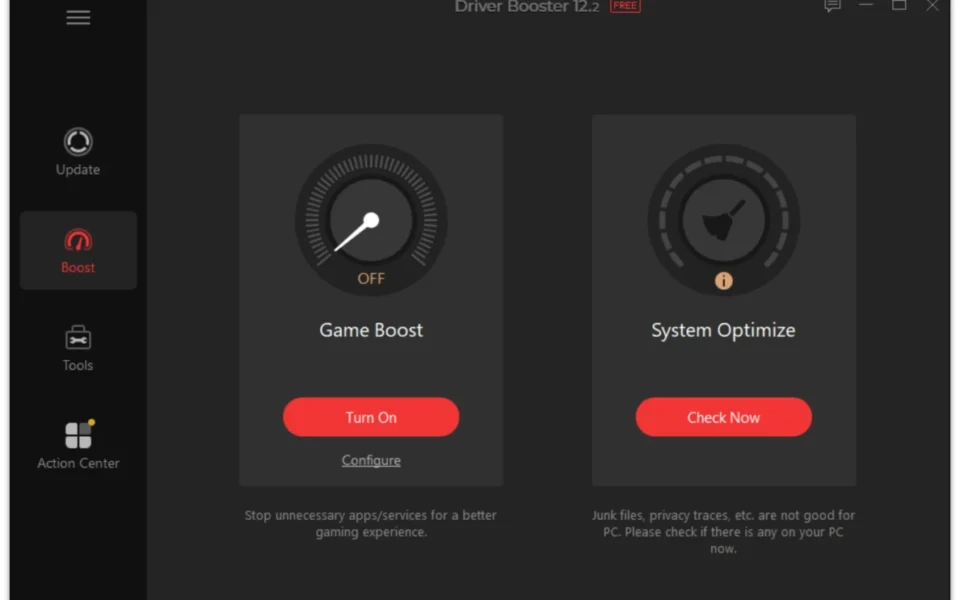
After testing it on a three-year-old gaming PC, the first scan flagged fourteen outdated drivers and updated them in one batch while the system sat idle. The Game Boost feature shut down background services before a session, and the Fix No Sound tool solved an audio dropout in seconds. According to IObit's official product page, the latest version adds expanded support for new game and AI-related drivers.
Why Use This Software?
- Fixes crashes, no sound, and network failures caused by outdated drivers.
- Saves hours of tracking down each manufacturer's download page.
- Protects you from fraudulent driver sites that spread malware.
- Backs up every driver before touching it, so rollback is one click.
- Boosts gaming FPS by keeping graphics drivers current.
- Runs updates while the system is idle, on your schedule.
- Stays completely free for personal use.
Screenshots
Key Features
- 🔍 Automatic Driver Scan – Detects outdated, faulty, and missing drivers on schedule.
- ⚡ One-Click Update – Updates every flagged driver in a single batch.
- 🗄️ 9.5 Million Driver Database – Covers hardware from over 1,000 global brands.
- 🛡️ WHQL-Certified Updates – Sources drivers from manufacturers and Microsoft only.
- 💾 Backup and Restore – Saves each driver version so you can revert after a bad update.
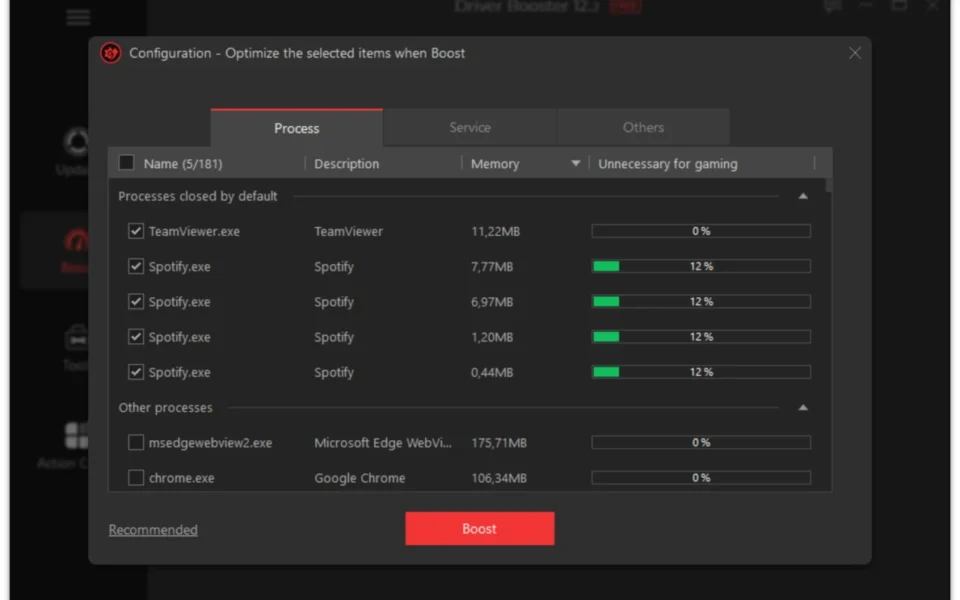
- 🎮 Game Boost – Stops unnecessary services and apps for smoother gaming.
- 🕹️ Game Component Updates – Keeps gaming drivers and components prioritized.
- 🔧 Six Fix-It Tools – Repairs no sound, network failure, bad resolution, and device errors.
- 📴 Offline Driver Update – Installs saved drivers without an internet connection.
- 🗓️ Silent Auto Updates – Downloads and installs while your system sits idle.
How to Install
- Download the Driver Booster installer from the link below.
- Run the setup and decline any optional IObit software offers.
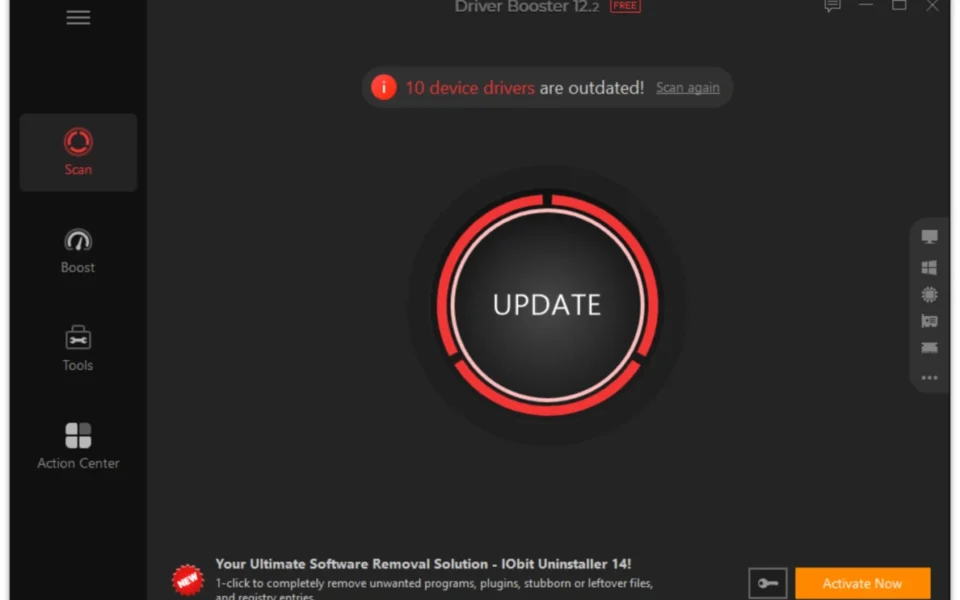
- Launch the app and click Scan to check your drivers.
- Review the outdated list with version numbers and release dates.
- Click Update Now to install everything in one batch.
- Restart your PC when prompted to finish the installations.
- Also try Canon PIXMA MG2520 Driver if your printer needs its own setup package.
System Requirements
| OS | Windows 11, 10, 8.1, 8, 7, Vista, and XP |
| CPU | 1 GHz or faster processor |
| RAM | 512 MB minimum, 1 GB recommended |
| Storage | 500 MB of free disk space |
| Network | High-speed internet for driver downloads |
| License | Free, with optional Pro upgrade |
Pros and Cons
Pros
- One-click batch driver updates
- 9.5 million driver database free
- WHQL-certified, official sources
- Backup and rollback built in
- Game Boost improves gaming
- Six repair tools included
- Works on XP through Windows 11
- Offline driver installation
- Silent scheduled updates
- Simple enough for beginners
Cons
- Free version shows ads
- Setup offers extra IObit software
- Pro database is larger (15 million)
- Slower download speeds on free tier
- Runs constantly in the background
- Uses memory on older, low-RAM PCs
- No low-power background mode
- Installed-version details are hard to find
- Frequent Pro upgrade prompts
- Some updates need multiple restarts
Power Tips
Top Alternatives
- Driver Easy – a clean, beginner-friendly updater with a large database, though download speeds are throttled on the free tier.
- DriverMax – offers driver backup and restore with a free plan limited to a couple of downloads per day.
- Snappy Driver Installer – a fully free, open-source option that works offline from downloadable driver packs, with no ads or upsells.
Frequently Asked Questions
Yes, every driver it installs comes from the manufacturer's official site or Windows, passes WHQL certification, and a backup is created before each update.
Yes, the free version scans and updates drivers with no time limit, though it shows ads and holds back some features for the paid Pro tier.
Yes, it supports Windows 11 and 10 fully, and still runs on 8.1, 8, 7, Vista, and XP for older machines.
Yes, the Backup and Restore tool saves the previous version of every driver, so one click rolls back a problematic update.
Yes, updated graphics drivers regularly add optimizations that raise FPS, and Game Boost frees resources by stopping background services during play.
Conclusion
The Driver Booster free download turns the most tedious PC maintenance chore into a two-click routine: scan, update, done. The 9.5-million-entry database, WHQL-only sources, and automatic backups make it both thorough and safe, while Game Boost and the six repair tools add real value beyond driver updates.
The trade-offs are ads in the free version, bundled software offers during setup that need declining, and constant background presence that older PCs may feel. For anyone tired of hunting driver downloads by hand, though, the Driver Booster free download remains the easiest free way to keep a Windows PC stable and current.


Comments (0)