
❓ What is StaxRip?
StaxRip – Advanced Video Encoding and Media Conversion Tool is a powerful and feature-rich video encoding, transcoding, and media conversion software designed for users who want complete control over video compression, quality optimization, and format conversion. Built for Windows, StaxRip combines dozens of popular open-source tools and encoders into a single interface, making it easier to convert, compress, edit, and process video files without manually configuring multiple applications.
Widely used by video enthusiasts, content creators, archivists, and professionals, StaxRip supports a vast range of codecs and formats including H.264, H.265 (HEVC), AV1, VP9, Xvid, AAC, FLAC, MP3, MKV, MP4, AVI, MOV, and WebM. The software acts as a front-end for renowned encoding engines such as x264, x265, SVT-AV1, NVEnc, QSVEnc, and VCEEnc, allowing users to achieve excellent compression while maintaining high visual quality. You can also download Win32 Disk Imager
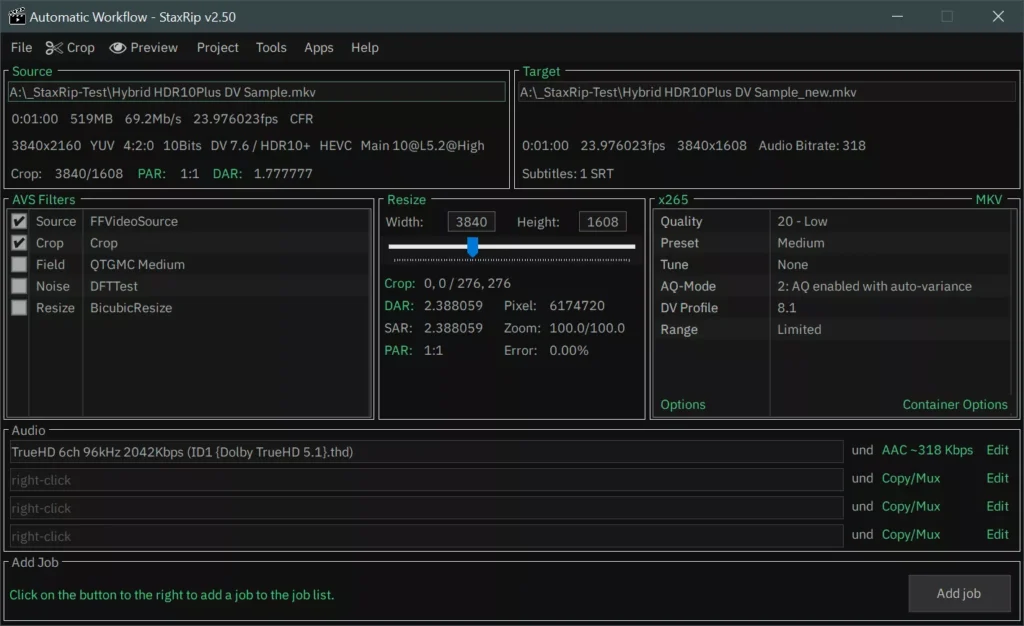
One of StaxRip – Advanced Video Encoding and Media Conversion Tool biggest strengths is its flexibility. Users can apply filters, resize videos, crop footage, remove noise, adjust colors, add subtitles, and automate complex encoding workflows. The software also supports hardware acceleration from NVIDIA, Intel, and AMD GPUs, significantly reducing encoding times.
Whether you’re compressing large movies, creating streaming-ready content, archiving Blu-ray collections, preparing videos for YouTube, or converting media for mobile devices, StaxRip provides professional-grade tools in a highly customizable environment.
✨ Features and Highlights
🎬 Advanced Video Encoding – Convert videos using H.264, H.265, AV1, VP9, and more.
⚡ Hardware Acceleration Support – Utilize NVIDIA NVENC, Intel Quick Sync, and AMD encoders.
📦 Video Compression Tools – Reduce file sizes while preserving image quality.
🎥 Wide Format Compatibility – Supports MKV, MP4, AVI, MOV, WebM, and many other formats.
🛠 Built-in Video Filters – Crop, resize, sharpen, denoise, and enhance videos.
📝 Subtitle Integration – Add, edit, and manage subtitle tracks.
🔄 Batch Processing – Encode multiple files automatically.
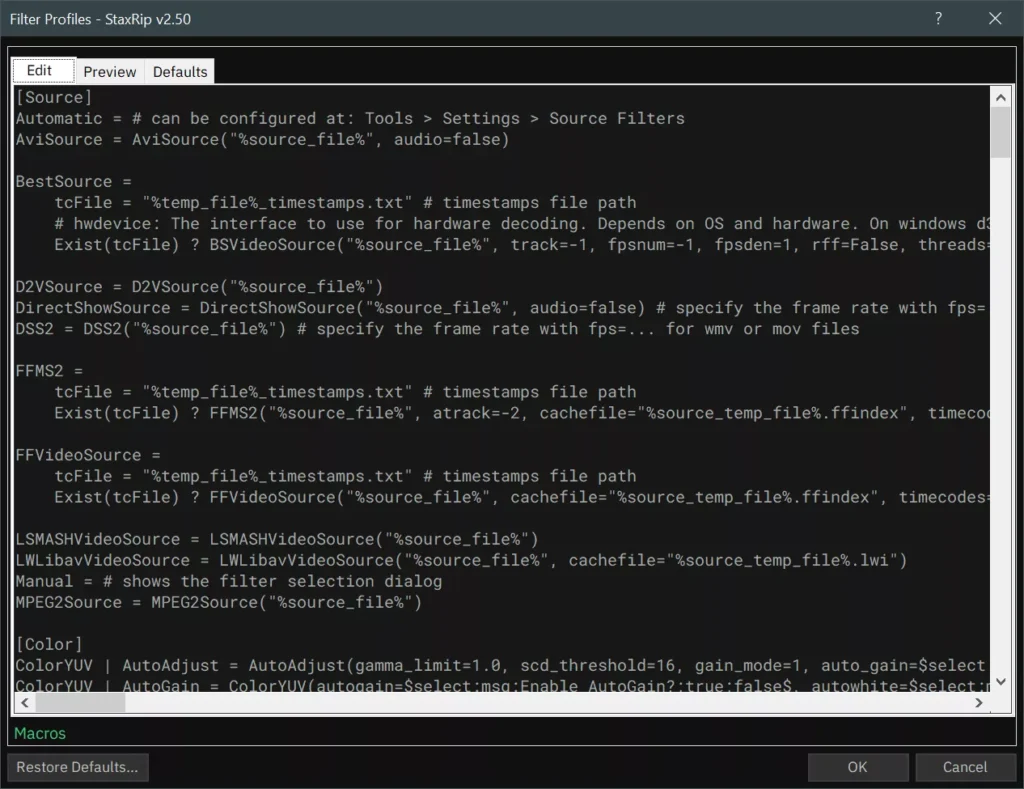
🎨 Custom Encoding Profiles – Save and reuse personalized conversion settings.
🚀 Automation Features – Streamline complex workflows with scripting and templates.
📊 Professional Encoder Integration – Includes support for x264, x265, SVT-AV1, and more.
📥 How to Install StaxRip
- Download the latest StaxRip package from the link below.
- Extract the downloaded archive to a preferred folder.
- Launch the StaxRip executable file.
- Allow the application to download any required components.
- Open a source video and begin configuring your encoding settings.
Download ImgBurn for Windows – Free
💡 Why Use StaxRip Free Download?
- Provides access to professional-grade encoding tools.
- Supports modern codecs such as AV1 and HEVC.
- Delivers excellent compression and image quality.
- Hardware acceleration significantly speeds up processing.
- Ideal for content creators and video archivists.
- Highly customizable encoding workflows.
- Supports advanced filtering and video enhancement.
🖥 System Requirements
- OS: Windows 10, 11
- CPU: Intel or AMD Multi-Core Processor
- RAM: 4 GB minimum (8 GB or higher recommended)
- Storage: 500 MB free disk space
- Internet: Required for updates and component downloads
⚡ Power Tips
- Use AV1 encoding for maximum compression efficiency.
- Enable GPU acceleration to dramatically reduce rendering times.
- Save custom presets for frequently used workflows.
- Apply denoise filters before compression for cleaner results.
- Use batch processing to convert entire video libraries automatically.
✅ Pros and ❌ Cons
| ✅ Pros | ❌ Cons |
|---|---|
| Supports modern codecs including AV1 | Learning curve for beginners |
| Excellent video quality and compression | Interface can feel overwhelming initially |
| Powerful hardware acceleration options | Windows-only software |
| Advanced filtering and customization | Requires understanding of encoding concepts |
| Completely free and actively maintained | Some features need additional setup |
🏁 Conclusion
StaxRip is one of the most powerful free video encoding applications available for Windows users. Combining advanced compression technologies, professional-grade encoders, hardware acceleration, and extensive customization options, it provides everything needed for high-quality media conversion and optimization.
Whether you’re creating smaller video files, encoding content for streaming platforms, archiving Blu-ray collections, or experimenting with cutting-edge codecs like AV1, StaxRip delivers outstanding performance and flexibility. For users seeking a feature-rich video transcoding solution, StaxRip remains one of the best choices available today.